
|
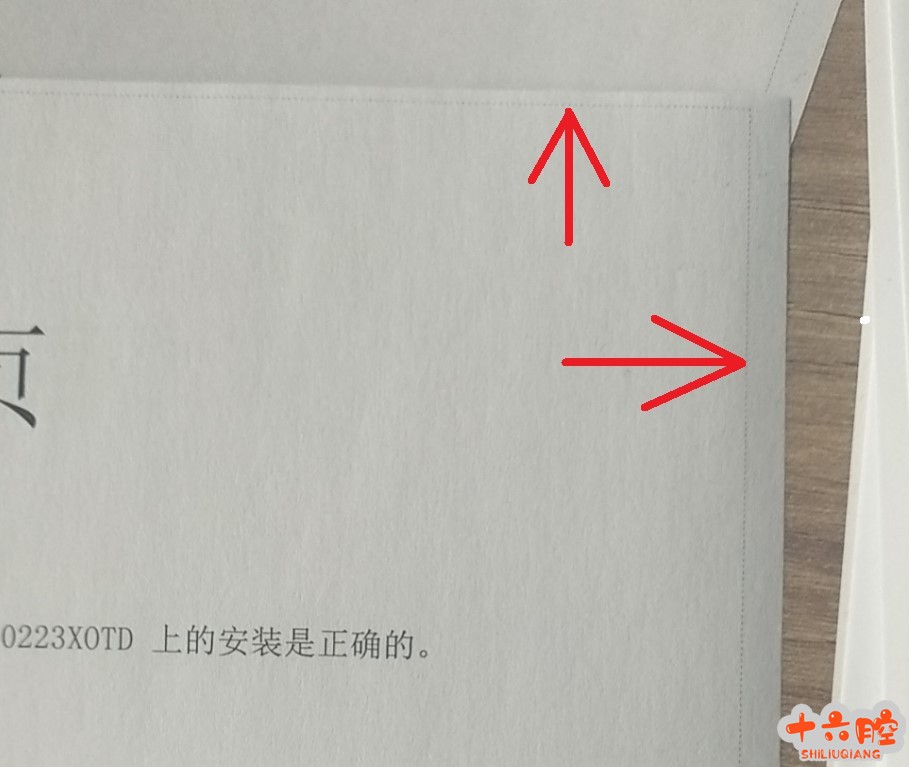
Symptoms When copying, the image is normal, the scanned image is normal, and the image on the printing counter page is normal. However, when printing through the computer, there are black dashed borders on all four sides of the paper. The fault sample is shown in the following figure:
Diagnostic process 1) Replace the black PCDU, but the fault persists. 2) Due to the malfunction only occurring during computer printing, it is ruled out that the scanning unit and laser unit were faulty. 3) Adjusting the original print driver settings and replacing other print drivers on this model, the fault persists. 4) Check the BICU board and controller board wiring harness and unplug and reconnect the connectors, but the fault persists. 5) Format the hard drive, but the issue persists. 6) Replace the memory, but the fault persists. 7) After clearing the memory of the printer application program (SP5-801-008), the machine image was normal. |
Address of this article:https://073868.com/post/5577.html
Copyright Notice:
For relevant infringements, reports, complaints and suggestions, please send E-mail:weixiuwang68@qq.com
Tags: #PCDU #hard disk #Memory #Dashed border #C2000







