
|
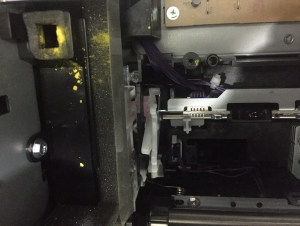
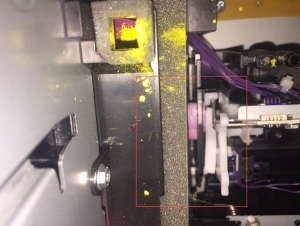
Symptoms: A SP C360SFNw machine shows the fault phenomenon of SC370-01 on the power-on display, and the fault remains after exchanging the ID sensor. Reason: 1. TM(ID) sensor calibration error (right), the reflected light output voltage (Vsg_reg) of the right TM(ID) sensor cannot be calibrated to a value within the target range. Upper (initial 2.97V) Lower (initial 2.31V) 2.TM(ID) sensor connector disconnected/poor contact 3.TM(ID) sensor window staining 4.TM(ID) sensor failure 5. The image transfer belt becomes loose or dislocation Maintenance process: On-site inspection of the output SP3-321-001 of the ID sensor: 2.6V 011, 0.13V 012, 0.12V. The fault persists after the new ID sensor is replaced. When the ITB unit is removed for reinstallation, it is found that the white rod connected to the TM sensor is out of position, resulting in the TM sensor not being able to return to the normal working position. (See the figure below)
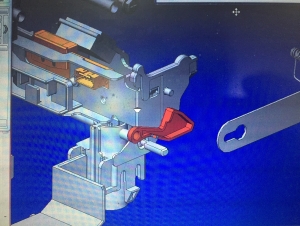
Reinstall the part (see the red part in the Parts Manual below)
Solution Reinstall the white hanger parts and troubleshoot. |
Address of this article:https://073868.com/post/5518.html
Copyright Notice:
For relevant infringements, reports, complaints and suggestions, please send E-mail:weixiuwang68@qq.com
Tags: #C360SFNw #SC370-01 #ID sensor #ITB #Transfer Unit






