
|
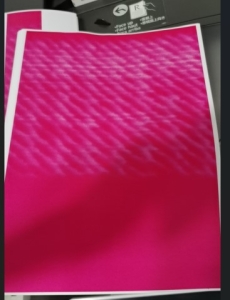
Fault symptoms: Print red image area with white leakage and uneven color (as shown in the following fault image)
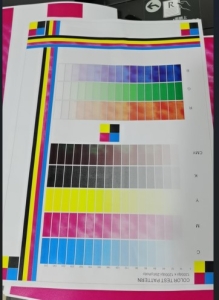
on-site repair 1. Print monochrome test chart (as shown in the picture), other colors are normal
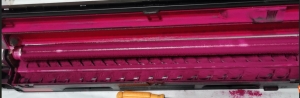
2. Adjust the color density by forcibly adding powder twice, which improves but is not significant 3. Check that there is no powder leakage inside the machine 4. Disassembling the developing chamber and rotating it, it was found that there was no carrier adsorption in some areas of the magnetic roller surface. As shown in the figure
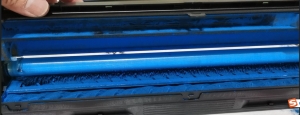
Blue is normal, compared to the blue developing chamber, the amount of carrier is significantly less as shown in the following figure
Solution: No powder or carrier leakage was found during the inspection of the inside and outside of the machine. The waste powder box was checked to ensure that there was no carrier inside. After confirming that the above was normal, the weight of the carrier for this machine was 240G according to the manual. As there was no new carrier ordered, the old developing chamber was disassembled and added to the appropriate amount of carrier. After reinstalling the machine for carrier initialization, the color concentration was adjusted and returned to normal. |
Address of this article:https://073868.com/post/5506.html
Copyright Notice:
For relevant infringements, reports, complaints and suggestions, please send E-mail:weixiuwang68@qq.com
Tags: #Red #White leakage #uneven color #C3000 #C3500







