
|
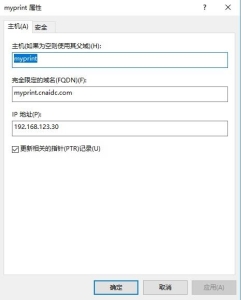
Fault phenomenon: In order to facilitate user connection to shared printers, the client decided to replace the original host name with an alias record in DNS.
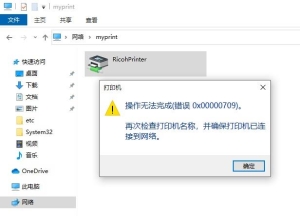
In this case, if the client uses an alias, it cannot connect to the printer and the following error occurs:
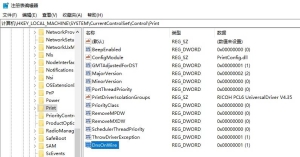
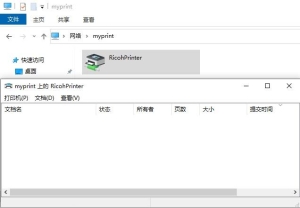
PS: As long as the actual host name or IP address is used, connecting to the printer will be successful. Cause of the failure: The reason for this issue may be due to optimization changes made to the backend processing program code of non clustered computers. When the operating system loads, the print background processing program service will load the local name of the computer and other local names in the DNS cache. The print backend processing program service uses the local name to service requests. Solution: Add the following registry key on the print server: reg add HKLM\SYSTEM\CurrentControlSet\Control\Print /v DnsOnWire /t REG_DWORD /d 1
|
Address of this article:https://073868.com/post/5498.html
Copyright Notice:
For relevant infringements, reports, complaints and suggestions, please send E-mail:weixiuwang68@qq.com
Tags: #Shared Printer







