
|
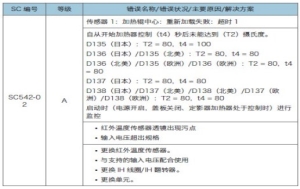
symptom: Startup error SC542-02 Reason: The heating roller of the fixing belt ruptures, causing abnormal rotation of the fixing belt and abnormal temperature detection
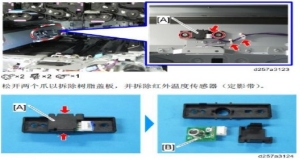
According to the code prompt information, the problem lies in the upper heating roller part of the fixing belt Solution process: 1. Remove the entire component of the fixing device, check and clean the infrared temperature sensor. Even after turning on the device, it still reports an error. There is no obvious heating temperature inside the fixing device when felt by hand.
2. Check and clean the two thermistors of the fixing belt, and no obvious abnormalities were found
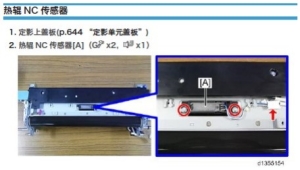
3. The multimeter was used to measure the fixing tropical thermostat, and the measurement was connected normally. The NC sensor of the hot roller was checked and cleaned, and no obvious abnormalities were found.
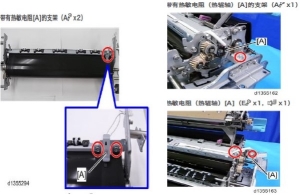
4. Upon careful observation, irregular wavy stripes were found on the surface of the fixing belt, indicating that there may be abnormal rotation of the fixing belt. From a side view, it was discovered that the heating roller was abnormal. After removal, it was found that the heating roller had already ruptured on the inside of the machine, causing abnormal rotation of the fixing belt. The relevant temperature sensor failed to detect the specified temperature within a certain period of time, resulting in an error. After replacing the heating roller, the machine printed normally. Solution: Due to the detection mechanism of the sensors on the front cover of the Chair series machines, it is difficult to observe the operation of internal related components. During on-site maintenance, it is necessary to determine whether the problem is caused by the mechanical transmission part or the related sensors, in order to quickly determine and solve the problem |
Address of this article:https://073868.com/post/5469.html
Copyright Notice:
For relevant infringements, reports, complaints and suggestions, please send E-mail:weixiuwang68@qq.com
Tags: #SC542-02 #c5100 #Fixing belt #heating roller #C5110







