
|
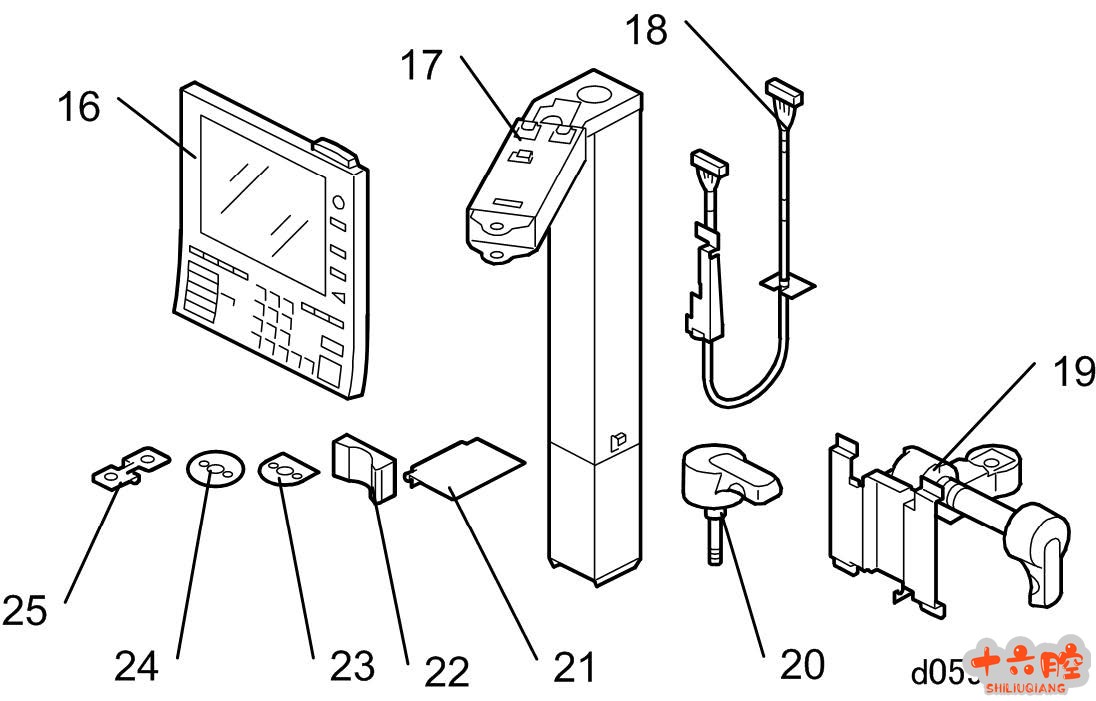
Symptoms A machine is just starting to output copies, but the screen instantly goes black and then lights up to display 'Please wait'. The machine continues to print until the job ends and crashes. If 2000 pages are printed, the machine will reproduce the above phenomenon on the screen after the first page is output, but the printing job will continue and the paper can be added normally even if it runs out halfway. But at this moment, the screen keeps showing 'Please wait'. After the output of this 2000 page assignment is completed, the machine keeps displaying 'Please wait' and crashes. Maintenance ideas 1. Attempt to output 1 job with 2 pages, but there is no paper in the paper box. The machine will prompt to add paper, but the screen display is normal. After inserting the paper. The fault still exists 2. Upgrading all firmware of the entire machine is invalid 3. Replacing the controller board, memory, HDD, and PSU-C (controller power board) is ineffective 4. Replacing the BICU board is ineffective 5. Replacing IOB is ineffective 6. Replacing SIOB and MCU boards is ineffective After analysis, the machine engine should be normal, as the fault phenomenon has been observed continuously. Intuitively, it was believed that the display screen was causing the fault phenomenon, and then entered the display screen testing mode. After testing, when the LED is fully lit, the fault phenomenon (black screen) will be reproduced, and then the LED will be tested one by one without any black screen phenomenon. But when all the LEDs are lit up one by one and a certain LED is lit up, the machine malfunction phenomenon can be reproduced. At this point, the problem is already quite clear (the cable from the control panel to the host, or the control panel). 8. Troubleshooting the cable connecting the host to the operation panel 9. After analysis, it was found that there may be a short circuit inside the cable, which caused a 5V short circuit when activating a certain LED (hence causing this phenomenon). Check that the surface of the replaced cable is intact and there are no signs of damage to the cable. It may be due to natural aging causing internal short circuits in the cable. Solution After replacing the cable from the host to the operation panel, the fault was resolved. The 18th part in the following picture
|
Address of this article:https://073868.com/post/5451.html
Copyright Notice:
For relevant infringements, reports, complaints and suggestions, please send E-mail:weixiuwang68@qq.com







