
|
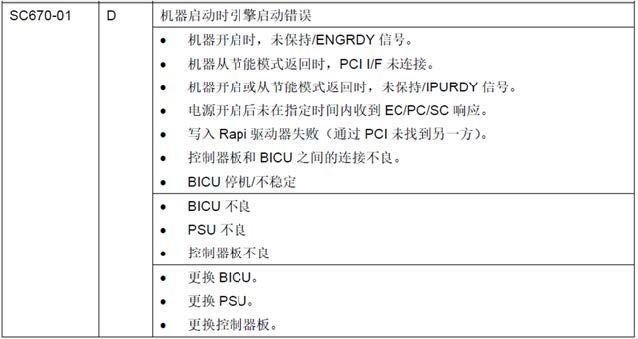
Symptoms SC670-01, And cannot enter SP maintenance mode. Maintenance process 1. Check the maintenance manual to confirm that the machine's GW+operating system malfunctioned during startup.
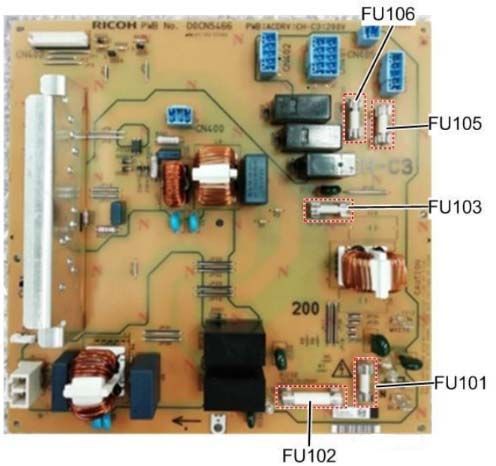
2. Hardware related to this fault: controller board NV-RAM; The controller board and NV-RAM were replaced sequentially for testing, and the fault was not eliminated, ruling out the possibility of damage to the controller board and NV-RAM. 3. As the specific cause of the malfunction cannot be confirmed, the inspection should start from the power board first (note: to avoid damage to the board or electric shock to personnel during measurement, please perform shutdown, unplug the power cord, press and hold the power button for 5 seconds to discharge before testing). Use a multimeter to measure the fuses of the following boards separately:
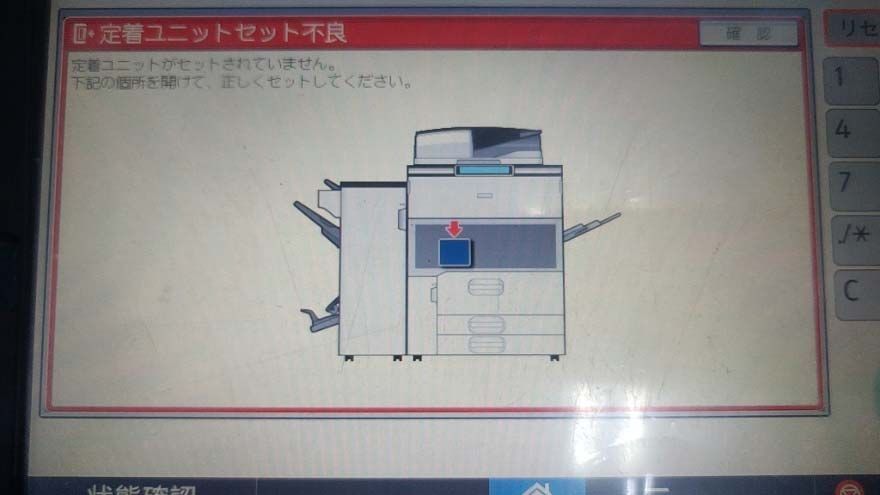
1) AC power board: 2) DC power board: The measurement results show that all fuses are not damaged, ruling out the possibility of the board not starting due to power supply issues. 4. Suspecting that the malfunction may be caused by short/open circuits in certain units, we first pulled out the paging unit, paper box unit, powder rack unit, and drawer unit. After power on testing, we did not report SC670-01 and were able to enter SP maintenance mode, confirming that the malfunction was caused by short/open circuits in the units; 5. Restore the previously unplugged units in sequence for power on testing until the fault reoccurs when the drawer unit is closed, and confirm the units with short/open circuits inside the drawer unit. First, remove the wiring harness connecting the drawer unit to the host (which transmits signals to the alignment unit, paper transfer unit, paper transport unit, and double-sided unit in the drawer). Close the drawer unit and test for the fault. Continue to remove the fixing unit and plug it back into the wiring harness connecting the drawer unit to the host. After power on testing, SC670-01 does not report and the system can enter SP maintenance mode, confirming that the fault is caused by the fixing unit.
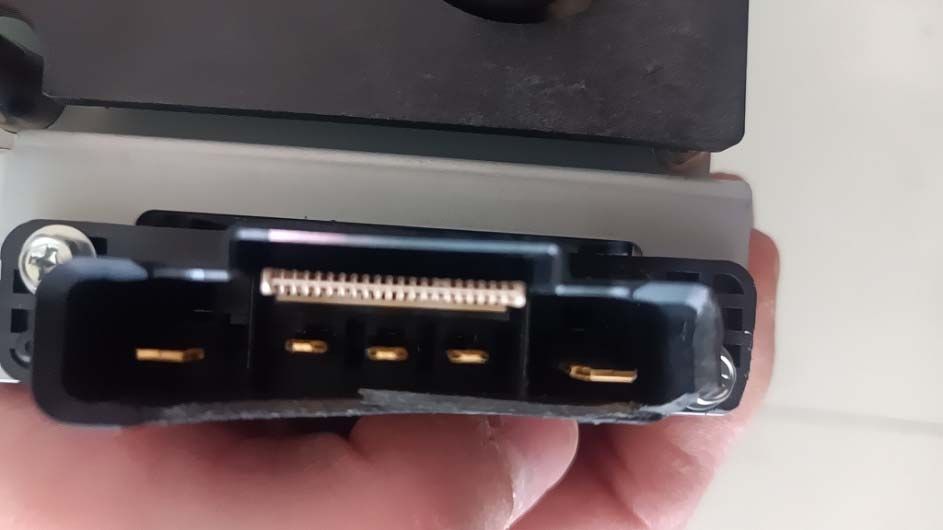
6. Upon inspection of the fixing unit, it was found that there were cracks and damages at the interface between the fixing unit and the host, and the antennae were found to be bent. After re correction, the machine was tested and the fault was resolved.
Solution After correcting the interface angle of the fixing unit, the fault was resolved. Note: This fault is also provided for everyone to use this unit plug and unplug method to determine the cause of some faults that cannot be found (such as no display when starting up, SC670~672, startup crash, etc.). |
Address of this article:https://073868.com/post/5417.html
Copyright Notice:
For relevant infringements, reports, complaints and suggestions, please send E-mail:weixiuwang68@qq.com
Tags: #SC670-01 #SC670 #c8000 #Fixing Unit #c6500






