
|
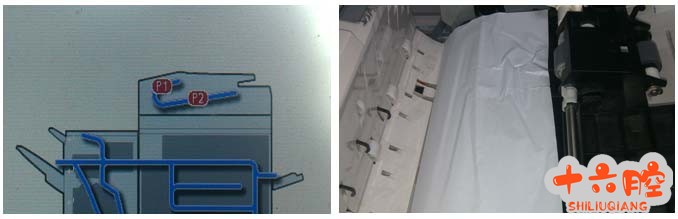
Ricoh MP6001/7001/8001/9001 paper feeders have paper jams P1 and P2, which are warped and wrinkled. It took a night to fix, and some machines can be solved by replacing the motor, while others cannot. This issue mainly occurs in the 1 series.(Paper feeder card code J056) When using a document feeder for continuous copying or scanning, original paper jams often occur (at P1 and P2), and the paper gets stuck between the skew correction roller and the original conveyor belt. Sometimes paper delivery is normal.
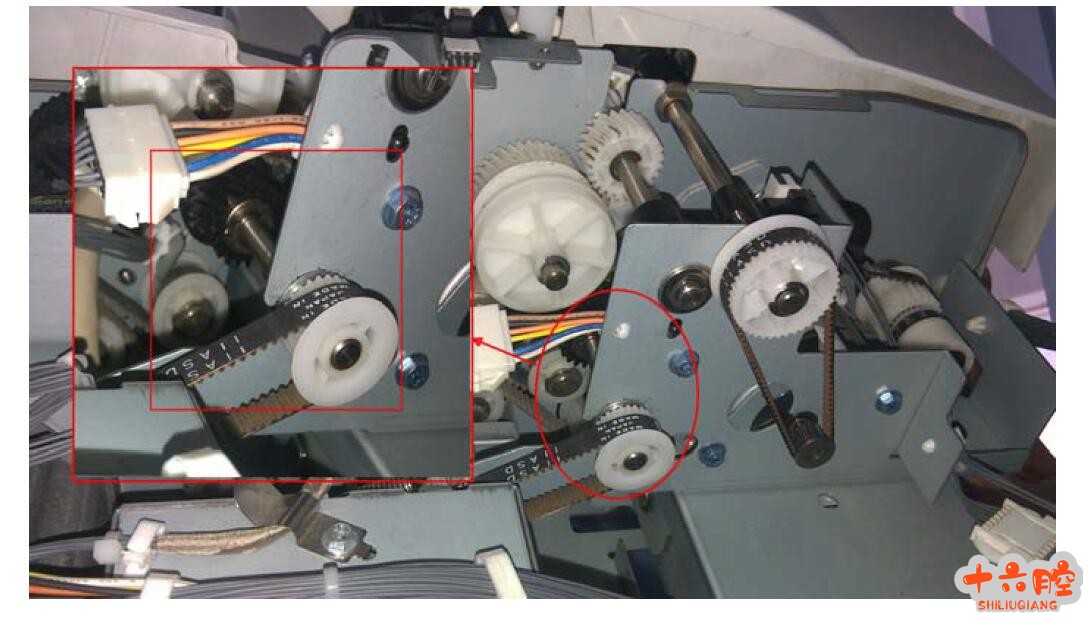
There are several common reasons for paper jams in original manuscripts: 1. The tilt correction sensor, spacing sensor, separation sensor, alignment sensor, and output sensor are dirty and damaged. 2. Rubbing wheel, feeding belt, skew correction roller, conveyor belt, and output wheel are dirty and deformed. 3. The original paper is warped, wrinkled, etc. 4. Poor input drive. Inspect the feed sensor separately, clean the roller, and replace the inlet wheel drive gear, but the fault persists. Reason The transmission drive shaft is faulty, and the one-way bearing slips. After replacing the drive bearing, it returns to normal. As shown in the following picture:
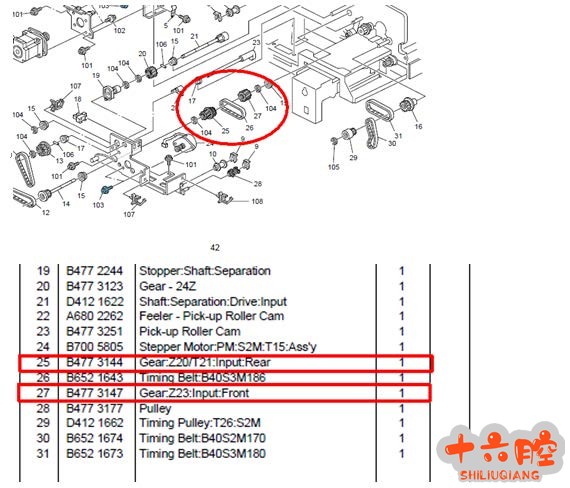
Parts 25 and 27 in the following figure of the parts manual:
Solution Normal after replacing the above parts. |
Address of this article:https://073868.com/post/5384.html
Copyright Notice:
For relevant infringements, reports, complaints and suggestions, please send E-mail:weixiuwang68@qq.com
Tags: #6001 #7001 #8001 #Document Feeder #Paper jam







