
|
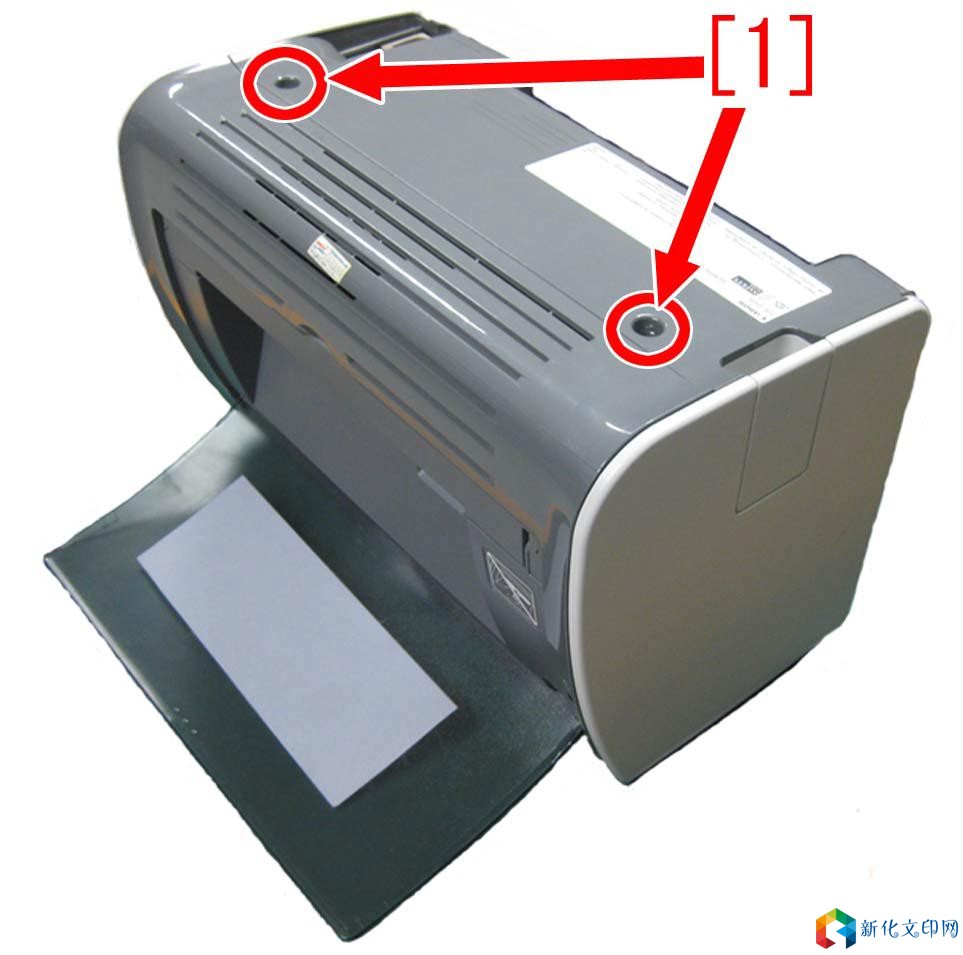
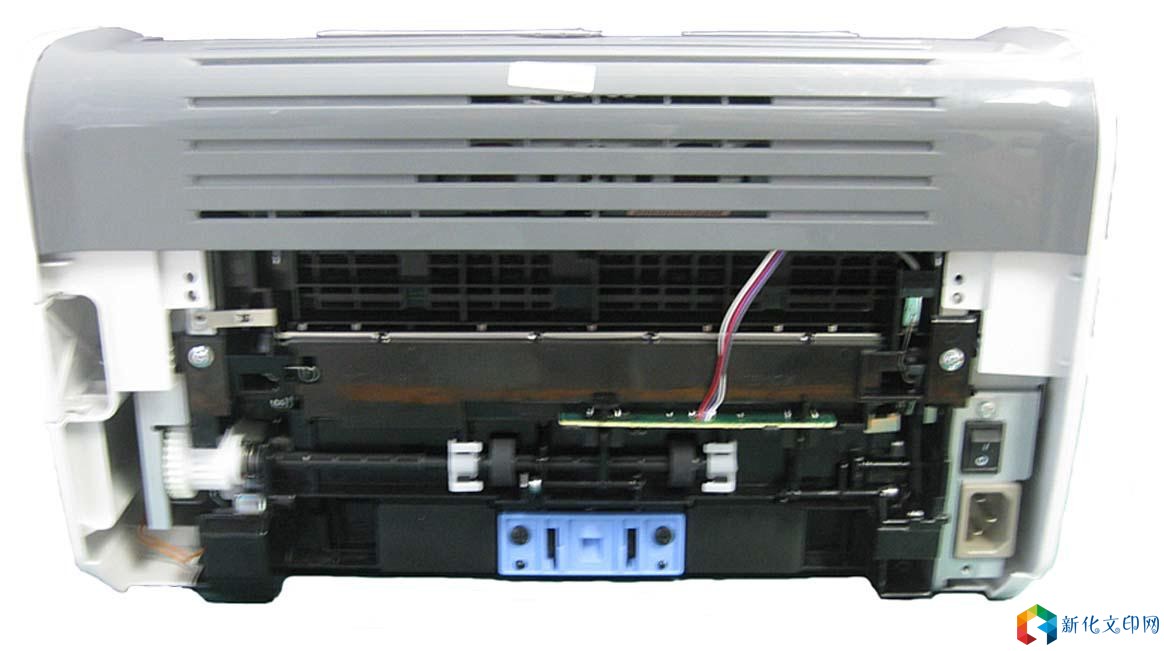
Product Model: Model: LBP2900 LBP2900+ LBP3000 fault phenomenon] During the printing process, abnormal sounds may be detected when rubbing the paper. [Cause of the Failure] The fixing rods on both sides of the wheels of the horizontal bar component make abnormal noises when they rub against the shaft sleeve due to wear and aging. [Maintenance Work] When abnormal noise occurs, please prepare two new wheels (RC1-2059-000) for the conveyor crossbar assembly. The material of this component has been improved to be more wear-resistant and has been set as a standard part. Please refer to the following instructions for replacing the wheels of the old conveyor crossbar component with new ones. 1. Flip the machine over, with the rear facing upwards. Remove two screws [1].
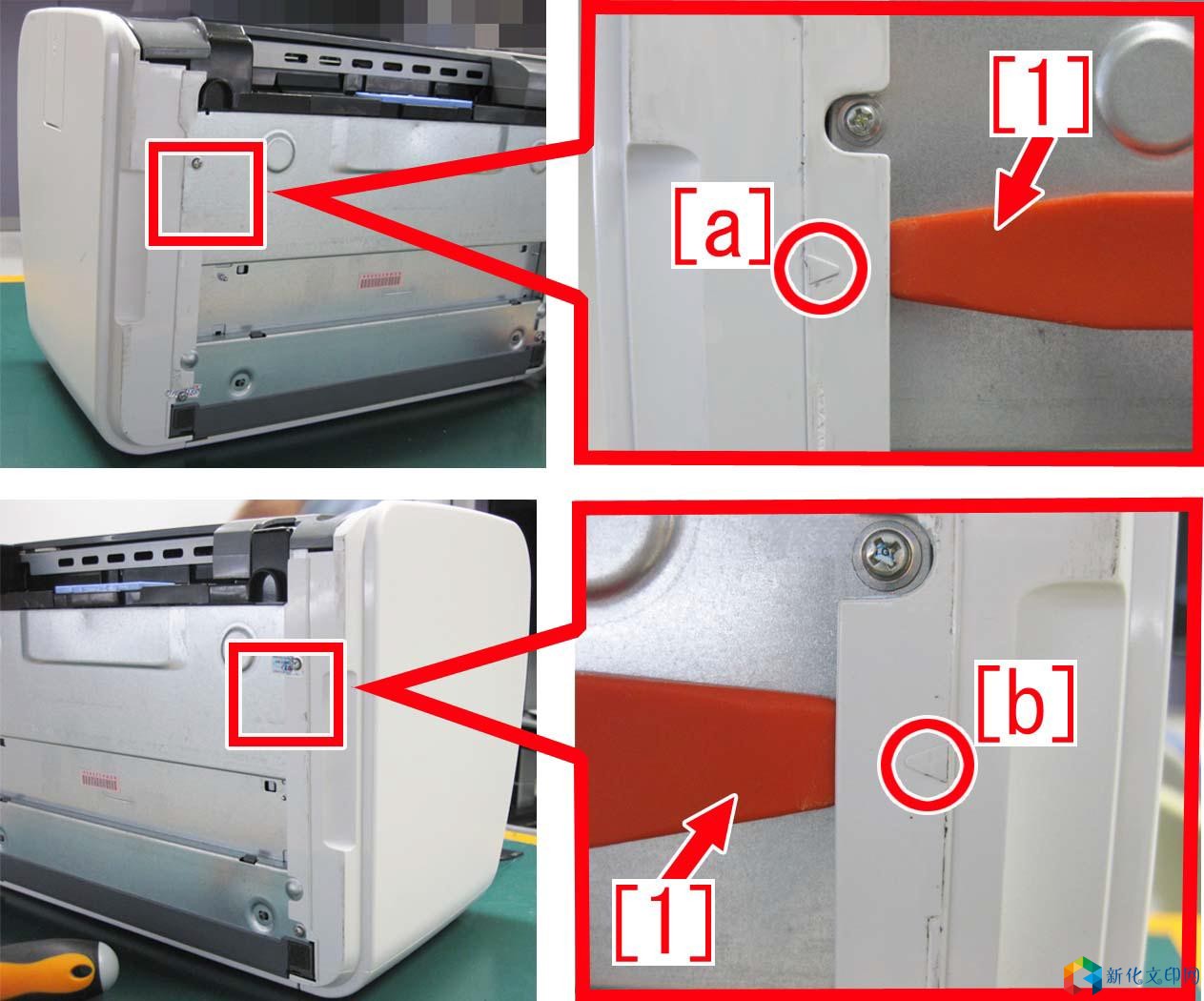
2. Triangle markings on both sides [a] Insert tool [1] and release the buckle.
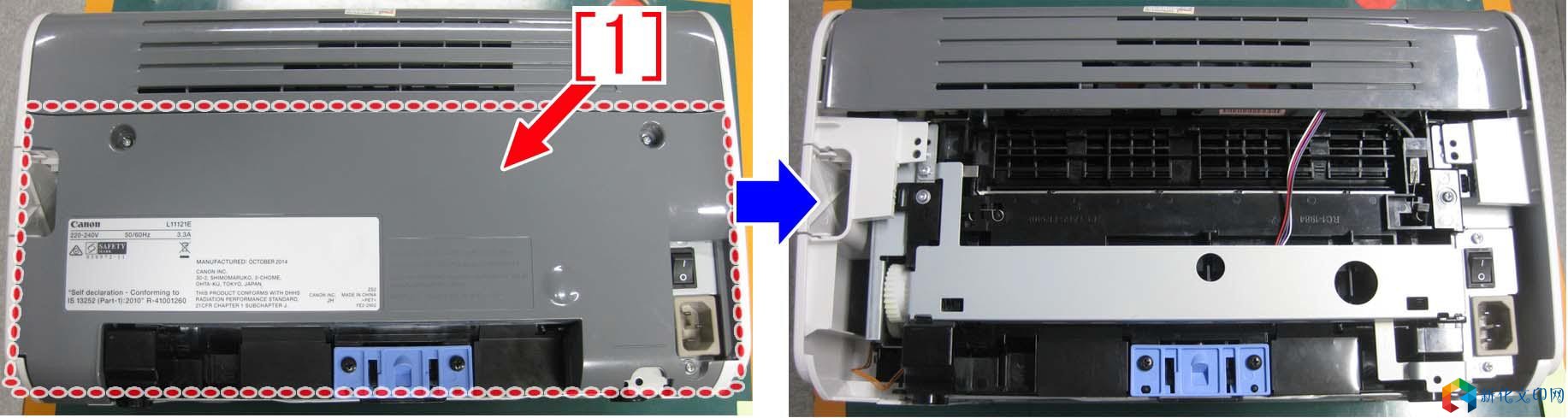
3. Remove the rear cover plate [1]
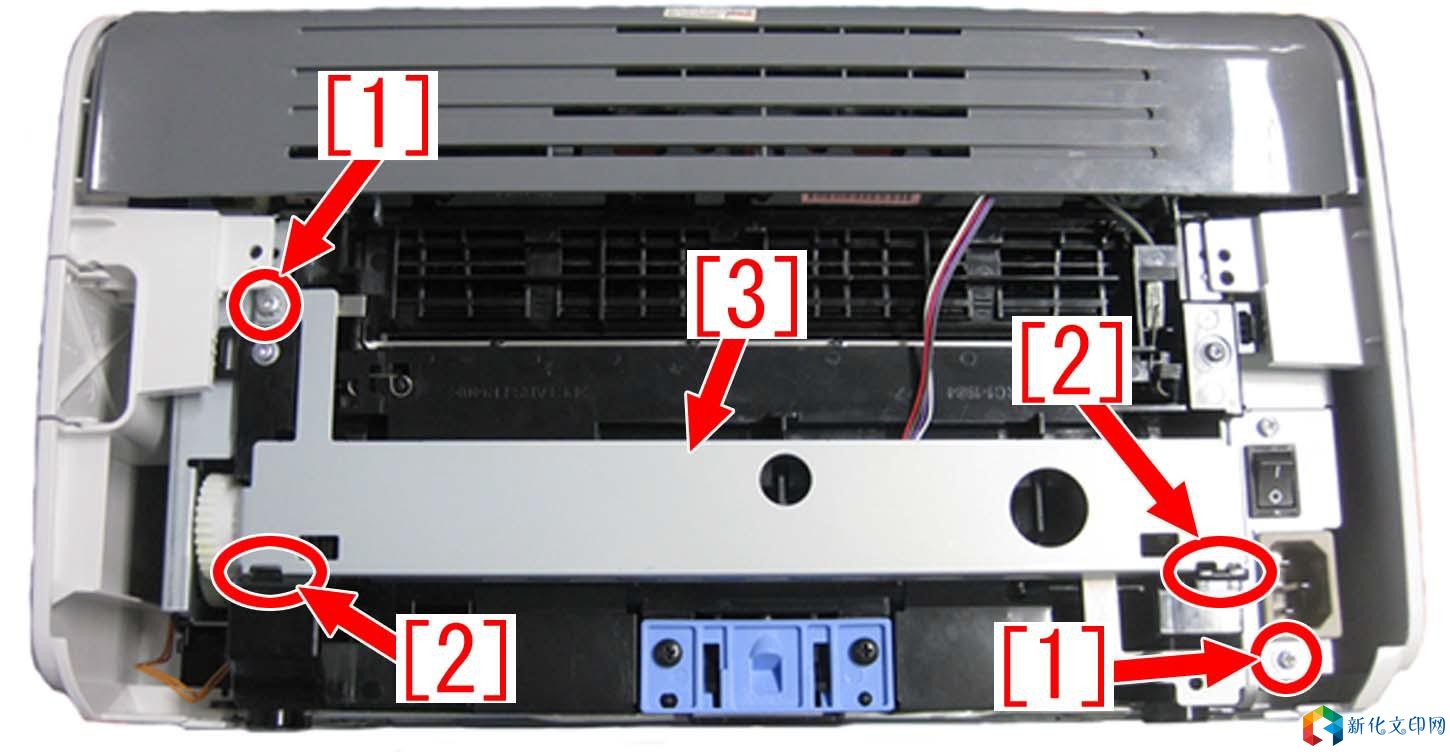
4. Remove two screws [1], release two buckles [2], and remove the metal cover plate [3]
5. Place the bottom of the machine downwards normally.
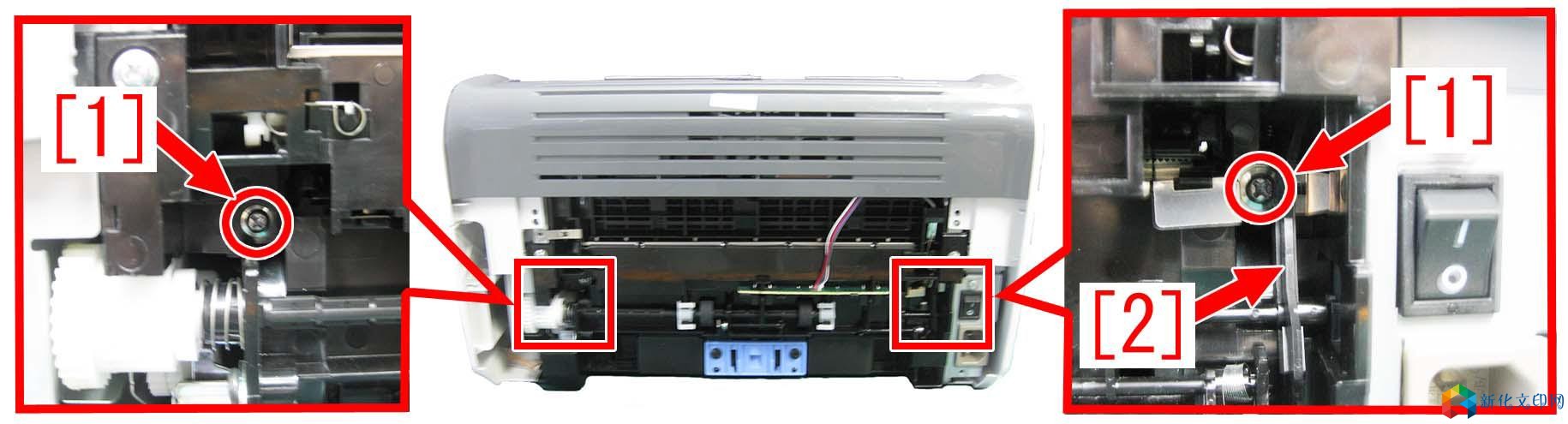
6. Remove the two screws [1] from the conveyor crossbar assembly. When removing the screw [1] on the right side, be careful not to damage the paper width sensor [2]
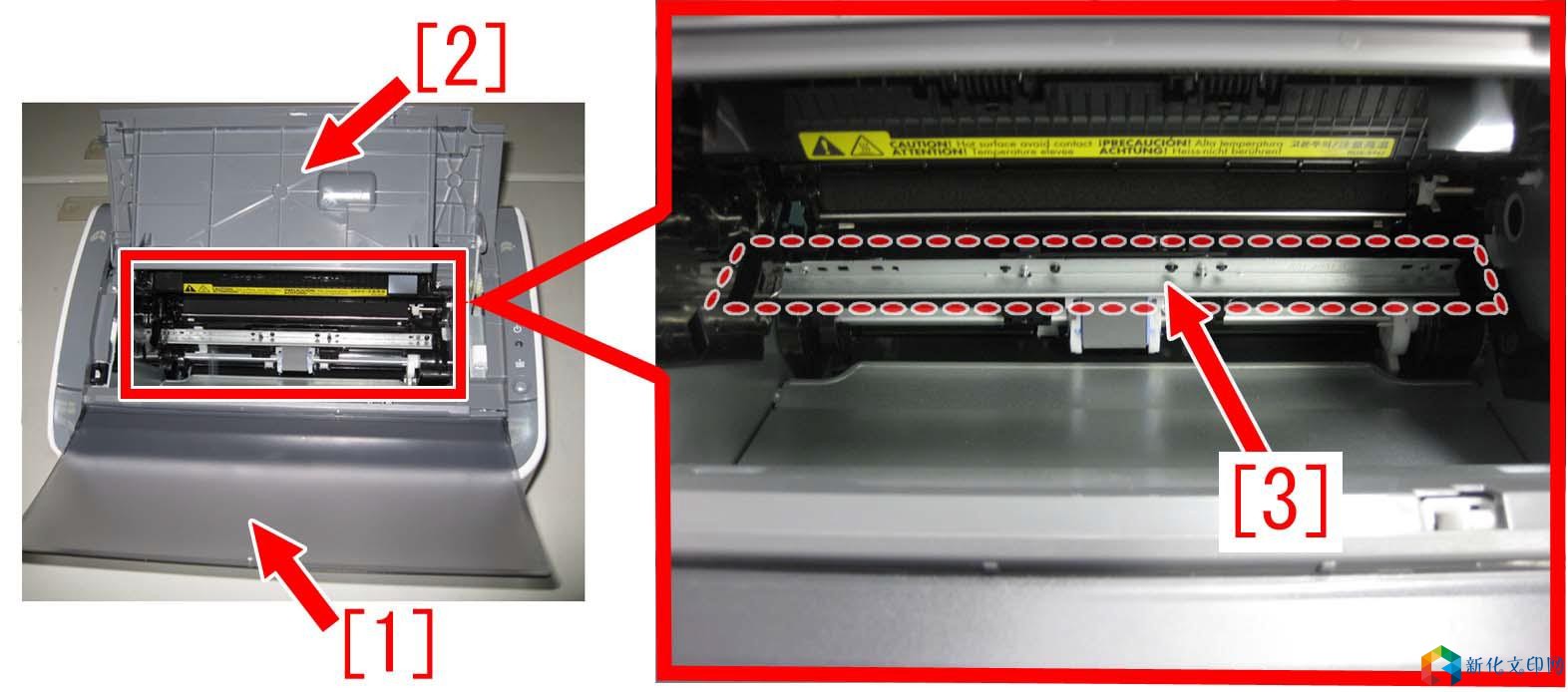
7. Place the host facing forward. Open the paper transport tray [1] and the face down upper cover assembly [2], and remove the transport crossbar assembly [3] from inside the machine.
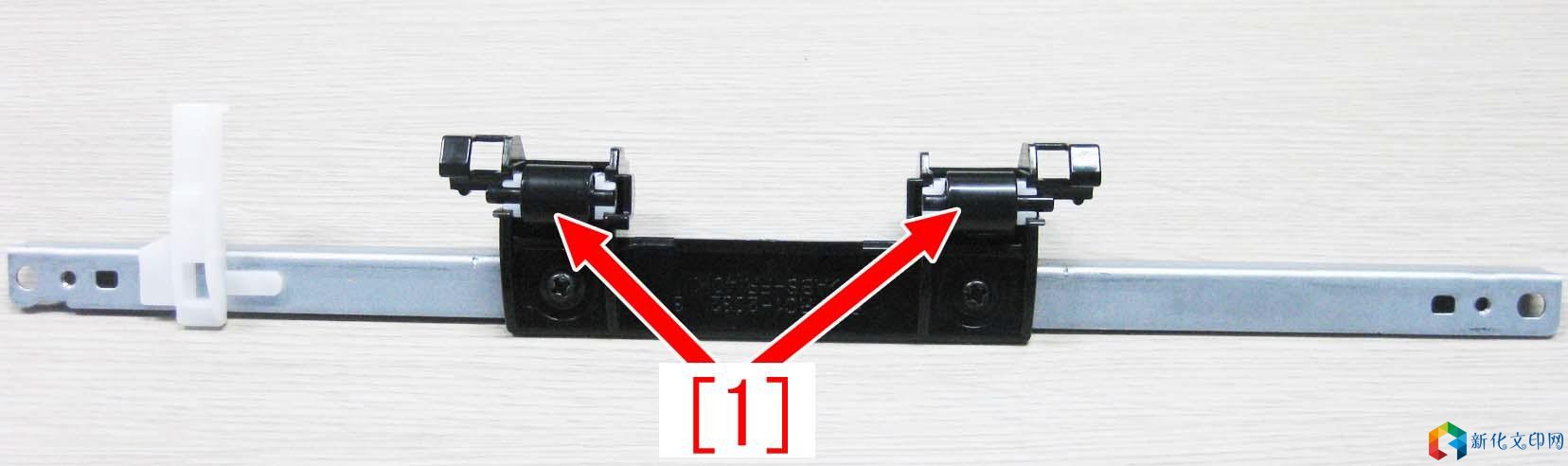
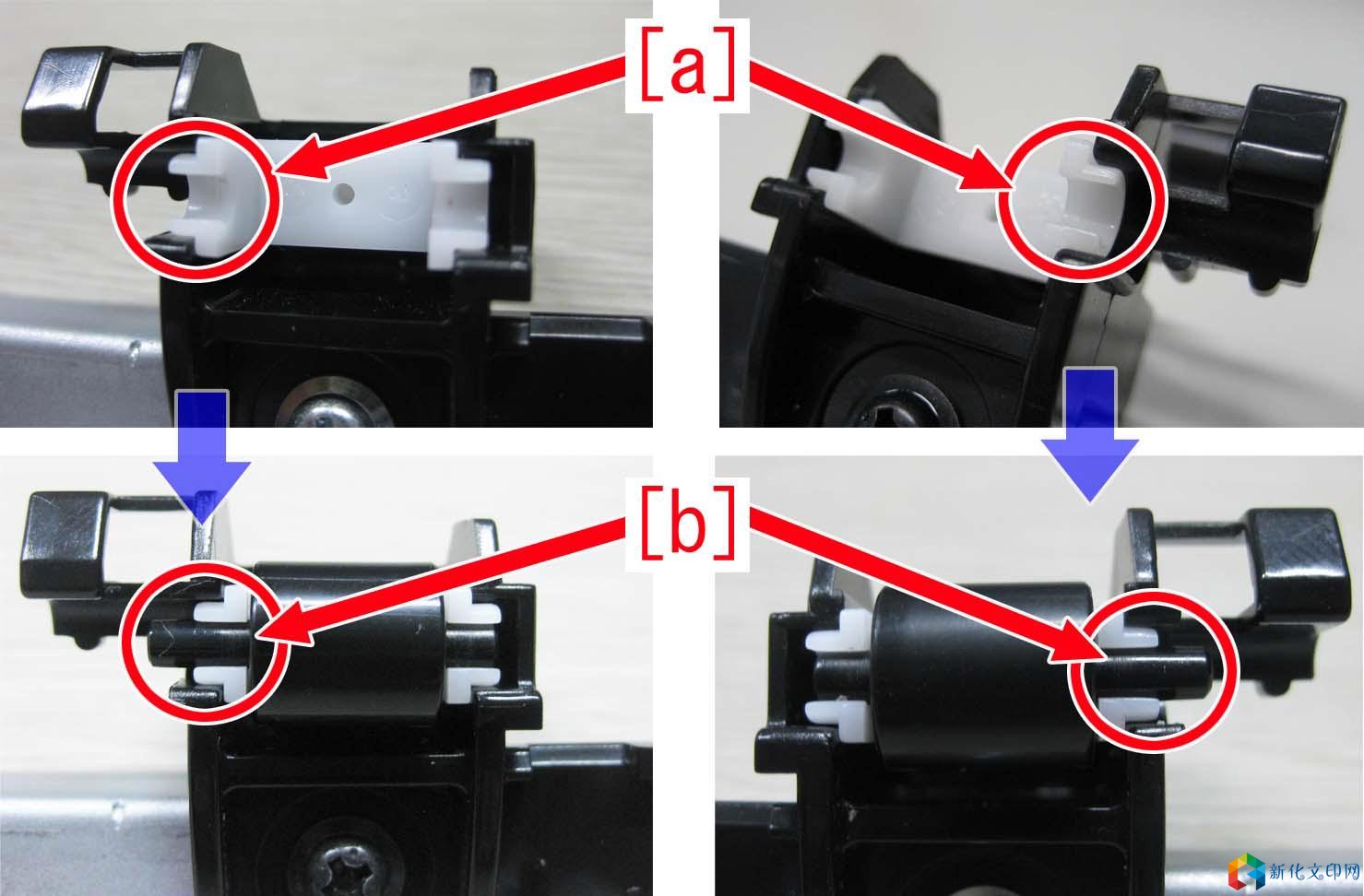
Attention: When removing the conveyor crossbar assembly [3], be careful not to touch the transfer roller or scratch the paper path. 8. Remove two wheels [1]. Lift the long side of the wheel first and rotate it to facilitate the removal of the wheel.
When the shaft sleeve is dirty, please clean it with cleaning paper. Attention: When removing the wheel [1], do not move the shaft sleeve and spring. 9. Install two newly replaced wheels. Pay attention to the installation direction and the long side of the wheelInstall at [a] of the shaft sleeve.
10. Assemble the parts in reverse of step 7.
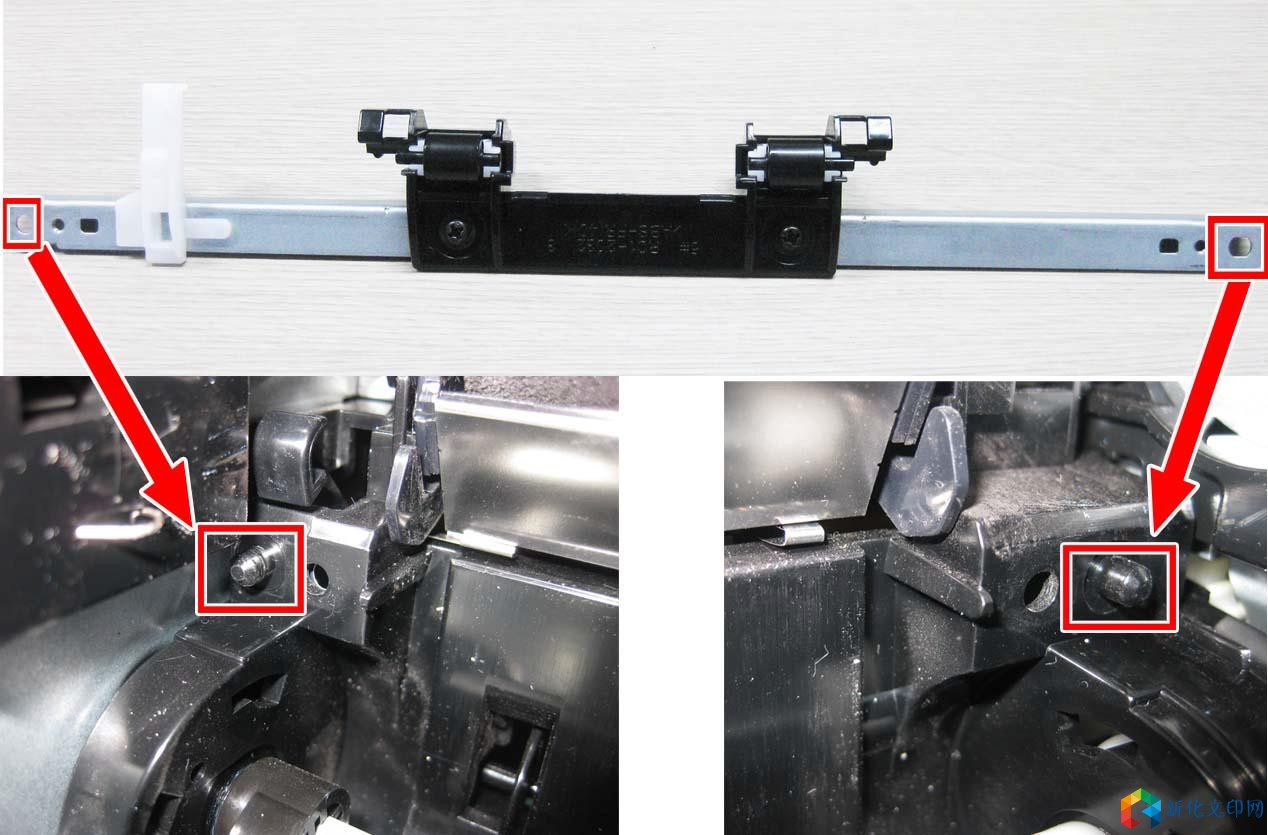
Attention: The two small holes on the conveyor crossbar assembly should be installed precisely on the protrusions of the machine. |
Address of this article:https://073868.com/post/4843.html
Copyright Notice:
For relevant infringements, reports, complaints and suggestions, please send E-mail:weixiuwang68@qq.com
Tags: #lbp2900







