
|
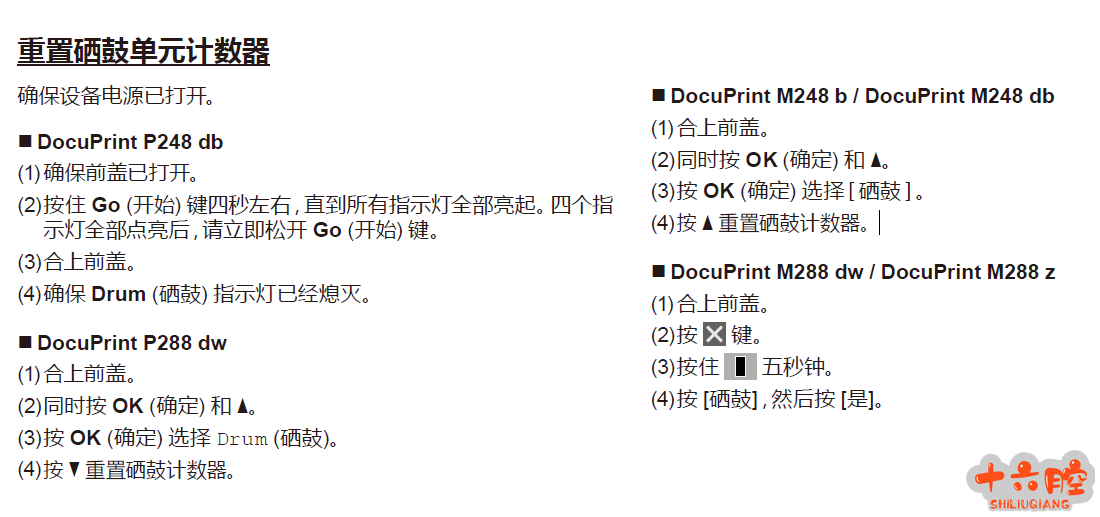
DocuPrint P248 db,DocuPrint P288 dw,DocuPrint M248 b / DocuPrint M248 db,DocuPrint M288 dw / DocuPrint M288 z Reset the toner cartridge counter Ensure the device power is turned on. DocuPrint P248 db (1) Ensure that the front cover is open. (2) Press and hold the Go (Start) button for about four seconds, until all the indicator lights are illuminated. After all four indicator lights have illuminated, immediately release the Go (Start) button. (3) Close the front cover. (4) Ensure that the Drum (toner cartridge) indicator light is off.
DocuPrint P288 dw DocuPrint M248 b / DocuPrint M248 db DocuPrint M288 dw / DocuPrint M288 z |
Address of this article:https://073868.com/post/4826.html
Copyright Notice:
For relevant infringements, reports, complaints and suggestions, please send E-mail:weixiuwang68@qq.com
Tags: #288 dw #M248 b #M248 db #M288 dw #Reset the toner cartridge unit






