
|
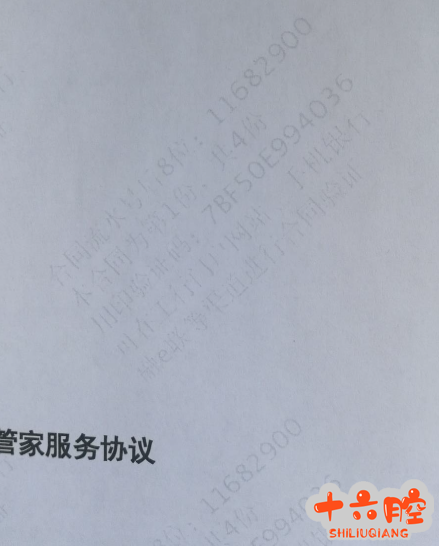
For the DP318dw model, some units experience an issue where, when printing ICBC electronic contracts, the text and red headings/seals are printed correctly, but the anti-counterfeiting watermark is missing and does not appear.
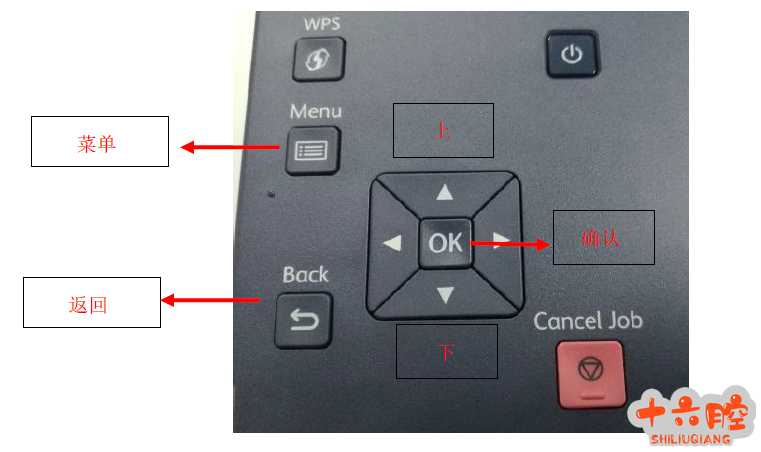
Normal should have this watermark The occurrence of such situations is related to the altitude of the user's use location and is not a machine failure. Just adjust the altitude settings of the machine according to different altitudes. CP318dw control panel, settings need to use the following 5 keys
Press the Menu button to enter the Printer **setup menu. Press the Up or Down Arrow button, select Administrator Menu, and then press the [OK] button. Press the Up or Down arrow key, select Maintenance Mode Menu, and then press the [OK] button. Press the up or down arrow button, select the "adjust height menu", set the altitude of the installation location, the default is "0", select the corresponding 1000 meters, 2000 meters, 3000 meters, 4000 meters, 5000 meters, and then press the [OK] button. Note: The discharge phenomenon of the charged photoconductor varies with atmospheric pressure, and incorrect setting may result in inaccurate toner remaining indication. |
Address of this article:https://073868.com/post/2319.html
Copyright Notice:
For relevant infringements, reports, complaints and suggestions, please send E-mail:weixiuwang68@qq.com
Tags: #318dw #Watermark #Red Chapter #Control panel #Altitude







