
|
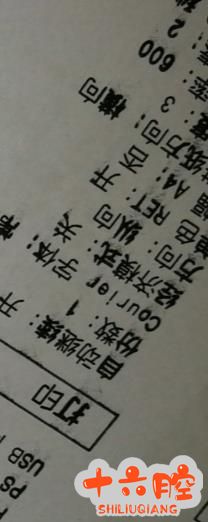
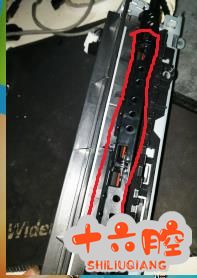
Fault Description: M403 M427 series printing font is blurry Resolution process: The customer reported a M427 printer with blurry fonts as shown in Figure 1. When this fault is observed, the consumables are usually replaced. Without replacing the consumables, a semi self check page is printed to see if there is still any blurring. If the semi self check page is not blurry, then the consumables and laser imaging are ruled out. The fault point is basically on the heating component. From the sample, there are traces of carbon powder being scraped off. After removing the heating component, it was found that the small stopper position of the heating paper inlet was not stuck in place as shown in Figure 2. Adjustment can solve the problem.
Share summary: Don't rush to replace spare parts for this type of malfunction, replacing the heating component can certainly solve the problem. But it can reduce the utilization rate of spare parts. Without hardware support, it is possible to avoid adding spare parts twice for on-site visits |
Address of this article:https://073868.com/post/4817.html
Copyright Notice:
For relevant infringements, reports, complaints and suggestions, please send E-mail:weixiuwang68@qq.com
Tags: #M403 #M427 #Printing blurry #Fuser







