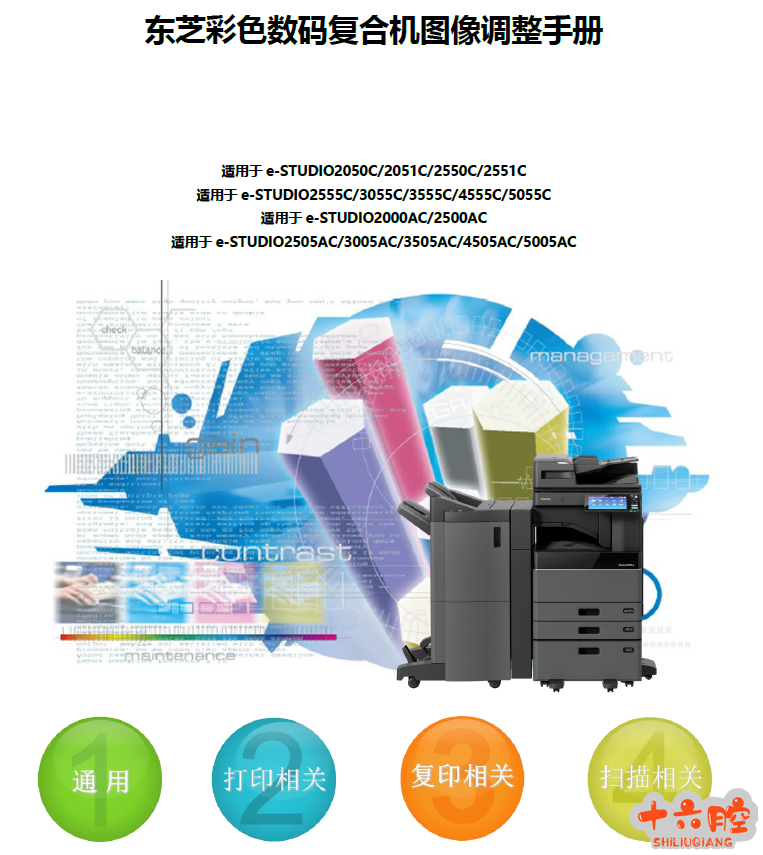
Toshiba color multifunction machine image adjustment manual 2555C/3055C,2505AC/3005AC/3505AC

Visitor 414 0
Suitable for e-STUDIO2050C/2051C/2550C/2551C
Suitable for e-STUDIO2555C/3055C/3555C/455C/5055C
Suitable for e-STUDIO2000AC/2500AC
Suitable for e-STUDIO2505AC/3005AC/3505AC/4505AC/5005AC

-General adjustment
  • Get a darker/brighter image adjustment
  • Get darker/lighter solid block (I)
  • Get darker/lighter solid block (II)
  • Improving the Quality (I) of Recycled Paper
  • Improving the Quality (II) of Recycled Paper
  • Improving the Quality (III) of Recycled Paper
  • Improve the stability (I) of the output image
  • Improve the stability (II) of the output image
  • color trap correction

Two print related
  • Adjustment of printing accuracy of halftone images (suppression of uneven images)
  • Print images to obtain stable color reproduction
  • Better color balance for thick paper printouts
  • Print an image to obtain a specified color balance (I)
  • Print an image to obtain a specified color balance (II)
  • The printed image gets close to the color balance of the monitor
  • Print image to obtain uniform grayscale
  • Print "Pure Gray/Pure Black" in Images Using Monochrome K Toner Output (I)
  • Print "Pure Gray/Pure Black" in Images Using Monochrome K Toner Output (II)
  • Adjust the brightness of the printout image
  • Adjust the saturation (I) of the printout image
  • Adjust the saturation (II) of the printout image
  • Adjust the contrast of the printout image
  • Adjust the sharpness (I) of the printout image
  • Adjust the sharpness (II) of the printout image
  • Print low-precision images more softly
  • (I) to reduce ink scattering in printed images
  • (II) to reduce ink scattering in printed images
  • (III) to reduce ink scattering in printed images
  • (IV) to reduce ink scattering in printed images
  • Selection of halftone for printout images
  • Print images with clearer and (I) text/lines
  • Print images with clearer and (II) text/lines
  • Print images with clearer and (III) text/lines
  • Print images with clearer and (IV) text/lines
  • Print images with clearer and (V) text/lines
  • Highlight area concentration deepening (I)
  • Highlight area concentration deepening (II)
  • Highlight area concentration deepening (III)
  • Highlight area concentration deepening (IV)
  • Highlight area concentration deepening (V)
  • Print images with thin lines more clearly and (I)
  • Print images with thin lines more clearly and (II)
  • Print images with thin lines more clearly and (III)
  • Printout Image (I) in Toner Save Mode
  • Printout Image (II) in Toner Save Mode
  • Will print out the gray/color text of the image with black output
  • Black text part printout more clearly and (I)
  • Black text part printout more clearly and (II)
  • Black text part printout more clearly and (III)
  • Black text part printout more clearly and (IV)
  • Black text part printout more clearly and (V)
  • Prevent toner from falling off in areas with high concentration
  • Print red seal to obtain better printing effect
  • Print out full-color images using two-color mode

Three copies related
  • Copy black and white images for clearer and (I) text
  • Copy black and white images for clearer and (II) text
  • Copy black and white images for clearer and (III) text
  • Copy black and white images for clearer and (IV) text
  • Copy black and white images for clearer and (V) text
  • Copy black and white images for clearer and (VI) text
  • Copy color images for clearer and (I) text
  • Copy color images for clearer and (II) text
  • Copy color images for clearer and (III) text
  • Copy color images for clearer and (IV) text
  • Copy color images for clearer and (V) text
  • Improving the (I) of color reproduction of copied images
  • Improving the (II) of color reproduction of copied images
  • Improving the (III) of color reproduction of copied images
  • Improve the reproducibility of the gray scale of the copy image
  • Get colorful copy image (I)
  • Get colorful copy image (II)
  • Get colorful copy image (III)
  • Get colorful copy image (IV)
  • Improving the Reproducibility (I) of the Highlight Area of Copies
  • Improving the Reproducibility (II) of the Highlight Area of Copies
  • Improving the Reproducibility (III) of the Highlight Area of Copies
  • Eliminate background color (I) on copies
  • Eliminate background color (II) on copies
  • Eliminate background color (III) on copies
  • Eliminate the (I) of shadows on the back of the image when copying because the paper is too thin
  • Eliminate the (II) of shadows on the back of the image when copying because the paper is too thin
  • Eliminate the (III) of shadows on the back of the image when copying because the paper is too thin
  • Eliminating Moiré (I) of Copy Images
  • Eliminating Moiré (II) of Copy Images
  • Eliminating Moiré (III) of Copy Images
  • Make copy images sharper
  • Make copy images softer and (I)
  • Make copy images softer and (II)
  • Make copy images softer and (III)
  • Make the bold/Logo effect better in the solid color block of the copy product-black text/Logo (I)
  • Make the bold/Logo effect better in the solid color block of the copy product-black text/Logo (II)
  • Make the bold/Logo effect better in the solid color block of the copy product-black text/Logo (III)
  • Make the bold/Logo effect better in the solid color block of the copy product-black text/Logo (IV)
  • Make the bold/Logo effect better in the solid color block of the copy product-color text/Logo (I)
  • Make the bold/Logo effect better in the solid color block of the copy product-color text/Logo (II)
  • Make the bold/Logo effect better in the solid color block of the copy product-color text/Logo (III)
  • Make the bold/Logo effect better in the solid color block of the copy product-color text/Logo (IV)
  • The hue of the copy at the mark of the copy pen is more accurate and (I).
  • The hue of the copy at the mark of the copy pen is more accurate and (II).
  • The hue of the copy at the mark of the copy pen is more accurate and (III).
  • Copy products in thick paper mode to obtain better color effect (I)
  • Copy products in thick paper mode to obtain better color effect (II)
  • Copy products in thick paper mode to obtain better color effect (III)
  • Copy products in thick paper mode to obtain better color effect (IV)
  • Obtain a copy image of a smooth grayscale photo
  • Adjustment of color threshold judgment in ACS mode during copying
  • Image adjustment during two-color copying-two colors without black
  • Image adjustment for two-color copying-black and another color
  • Image adjustment during two-color copying-red and black
  • Background adjustment (I) for RADF/DSDF copied images
  • Background adjustment (II) for RADF/DSDF copied images
  • Peripheral elimination function of copied image
  • (I) of the ability to ignore blank pages when RADF copies images
  • (II) of the ability to ignore blank pages when RADF copies images
  • Photocopies receive a uniform background concentration level (I)
  • Photocopies receive a uniform background concentration level (II)
  • Copy the red seal to obtain better printing effect
  • Eliminate color thin lines generated during RADF/DSDF copying
  • Tone adjustment of neutral gray
  • Color correction of DSDF back-scanned images
  • The adjustment of the color level of the shadow area of the copy image.

Four scans related
  • Scan for clear text
  • Eliminate the background density of the scanned image
  • Clear black and white image output after image scanning
  • Reduce the size of the scanned image
  • Reduce the size of the scan to SLIM PDF
  • Sharpness adjustment of scanned images
  • Enhance the black part of the scanned image
  • Get a brighter scanned image

1. General Adjustment
2. Obtain darker/lighter solid color block (I)
Adjustment steps:
1. Image quality control, color trap correction, and GAMMA correction are performed.
2. Adjust code 05-2662 (target value of image quality control first pattern).
Relevant instructions:
1. It is recommended that the adjustment range be between the default value of ± 50.
2. It is recommended that each adjustment value should not exceed ± 20.
3. After adjustment, image quality control, color set correction and GAMMA correction need to be performed.
4. In general, 05-2662 has the most obvious effect on improving the concentration of solid color blocks.
Link: https://pan.baidu.com/s/1aprhknTM4x2_dy7DJDVltg
Extraction Code: lvdk

Tags: #Image #Colorful #Toshiba #2555c #2500

Leave a comment