
|
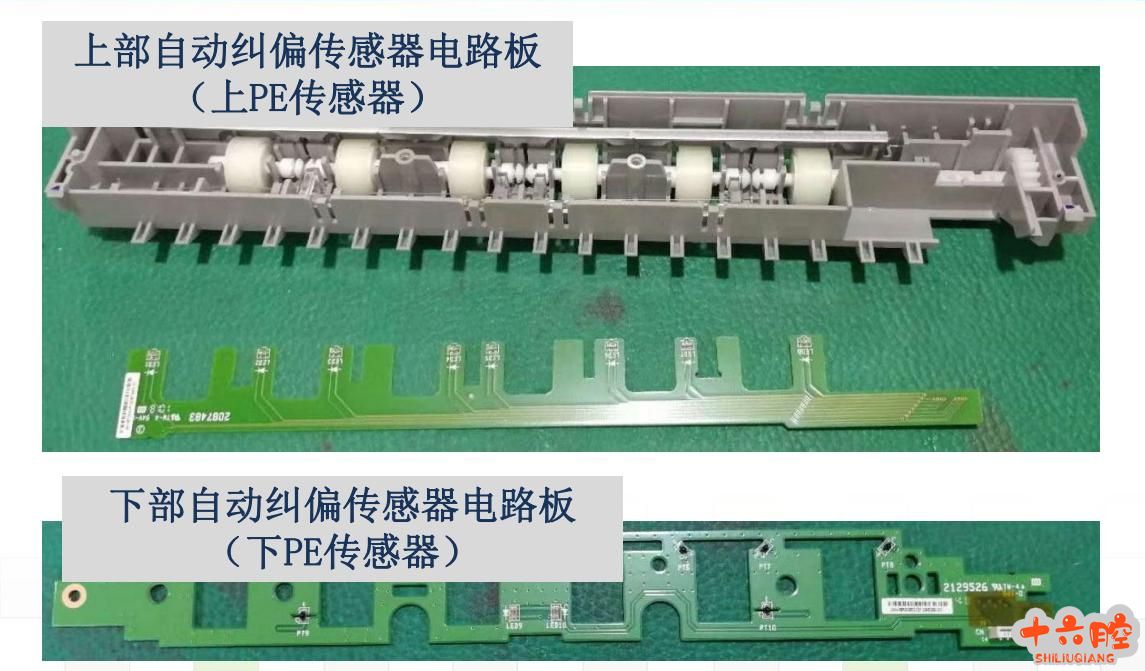
Inspection and analysis of EPSON 30K automatic correction sensor 1. Function: The upper automatic correction sensing circuit board is equipped with a light-emitting diode (X8) on the PE sensor board of the front paper feeding unit Lower automatic correction sensing circuit board, light receiver (X8) on PE sensor board under the shell Automatic correction of paper loading detects the completion of alignment of inserted paper, the presence or absence of the lower end of the paper, and the completion of paper return. 2. Physical structure:
3. Problems encountered in actual use:
Precautions: 1. When installing the upper and lower sensor circuit boards, handle them gently, align other structural components on the upper part with the positioning pins or holes, and then press them. Do not blindly flatten them. 2. Pay attention to the protection of the sensor's cable socket. When plugging in the cable, first check the end face of the cable and ensure that it is not bent (as has been found in practice). |
Address of this article:https://073868.com/post/4707.html
Copyright Notice:
For relevant infringements, reports, complaints and suggestions, please send E-mail:weixiuwang68@qq.com
Tags: #30K #Automatic correction sensor #Sensor #wiring







