
|
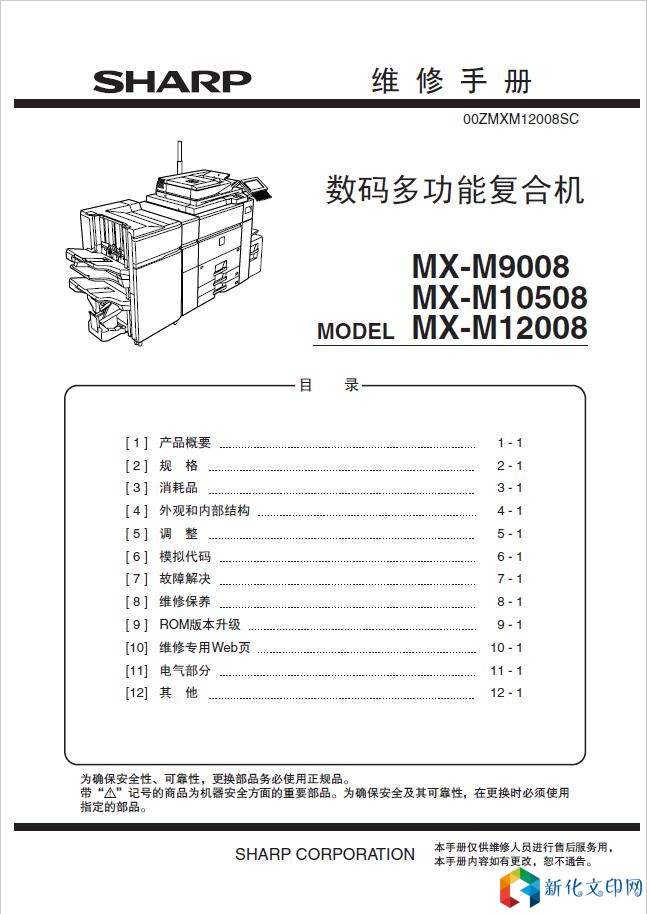
PDF Chinese
This adjustment needs to be performed in the following situations: when replacing the developer. Attention: This adjustment is only required when replacing the developer, and should not be performed in other situations. Select the most suitable simulation mode based on the maintenance situation. [Set using simulated SIM25-2 mode] 1) With the front cover open, enter the simulated SIM25-2 setting value. 2) After entering the set value, close the front cover. 3) Open the toner cartridge tray. 4) Press the [Execute] key. The [Execute] key is highlighted, and the developing roller begins to rotate. The toner concentration sensor detects the toner concentration, and the machine displays the output value. After performing the above actions for about 3 minutes, the machine sets (saves) the average level detected by the toner concentration sensor as the reference value for toner concentration control. After setting the reference value for toner density control, the [Execute] key returns to the normal display state, indicating that the setting has been completed. If the reference value for toner density control fails to be set, [EE-EU], [EE-EL], or [EE-EC] will be displayed. Printing factory objects in grayscale balance adjustment (automatic adjustment) (SIM46-74/67-24) The service gray balance object (automatic adjustment) in printing gray balance adjustment (SIM46-74/67-24) can be adjusted to optional gray balance by simulating SIM67-25 and registered using SIM67-27. The gray balance object in user gray balance adjustment is the same as the service gray balance object in print gray balance adjustment (automatic adjustment) (SIM46-74/67-24). Therefore, when the service gray balance object changes, this gray balance object also changes accordingly. The significance and registration purpose of gamma data for n service gray balance objects must only be performed when gray balance is customized through SIM67-25. If grayscale balance is not customized, there is no need to perform this operation. According to user requirements (customized grayscale balance), execute SIM67-25 to adjust grayscale balance (manually), and use the adjustment template printed in this mode to register service grayscale balance object data (using SIM67-27). Note: In this case, it is necessary to use A4 paper to simulate SIM67-25 printing and adjust the template. This process modifies the service gray balance object. It is recommended to save the adjustment template printed in SIM67-25 simulation, which can be used to set the same grayscale balance object on other machines. It can also be used to register service grayscale balance object data. Be careful not to fold the template and avoid placing it in areas that are prone to fading or getting dirty. Generally speaking, after completing the grayscale balance adjustment using the simulated SIM67-25 (manually), the service grayscale balance object data should be registered immediately. If the gray balance of the current adjustment template is different from that of the past after a long period of time has passed after the gray balance adjustment (manual) with SIM67-25 is completed, please do not use this invalid adjustment template again. The correctness of service grayscale balance object data can be determined by the following methods. Select the service gray balance object using simulation SIM67-24, perform gray balance adjustment (automatic), check the adjustment results, and if the adjustment results are abnormal or do not meet the requirements, the service object data registered for gray balance adjustment (automatic) may be incorrect. Link: https://pan.baidu.com/s/1C9TrFV7Q-1fGgxsiaQR2kA Extraction code: z7i3 |
Address of this article:https://073868.com/post/4214.html
Copyright Notice:
For relevant infringements, reports, complaints and suggestions, please send E-mail:weixiuwang68@qq.com







