
|
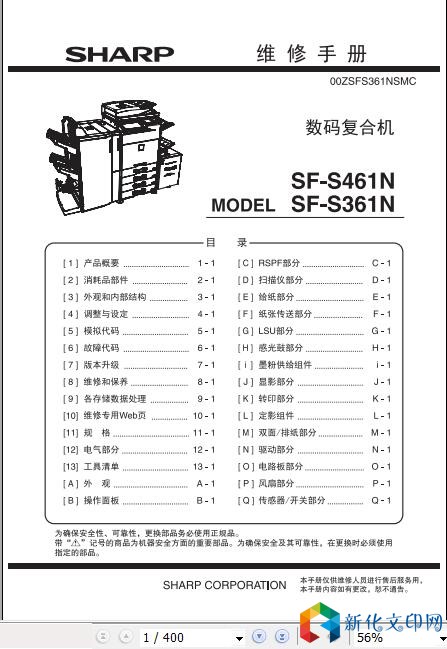
Sharp A3 Printing Copier SF-S461N SF-S361N Chinese Maintenance Manual Code Data Chinese, PDF
The following adjustment items can be automatically executed by simulating SIM50-28. N Print image scaling factor adjustment (main scanning direction) (print engine section) n Image center offset adjustment (print engine section) n Scan image scaling factor adjustment n Scan image center offset adjustment n Print area (blank area) adjustment (print engine section) n Copy image position and image loss adjustment (1) Image loss, center offset, sub scanning direction image scaling factor adjustment (original table mode) 1) Select [OC ADJ] on the touch panel. 2) Select the paper tray used for printing adjustment templates. 3) Press the [Execute] key, and the machine will start printing and adjusting the template. 4) Place the adjustment template on the original manuscript table. 5) Press the [Execute] key, and the machine will start scanning and adjusting the template. 6) Press the [OK] key. (2) Adjust the zoom factor of the main scanning direction image by selecting [BK-MAG ADJ] on the touch panel. 2) Select the paper tray used for printing adjustment templates. 3) Press the [Execute] key, and the machine will start printing and adjusting the template. 4) Place the adjustment template on the original manuscript table. 5) Press the [Execute] key, and the machine will start scanning and adjusting the template. 6) Press the [OK] key. (3) Image loss, center offset, sub scanning direction image scaling adjustment (DSPF mode) 1) Select [SPF ADJ] on the touch panel. 2) Select adjustment mode: SIDE1 (front), SIDE2 (back), or ALL (front and back). 3) Select the paper tray used for printing adjustment templates. 4) Press the [Execute] key, and the machine will start printing and adjusting the template. 5) Place the adjustment template on DSPF. Press the [Execute] key, and the machine will start scanning and adjusting the template. When selecting ALL in step 2) above, perform steps 5) and 6) on both sides separately. 6) Press the [OK] key. Link: https://pan.baidu.com/s/1esgfBoELB6GK1r7tBKzktQ Extraction code: ufcg |
Address of this article:https://073868.com/post/766.html
Copyright Notice:
For relevant infringements, reports, complaints and suggestions, please send E-mail:weixiuwang68@qq.com







