The usage method of EPSON L3110 waste ink reset software is applicable to various models in the same series, including: Epson L3115,Epson L3116,Epson L3117,Epson L3118,Epson L3119。
The EPSON L3110 waste ink reset software adopts a strategy of activation based on different hardware, and the activation method is relatively complex. The post will explain in detail the usage method of the registration machine.
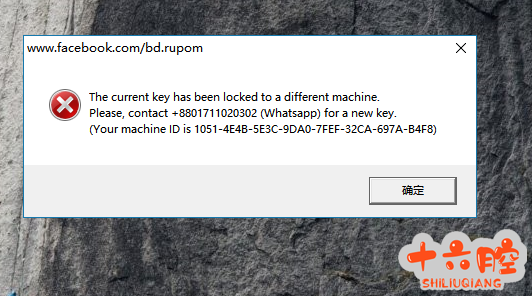
Take a screenshot or text to record the machine ID in the image, which is a long string of characters starting with 1051.
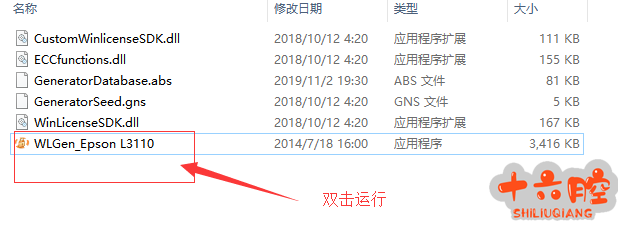
Run the registry software WLGen-Epson L3110.exe in the post.
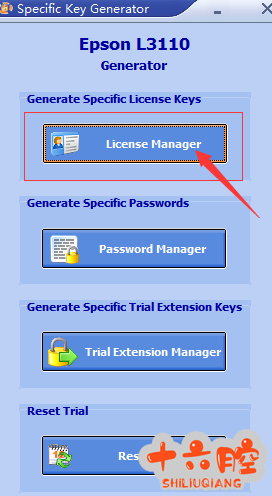
Select the "License Manager" in the software interface
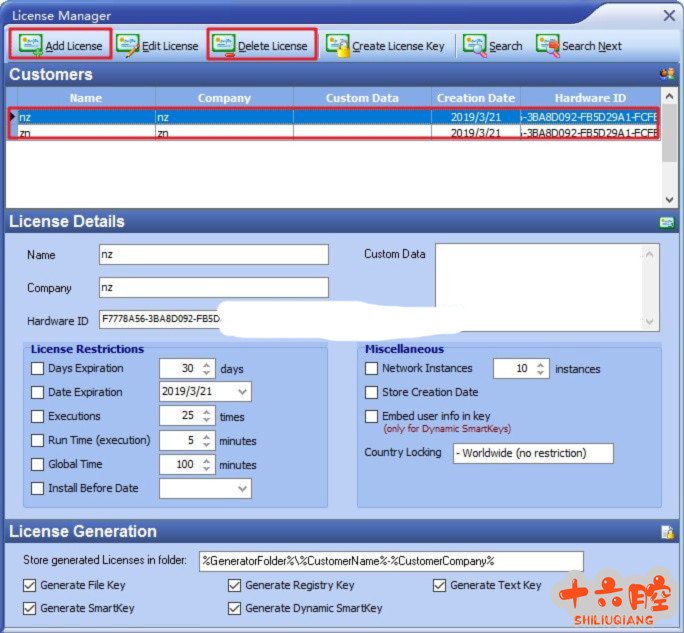
Enter the license manager interface
Select the existing license and click delete license to delete it.
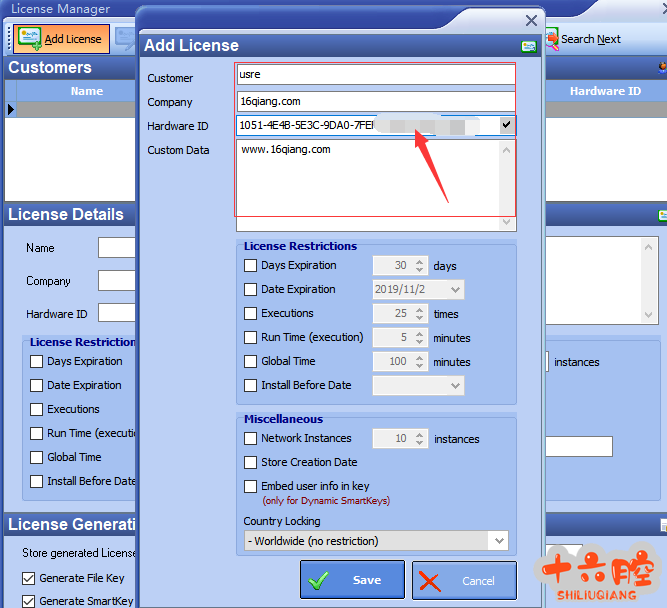
Then click on add license to add the license.
In the license addition interface, enter the information and fill in the Hardware ID with the machine ID prompted for activation.
Click save to save.
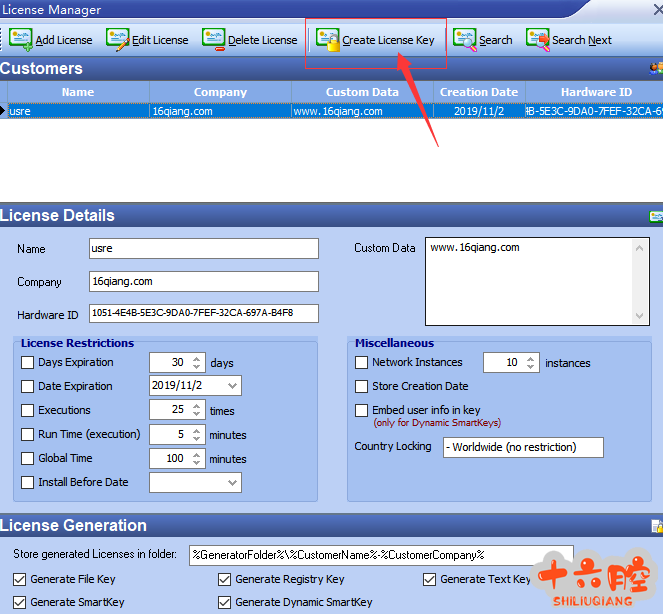
Select the saved information and click create license key to create the file.
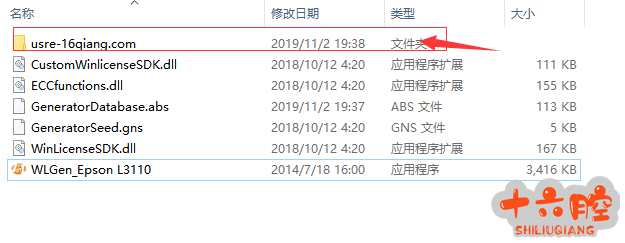
A directory named user-drvsky.com will be created in the registry directory, and all files in this directory will be copied to the waste ink clearing software directory to replace the files.
Copy several files inside to the directory of the waste ink reset software and replace them.
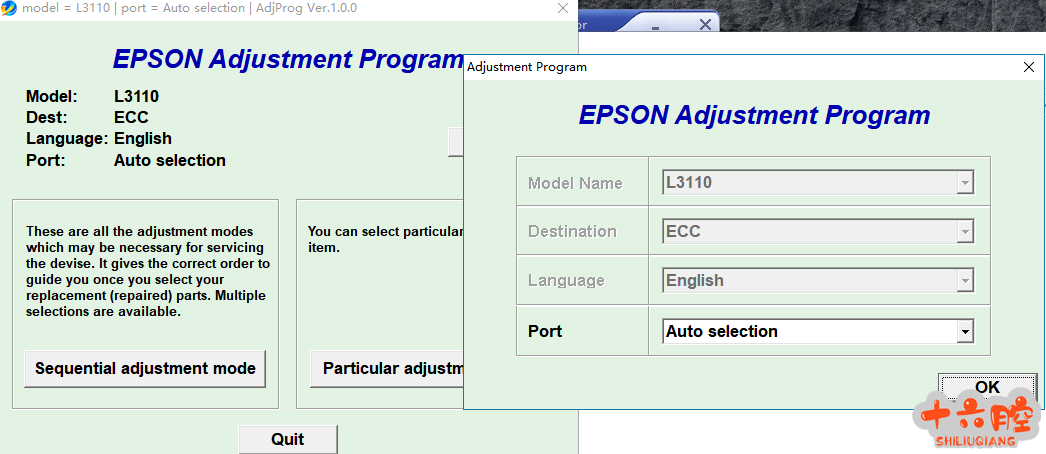
Once the replacement is complete, the L3110 waste ink reset software can be opened normally.
The registration machine can be operated by itself, and the zeroing software has been tested and can be used. However, some users who have downloaded it have said that it cannot be zeroed, and it is not 100% usable. Several tested machines have been successfully zeroed. If you mind, please do not download to avoid unnecessary trouble.And the operation process is quite complex, requiring self operation and not responsible for any answers. Being able to reset to zero indicates good luck, and there is no way to do so.Have the users of the cavity successfully reset their usage experience after posting it.{:3_54:}In theory, other Epson models of this registration machine can also be cracked and used, it depends on your own research and modification.
Link: https://pan.baidu.com/s/1QuUBp96DMZP0XmLv5_hABA
Extraction code: wosj
The Epson ET-2600 ET-2650 adjustment program is a program used to clean the ink lining and adjust various settings of the Epson printer. epson ET-2600 ET-2650 ink cartridge cleaning procedure is used to clear the already...
The Epson L3160 adjustment program is a program used to clean ink liners and adjust various settings of the Epson printer. Epson L3160 Ink Cleaner is a program...
Epson XP-7100 ink cleaner is a program that can remove the amount of ink that has been printed on the waste ink pad. Epson Ink Liner is a Clearer for resetting Epson playing...
Epson L8160 Ink Liner Clearer is a program that clears the ink count that has been printed on the waste ink station. Epson Ink Liner Clearer is a reset...