
| Canon Universal Version Zeroing Software+Registration machine (not limited to computers, can also help others register themselves)Canon universal reset software TS3380 TS3480 TS3370 TS3300 TS3470 TS708 code 5B00 reset software https://www.16qiang.cn/forum.php?mod=viewthread&tid=14782
Canon Reset Software Universal Version Operation Manual 1、 Under what circumstances does the printer need to be reset to zero? Printer driver errorSupport code: 5B00, 5B02, 5B04, 5B14, 1701, 1702, 1700 Ink collector is full or about to be full, etc. The printer has encountered an error. Please refer to the manual and contact the service centerThe printer needs to be reset to zero, which can be resolved on this website. 2、 How to ensure that the printer is reset successfully without locking the motherboard? useThe reset method at the service station is the same as the reset method you use at the repair station,Clearing hundreds of new printers,Can enter maintenance mode to ensure successful zeroing!Mature technology, safe and efficient, will never lock the motherboard. 3、 Canon printers require resetting to zeroThe maintenance mode steps are as follows:
The method for resetting to maintenance mode is as follows:
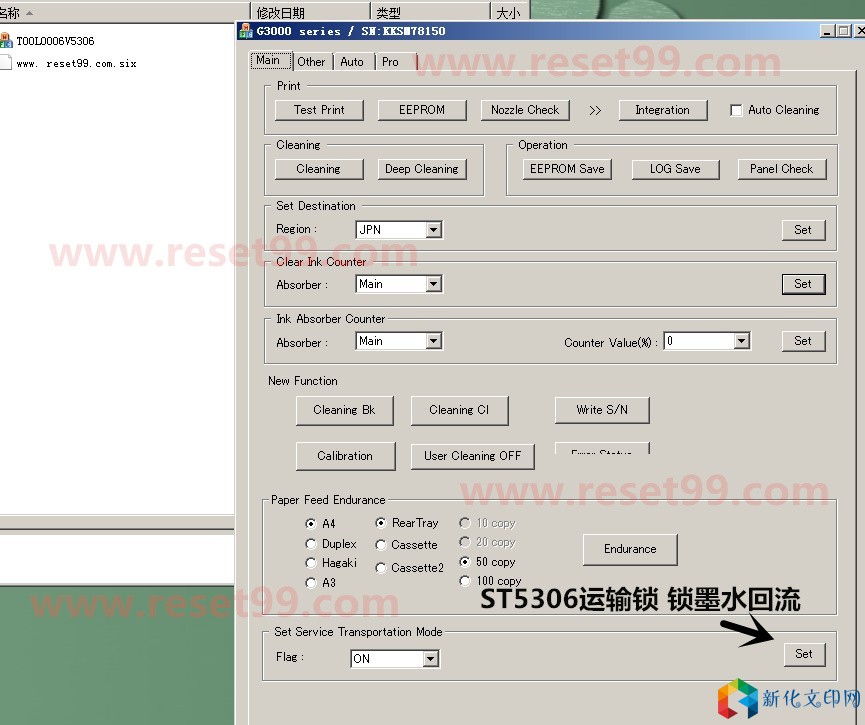
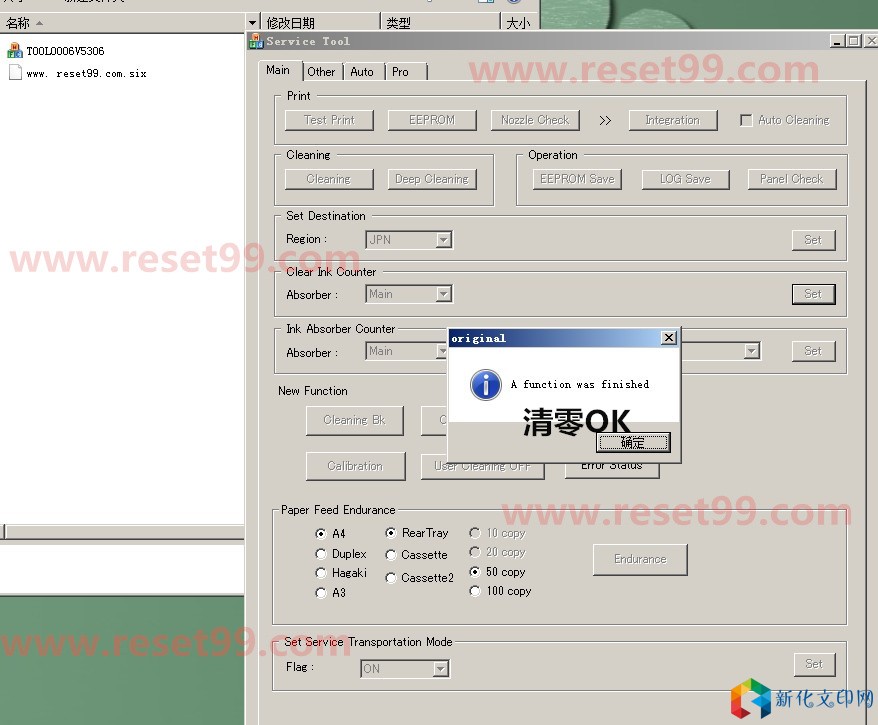
4、 Software Clear [Clear G1800G2800G3800G4800MG3680MG3580MG7580MG5680IX6780IX6880IP8780]IP7280 MX538TS9080TS8080TS6080TS5080MB5080MB5180MB5480ib4080iB4180MG7780MG5780......] Canon universal reset software TS3380 TS3480 TS3370 TS3300 TS3470 TS708 code 5B00 reset software https://www.16qiang.cn/forum.php?mod=viewthread&tid=14782 |
Tags: #G1800 #G2800 #G3800 #MB5080 #Zeroing software






