
|
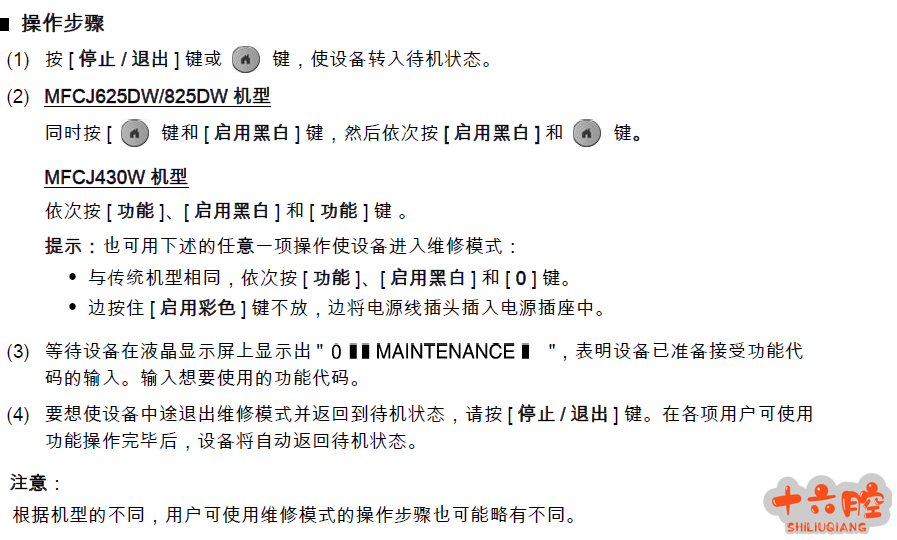
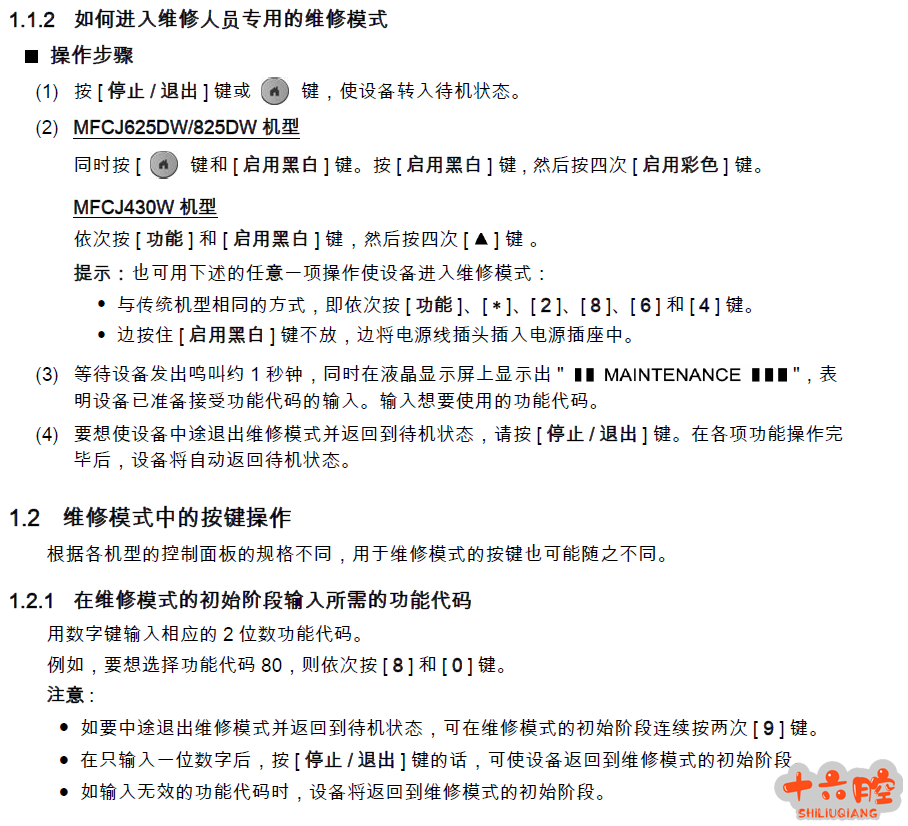
Brother MFC J825DW_625DW_J430W has a waste ink recycling box that is full and cannot print. 46 is reset to zero 46 suction or flushing count value exceeds its upper limit The ink recycling box or flushing box is already filled with ink The following pictures show the entry methods for maintenance mode: two types
Reset the suction and flushing count values (1) Follow the steps below to switch the device to maintenance mode. (2) Press the [8] and [0] keys in sequence during the initial stage of maintenance mode。 (3) Press the [Enable Black and White] key several times until the suction (or rinse) count value appears on the LCD screen.
(4) Press the [2], [7], [8], and [3] keys in sequence to reset the suction (or flushing) count value。 (5) Press the [Stop/Exit] key to return to the initial stage of maintenance mode. (6) Press the [9] key twice to exit maintenance mode. Tip: To prevent ink from overflowing from the ink recovery box and flushing box, this device counts all suction and flushing operations since production. For example, an initial suction will increase the count value by 537. When the suction count value and flushing count value approach 10750 and 660336587 respectively, the LCD screen will display "Equipment Fault 46" and prohibit further suction or flushing operations. Please replace both the ink recycling box and the flushing box at the same time, and then reset their count values according to the above steps. |
Address of this article:https://073868.com/post/3692.html
Copyright Notice:
For relevant infringements, reports, complaints and suggestions, please send E-mail:weixiuwang68@qq.com
Tags: #Zeroing out #Brother #J825DW #625DW #J430W







