
|
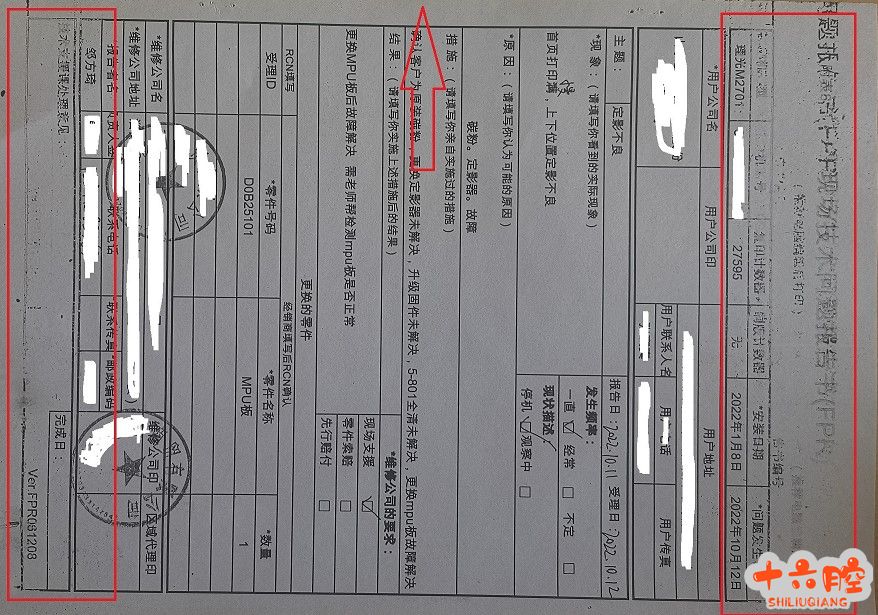
Symptoms: The machine starts normally and enters standby mode normally. After pressing the start button, there is a feeding action, and the machine start button turns red, indicating that copying is in progress. After waiting for about 5 minutes, the machine starts copying and producing paper, but the fixing on the front and rear sides of the corresponding machine is abnormal.
Analysis reasons: The Brci model has a low voltage detection function. When the input mains voltage drops, the machine maintains the fixing temperature by slowing down. As soon as the paper is fed, the machine enters standby heating mode. The possible reason is that the fixing temperature has not reached the working temperature. The actions of the machine and the printed material can also prove that the edge temperature of the fixing process did not reach the target temperature. This model is heated by two lamps, a main lamp in the heating center area and a secondary lamp in the heating edge area. The heating state can be controlled by the MPU separately, and the thermistor monitors the temperature of the fixing center and edge separately. Measures: 1. Suspected that there was a problem with the fixing heating auxiliary lamp, but the fault did not disappear after replacing the fixing component. 2. Check the fixing temperature setting at SP1-105, which is the initial setting. Raise the fixing temperature, but the fault has not been resolved. SP-106 checks the real-time temperature of the fixing process, with a center of 165 Co and an edge of 235 Co, which clearly does not match the actual fixing effect. 3. After replacing the power version for testing, the fault did not disappear. 4. SP5-801 was fully cleared and the fault did not disappear. 5. The firmware upgrade failure has not disappeared. 6. Replace the MPU and the fault disappears. Replace the faulty machine's MPU with a normal machine to reproduce the fault. Solution: Replace the MPU and troubleshoot. |
Address of this article:https://073868.com/post/3453.html
Copyright Notice:
For relevant infringements, reports, complaints and suggestions, please send E-mail:weixiuwang68@qq.com
Tags: #2701 #2702 #Not fixed #Slow startup







