
|
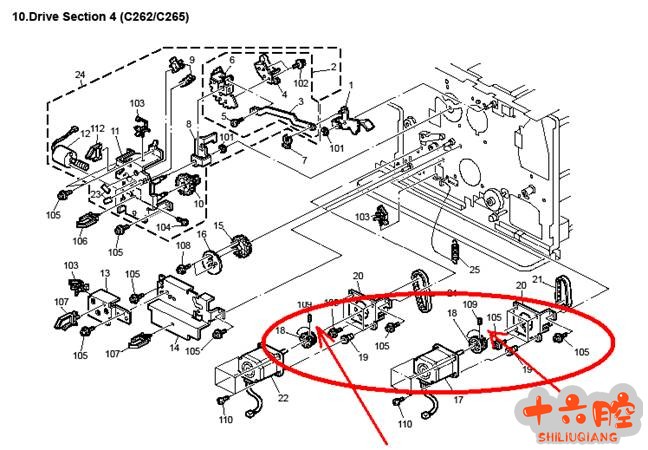
Symptoms There are less than 100000 machine printing counters. At present, plate making is normal. During printing, the paper is stuck at the opposite position (the top of the paper has exceeded the alignment roller list and is not clamped by the platen paper clamp unit). There is no history of maintenance and parts replacement before. Judgment process 1. After cleaning the paper roller, alignment sensor, sensors on the rear side of the printing cylinder and two sensors on the rear side of the pressing cylinder (paper feeding start sensor and encoder sensor), the fault cannot be eliminated. 2. The output test of the paper feeding motor and the alignment motor is carried out, and no abnormality is found. 3. Check the drive part and find that there is axial movement between the drive wheel of the alignment motor belt and the alignment roller. Tighten the belt to drive the top wire after printing test, troubleshooting. Reason Through the reading of the machine counter and the understanding of the maintenance history, the possibility of man-made disassembly and destruction of the positioning position of the machine drive can be basically ruled out. Since the parts replacement cycle has not yet been reached, it is only used after cleaning the relevant parts. According to the characteristics of the paper jam position, focus on the inspection of the paper supply department and the alignment department. The axial movement between the belt driving wheel of the alignment motor and the alignment roller causes the power to be unable to be transmitted to the alignment roller in time and effectively when the alignment motor rotates, thus causing paper jam. Solution 1. Fasten the screw of the driving wheel of the belt of the alignment motor. Note: For the same reason, similar faults will occur if the screw of the belt driving wheel of the paper feeding motor is loose.
|
Address of this article:https://073868.com/post/344.html
Copyright Notice:
For relevant infringements, reports, complaints and suggestions, please send E-mail:weixiuwang68@qq.com
Tags: #HQ9000 #CP6346 #Positioning #Paper jam #Keith Deye






