
|
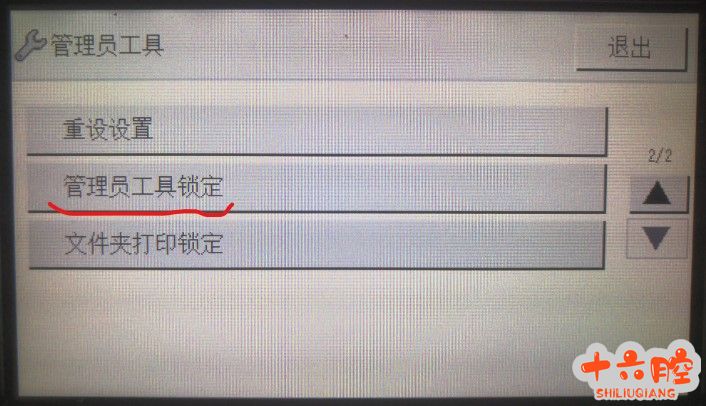
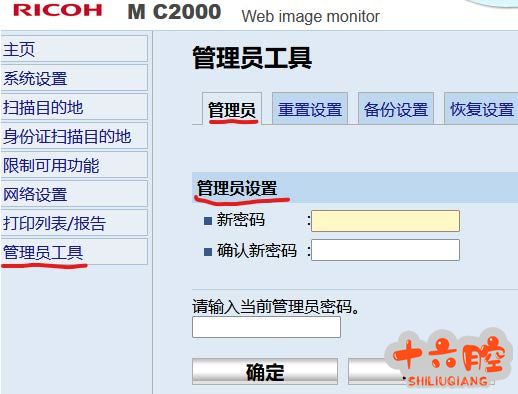
Ricoh MC2000 Christie G3020c administrator password reset steps Symptoms During the use of MC2000, the customer changed and forgot the administrator password, resulting in the inability to modify machine settings. Maintenance process 1. Firstly, it is necessary to know that the MC2000 model has two places for setting administrator passwords, one in the user tool on the machine screen and the other in the WIM (web image monitor) on the computer. It should be noted that the passwords set in these two places are completely independent and unrelated to each other. The administrator password in the user tool is only used for setting on the machine screen, while the administrator password in WIM is only used for setting in WIM;
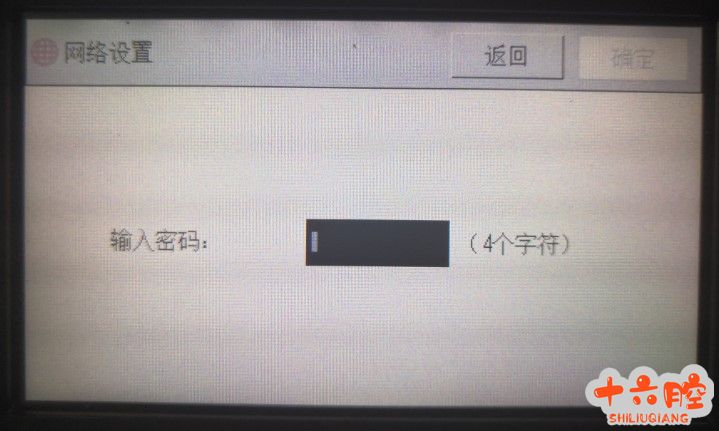
2. If the customer has only set the administrator password in the user tool on the machine screen, the correct administrator password must be entered when modifying the settings in the user tool before accessing the settings menu;
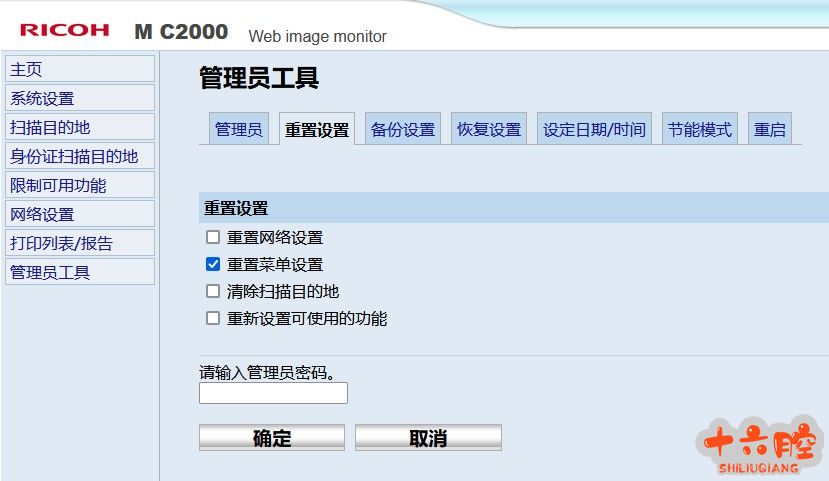
[kkpay=8]3. If you need to eliminate the administrator password in the screen user tool, you need to enter WIM, check "Reset menu settings" in "Administrator tool - Reset settings", click "OK", and wait for the machine to automatically restart. After that, the administrator password in the user tool will be cleared;
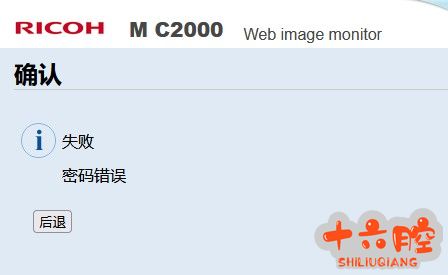
4. If the customer has only set an administrator password in WIM, when modifying the settings in WIM, the correct administrator password must be entered for the settings to take effect. Otherwise, a "password error" message will be displayed;
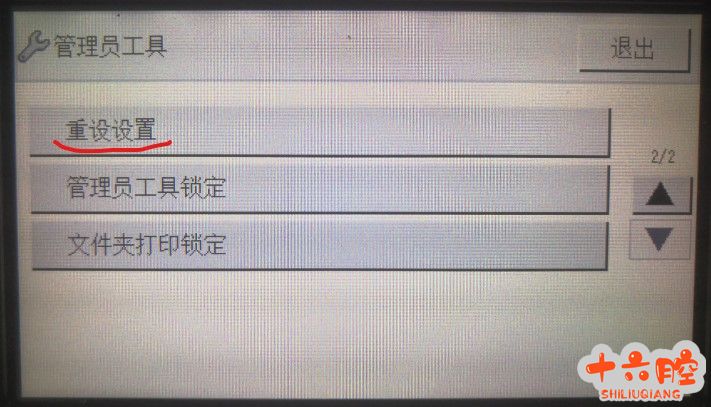
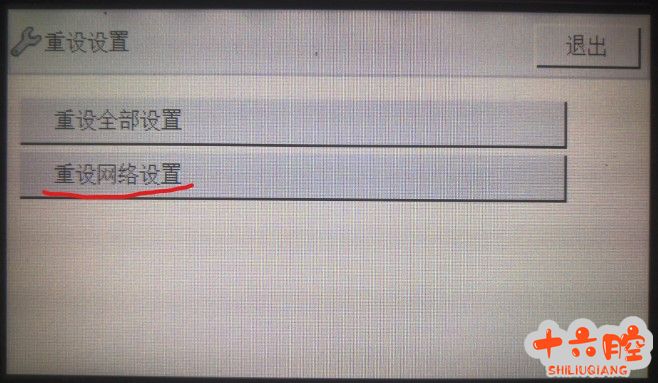
5. If you need to eliminate the administrator password in WIM, you need to enter the machine screen user tool, click "Reset Network Settings" in "Settings - Administrator Tools - Reset Settings", and wait for the machine to automatically restart. After that, the administrator password in WIM will be cleared;
[/kkpay] Solution Clear the administrator password in WIM and user tools respectively through the reset settings on the screen and WIM. |
Address of this article:https://073868.com/post/3328.html
Copyright Notice:
For relevant infringements, reports, complaints and suggestions, please send E-mail:weixiuwang68@qq.com
Tags: #G3020c #Keith Deye #C2000 #administrator password







