
|
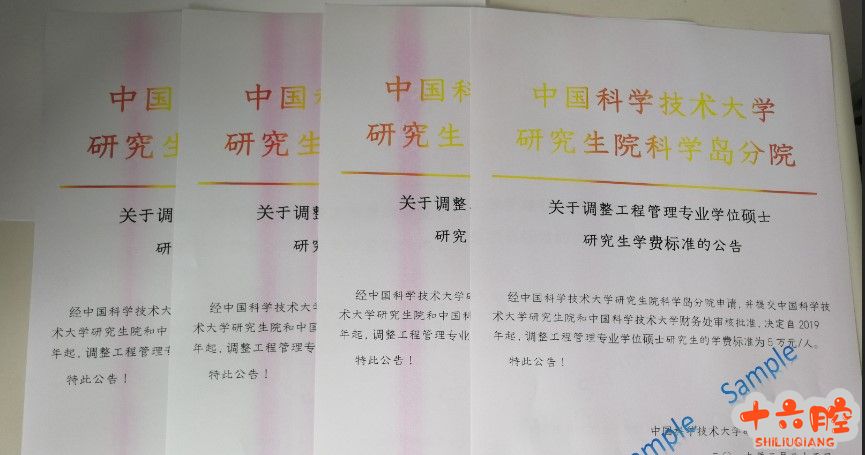
Symptoms: The machine copies color samples and produces red stripes in the printed product (as shown in the figure below). After printing multiple pages, the position and concentration of the magenta stripes have changed.
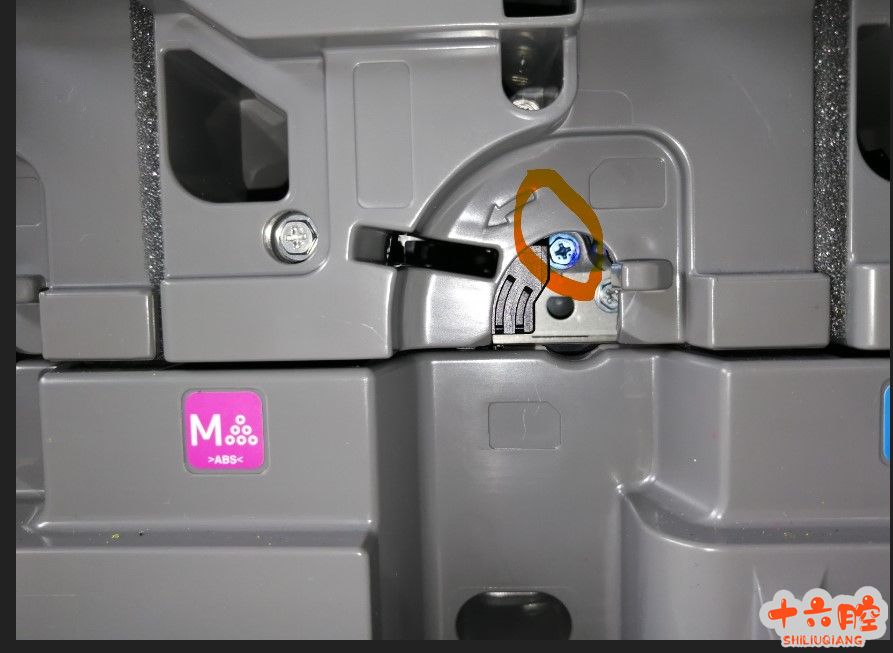
Analysis of causes and measures: 1. The photocopies should present red areas, some of which may not have an entire magenta stripe, while others may lack magenta color; 2. The black and blue colors of the photocopy are presented normally, and the yellow color that forms the red image is also presented normally; 3. It can be inferred that the magenta PCDU has malfunctioned, which may have caused poor charging contact; 4. Check the magenta PCDU and find that the fixing screws at the front end are not tightened; 5. Tighten the fixing screw at the front end of the magenta PCDU (circled in the enlarged image), test print, and the image is normal.
|
Address of this article:https://073868.com/post/3132.html
Copyright Notice:
For relevant infringements, reports, complaints and suggestions, please send E-mail:weixiuwang68@qq.com
Tags: #Red #PCDU #Magenta stripe #c2000







