
|
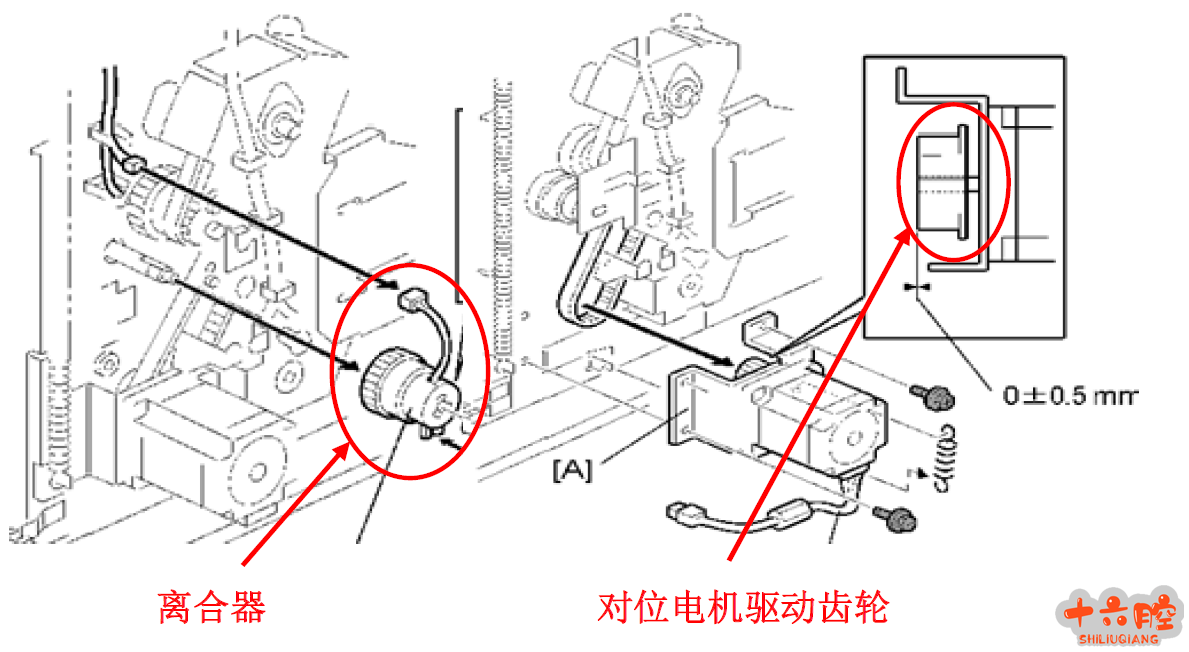
Symptoms The fault of paper jam in the alignment position during the machine printing process. (Note: Paper jams sometimes cause duplicate folding faults) Reason 1) The motherboard MPU of the machine is bad. 2) Poor alignment roller mechanism and driven wheel of the machine. 3) The machine has a faulty alignment sensor. 4) Poor alignment of the machine with the motor. 5) Poor machine paper clutch. Maintenance process On-site maintenance measures: 1) Disassemble and inspect the machine motherboard MPU connection harness, alignment driven wheel, alignment roller mechanism, and alignment sensor. Clean the position of the printing cylinder, alignment part, and paper rubbing part of the machine. Reinstall the machine. The fault cannot be eliminated by starting the machine for detection. 2) Replace the machine motherboard, align the sensor and paper roller. The fault still exists. 3) Simultaneously replace the machine with a drive wheel alignment motor and a paper rolling clutch. Troubleshooting. (Note: Clean the paper clutch and alignment motor drive position to reduce the chance of paper jam. Check the clutch for wear and rust, and the alignment motor drive gear for wear. Replace the paper clutch and alignment motor drive gear to solve the problem.)
|
Address of this article:https://073868.com/post/3282.html
Copyright Notice:
For relevant infringements, reports, complaints and suggestions, please send E-mail:weixiuwang68@qq.com
Tags: #Alignment motor #Motherboard #3344 #Apair jam #Apair sensor






