
|
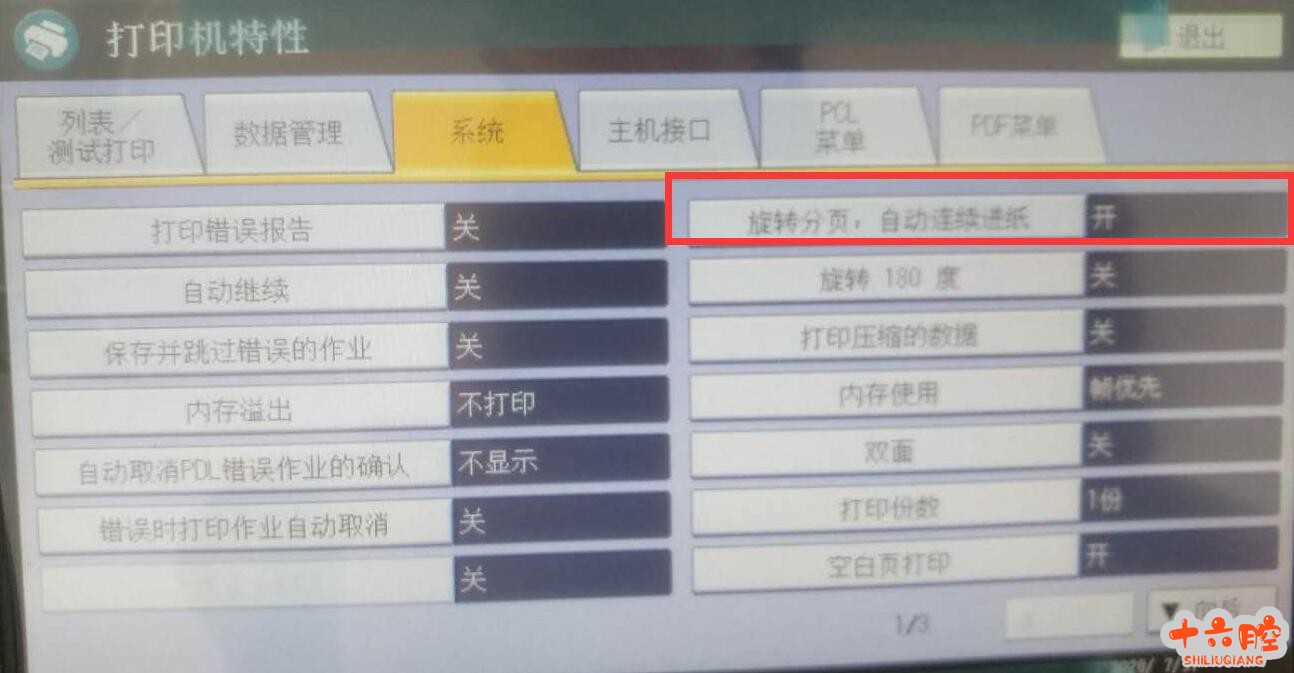
MP3554 cannot print continuously. On site inspection found that the copying was normal, and when printing A4 files, whether in PDF or Word format, it appeared on the first page after printing. The machine prompted that the paper size and type did not match, and requested that A4 paper with a shorter edge be inserted. Upon inspection, it was found that the printer features of the machine, such as rotating pagination and automatic continuous feeding, are set to off. After changing this setting to on, the fault will be resolved
|
Address of this article:https://073868.com/post/3257.html
Copyright Notice:
For relevant infringements, reports, complaints and suggestions, please send E-mail:weixiuwang68@qq.com
Tags: #3554 #continuous printing #Continuous feeding #pagination







