
|
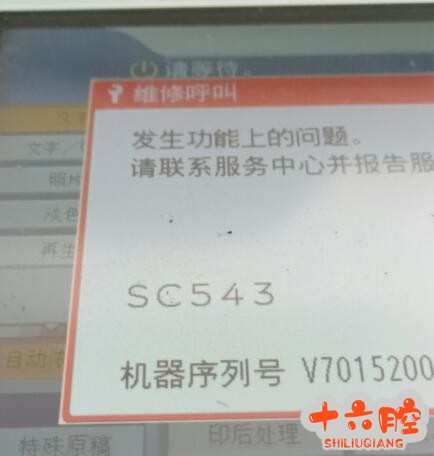
Today, I was repairing a Ricoh 7001 machine. Previously, the user was repairing it themselves and reported that the code SC543 appeared. The user had replaced the fixing rod and thermistor themselves
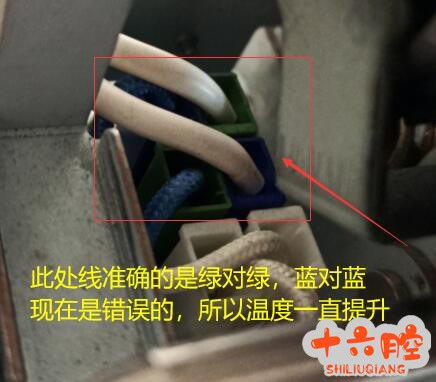
Maintenance process: After entering maintenance mode and clearing the startup, no code appeared. Sometimes, a few copies can be printed, but after a while, code SC543 appears again Enter maintenance mode and check that the fixing temperature of 1106 keeps increasing until it reaches 210 degrees, and then report a code directly The fact that the lamp tube can heat up indicates that there is no problem with the fuse. However, after cleaning the thermistor again, the problem still occurred. Considering that the user had replaced the fixing rod themselves and checked the wiring harness of the fixing lamp tube, it was indeed a problem. The light tube wire is plugged in incorrectly. Resolve the issue after re correction.
Fuser tube interface |
Address of this article:https://073868.com/post/3199.html
Copyright Notice:
For relevant infringements, reports, complaints and suggestions, please send E-mail:weixiuwang68@qq.com






