
|
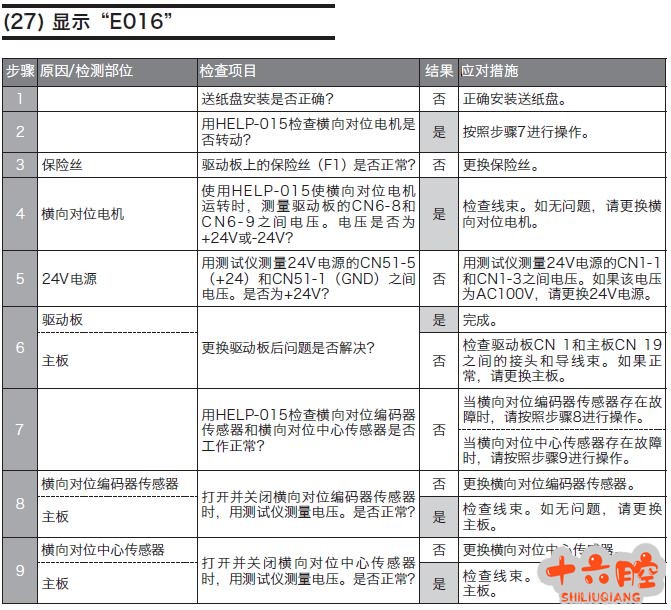
DD5440/5450 Ricoh DD5440 code "E016" Diagnostic process
1. According to the prompt information of "E016" code in the maintenance manual, check the wiring harness, motor, sensor and other related parts of the drive board one by one. No abnormality is found, restart the machine, but the code still cannot be eliminated. [kkpay=4]2. Presumably, it is a firmware problem or a control board failure. Before replacing the control board, execute the help mode (press the reset key, and then press and hold the two speed control keys at the same time) HELP-027 to initialize, restart, eliminate the code, and the machine can work normally. Solution: Execute HELP-027 to initialize, the code is eliminated, and the machine works normally. Note: Perform HELP-027 for initialization, refer to the maintenance manual, record the previous adjustment value (compare with HELP-034), and re-enter the previous adjustment value after initialization. [/kkpay] |
Address of this article:https://073868.com/post/3154.html
Copyright Notice:
For relevant infringements, reports, complaints and suggestions, please send E-mail:weixiuwang68@qq.com







