
|
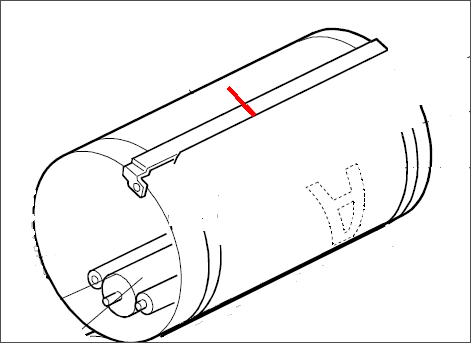
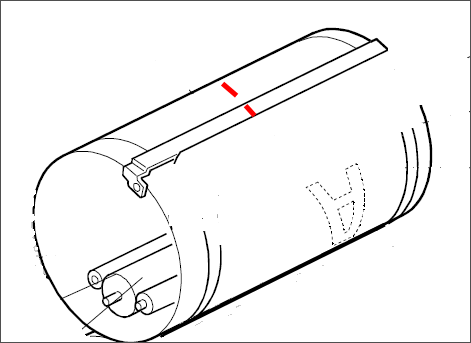
[Symptoms]The image moves towards the tail end. [Cause]The paper is deposited in the plate paper clip, and the clamp base allows the plate paper to slide towards the tail end.[Solution]1. Create a new version of paper, remove the roller and mark it as shown in the figure.
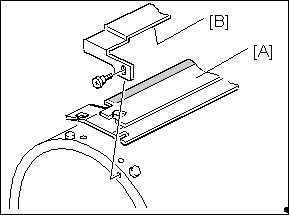
The plate has been moved, carry out the fourth step 4. Wipe and clean the jig [B] and the jig base [A] with alcohol to remove the accumulated paper scraps. Important: Do not wipe the sandpaper portion of the fixture base. Do not use the nearest wipe before the C262/C265 machine. These machines can be wiped with a damp cloth.
|
Address of this article:https://073868.com/post/2940.html
Copyright Notice:
For relevant infringements, reports, complaints and suggestions, please send E-mail:weixiuwang68@qq.com
Tags: #HQ9000 #Image Tail #Move






