
|
Explanation of 52 error message after disassembling and assembling laser for HP M104, M106, M132, and M134 series printersThis series of printers has a device for blocking the laser beam, which is related to the toner cartridge cover and used to block the laser beam. If the engineer does not remember the initial position during disassembly and assembly, it will cause the printer to fail to install correctly, resulting in an error of 52 error when turned on. Please follow the steps below to correctly install this device in place.
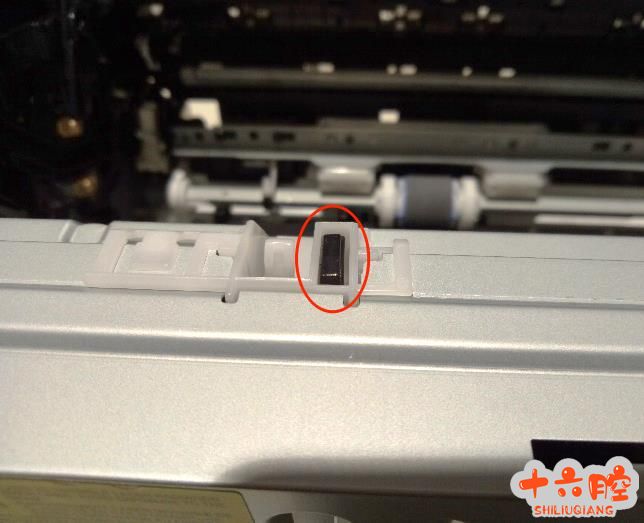
The correct position is within the circle. When the toner cartridge cover is closed, the black plastic rod is pressed down and the stopper on the laser is lifted. Otherwise, the printer will prompt error 52.
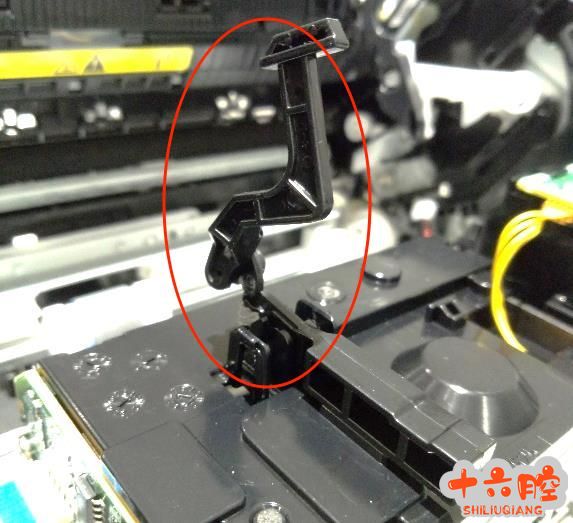
The red circle in the above figure shows the correct installation form of this mechanism after removing the iron plate covering the laser. The lever on top has a small notch, which allows the lever to remain upright and facilitates the installation of the iron plate outside the laser.
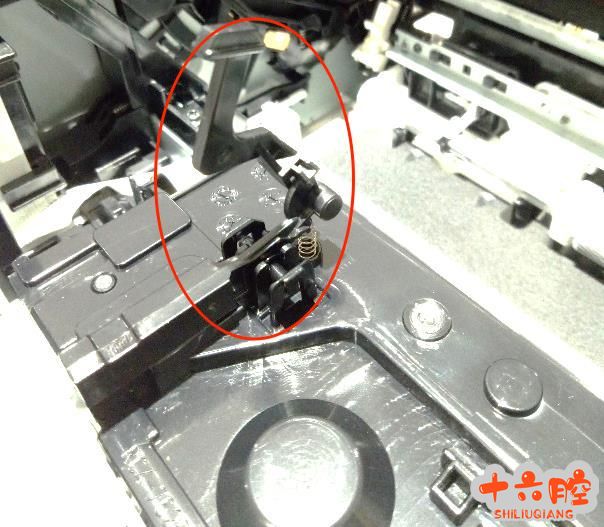
Looking at the correct installation form of this mechanism from another perspective.
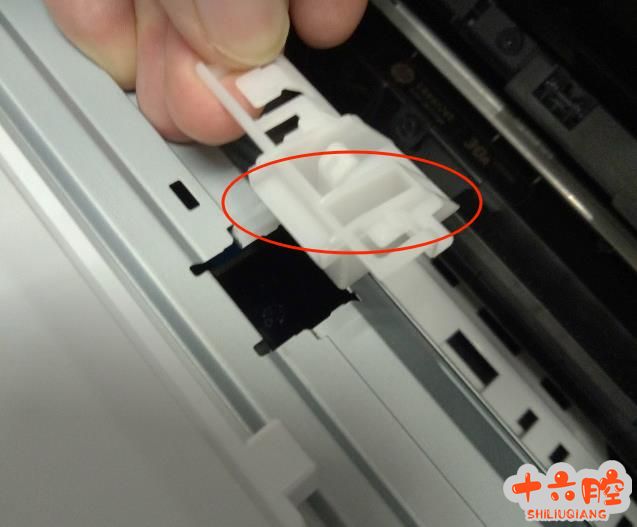
Although there is a small notch on the lever that allows it to remain upright, it is difficult to ensure that the lever remains upright when installing the iron plate. Therefore, first ensure that the lever and stopper are installed correctly. After installing the iron plate, remove the white plastic cover shown in the picture, then gently lift the lever with tweezers and place it into the corresponding opening in the plastic cover. Re fix the white plastic cover. |
Address of this article:https://073868.com/post/2832.html
Copyright Notice:
For relevant infringements, reports, complaints and suggestions, please send E-mail:weixiuwang68@qq.com







