
|
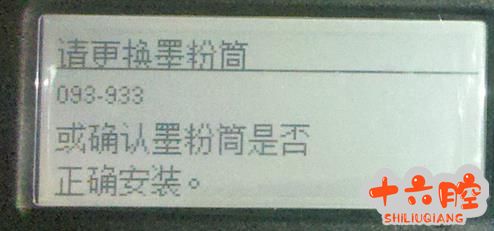
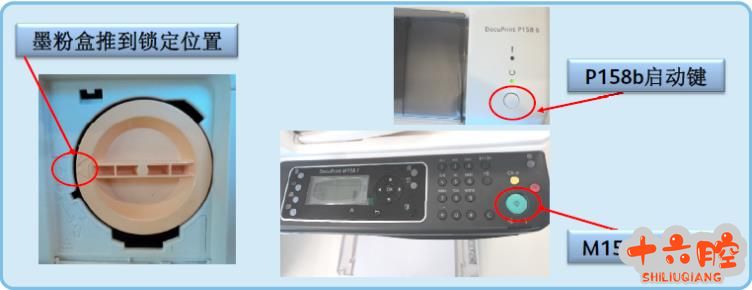
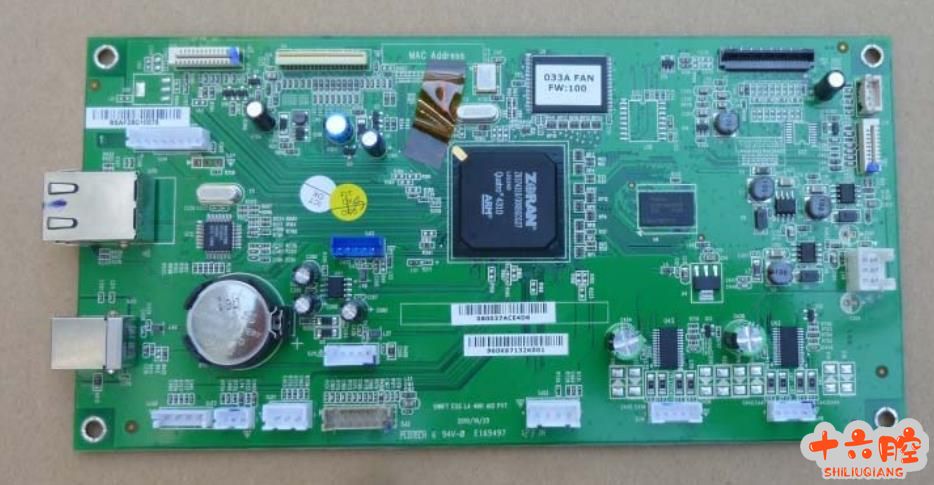
Common problems caused by carbon powder: If the machine error 093-933 persists after replacing the powder box with a new one and following the above steps, a new method can be used to solve the problem. 2. Mainly due to third-party toner causing engine board data errors, machine error 093-933- machine cannot detect toner, 092-651- toner sensor failure Solution: This method can solve 093-933. If the machine is missing the carrier after recovery, please load the carrier. (It is recommended to use this method to restore first, and then determine whether to load the body based on the printing effect!)! Engineers can also make their own repair tools, and the production method (the new version 158 and the old version 158 have different engine board data, please try to distinguish): 1. Remove the motherboard from a normal machine and follow the steps in the following repair process to become a repair tool. 2. The repair tool can be used multiple times, and it is actually a motherboard that has saved completely normal machine engine version data.
Maintenance process: During the following operation, it is important to distinguish between Save NVM to ESS and Load NVM from ESS, otherwise it may seriously damage the machine and make it irreparable. 1、 Copy normal data: Save engine version data to faulty machine motherboard 【 Save NVM to ESS 】 1. Find a machine that can be used normally or is brand new; Install the motherboard of the faulty machine onto a normal machine, which is now in normal condition; 2. Enter diagnostic mode (press and hold the up and down keys while turning on), the panel displays CE Mode, release the up and down keys; 3. Find 【 Printer → IOT Diag → NVM Settings → Save NVM to Ess → OK? 】 and press OK; 4. The panel prompt (processing...) (Saved) indicates that the copied data is normal. 2、 Write normal data: Save data from motherboard to faulty machine engine version [Load NVM from ESS] 1. Replace the "repair tool" (motherboard with data) 2. Enter diagnostic mode (press and hold the up and down keys while turning on), the panel displays CE Mode, release the up and down keys; 3. Find 【 Printer → IOT Diag → NVM Settings → Load NVM from ESS → OK? 】 and press OK; 4. The panel prompt (processing...) (Saved) indicates that the data is being written normally. 5. Shut down, restart the printer, and eliminate the fault; 6, shutdown, remove maintenance tools, restore the motherboard. Precautions: 1. When executing "Load NVM from ESS, if it occurs for a very long time (more than 5 minutes), please consider the possibility of failure of the relevant cable and engine board; 2. Please ensure the accuracy of the internal data in the 'repair tool' and never execute the 'Save NVM to ESS' option on a faulty machine. |
Address of this article:https://073868.com/post/2665.html
Copyright Notice:
For relevant infringements, reports, complaints and suggestions, please send E-mail:weixiuwang68@qq.com
Tags: #M158 #093-933 #Motherboard #Cannot detect toner #092-651







