
|
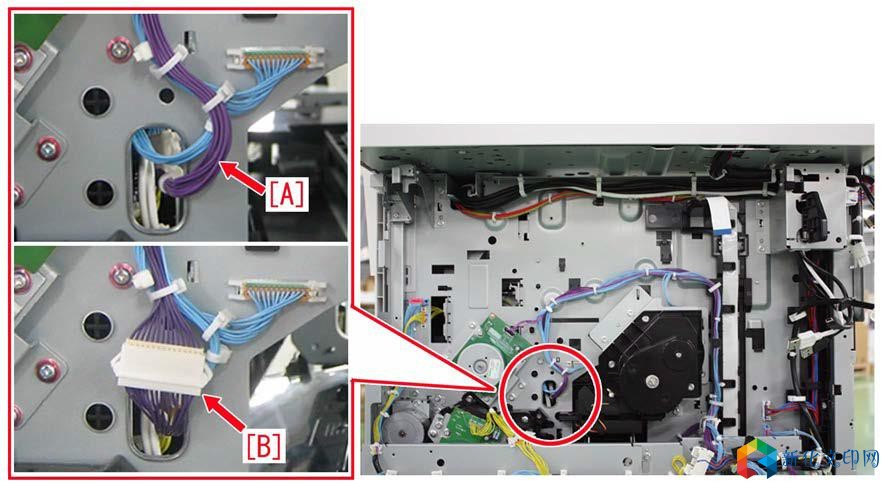
imageRUNNER ADVANCE 4551 imageRUNNER ADVANCE 4545 imageRUNNER ADVANCE 4535 imageRUNNER ADVANCE 4525 [Detailed] Due to production reasons, there have been changes in the configuration of the fixing control cable and the fixing heater AC cable. Please take note. Maintenance work 1) Please refer to the maintenance manual and remove the rear cover plate and lower cover plate of the host, then remove the main control board controller box. 2) Check the fixing control cable to determine whether it is the old model [A] or the new model [B]. If it is the old model [A], replace the new model fixing control cable (FM2-J857-000) and fixing heater AC cable (FM2-J858-000) at the same time. [Note] Old and new models cannot be used simultaneously and cannot be interchanged.
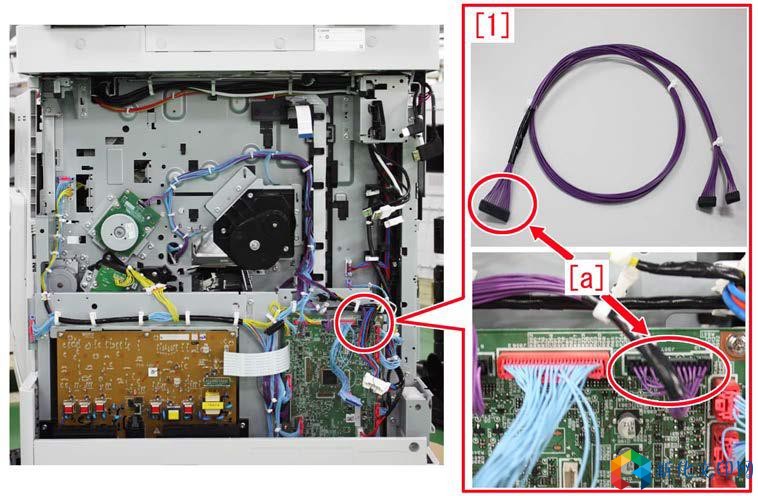
[Reference] The following photo shows the machine with the back cover and controller box removed. The connector [a] of the fixing control cable [1] is connected to the AC controller PCB located in the lower right corner.
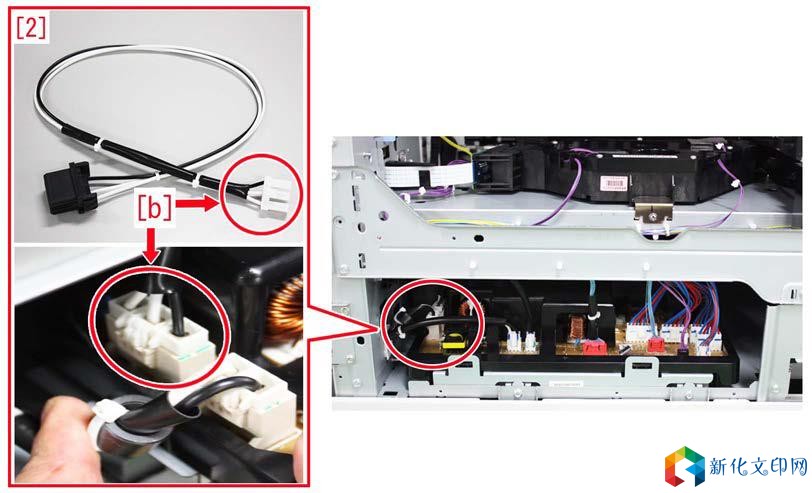
The following picture shows the connector of the fixing heater AC cable [2] after removing the left cover plate and the left lower cover plate of the machineConnect to the AC driver board PCB.
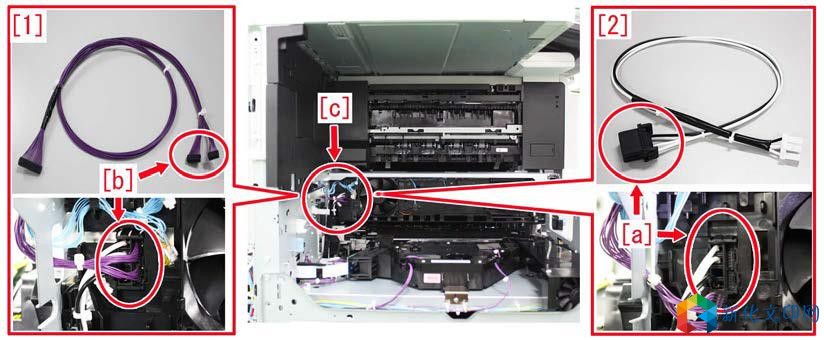
The following picture is a photo of removing the left cover plate of the machine, with the opposite side of each connector connected to the left rear side [c].
|
Address of this article:https://073868.com/post/2545.html
Copyright Notice:
For relevant infringements, reports, complaints and suggestions, please send E-mail:weixiuwang68@qq.com







