
|
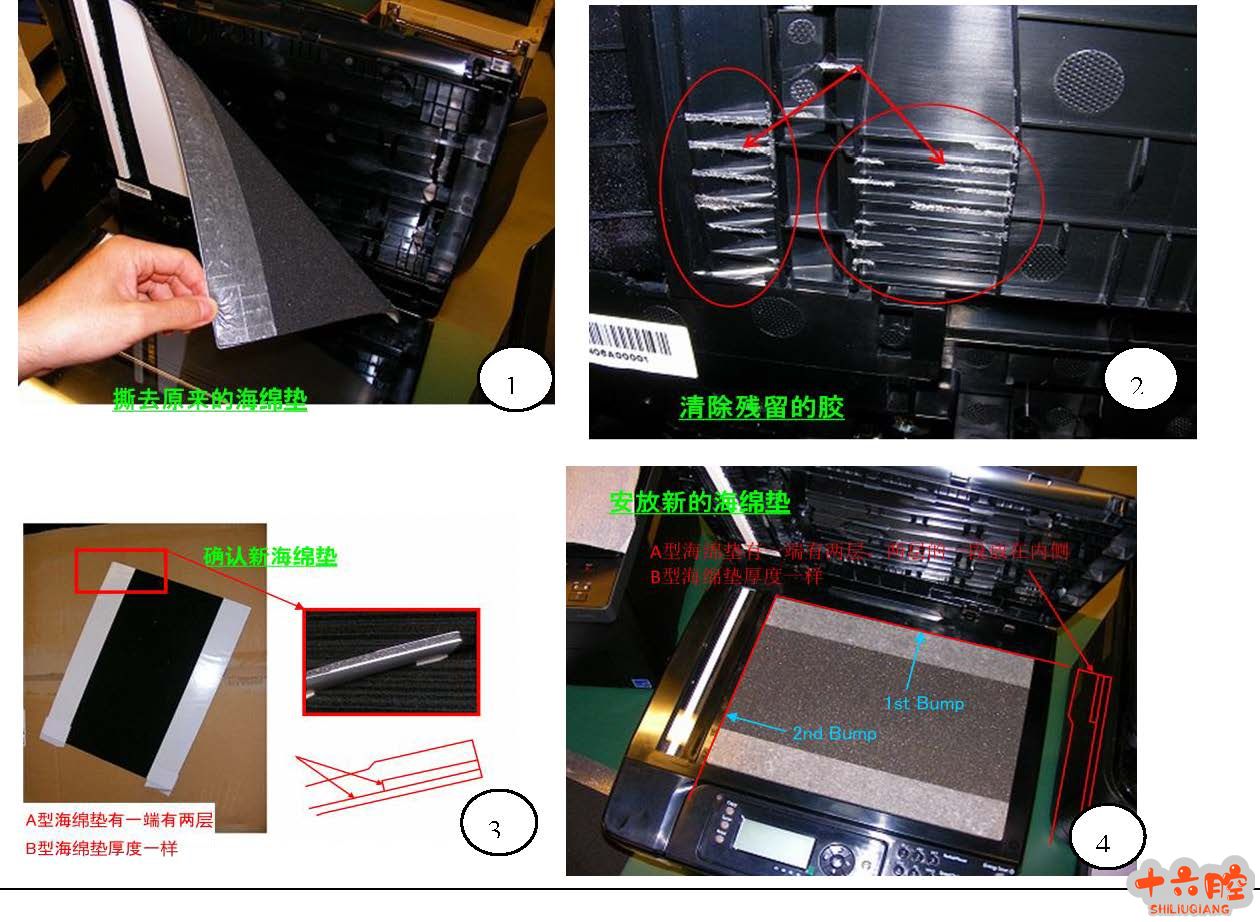
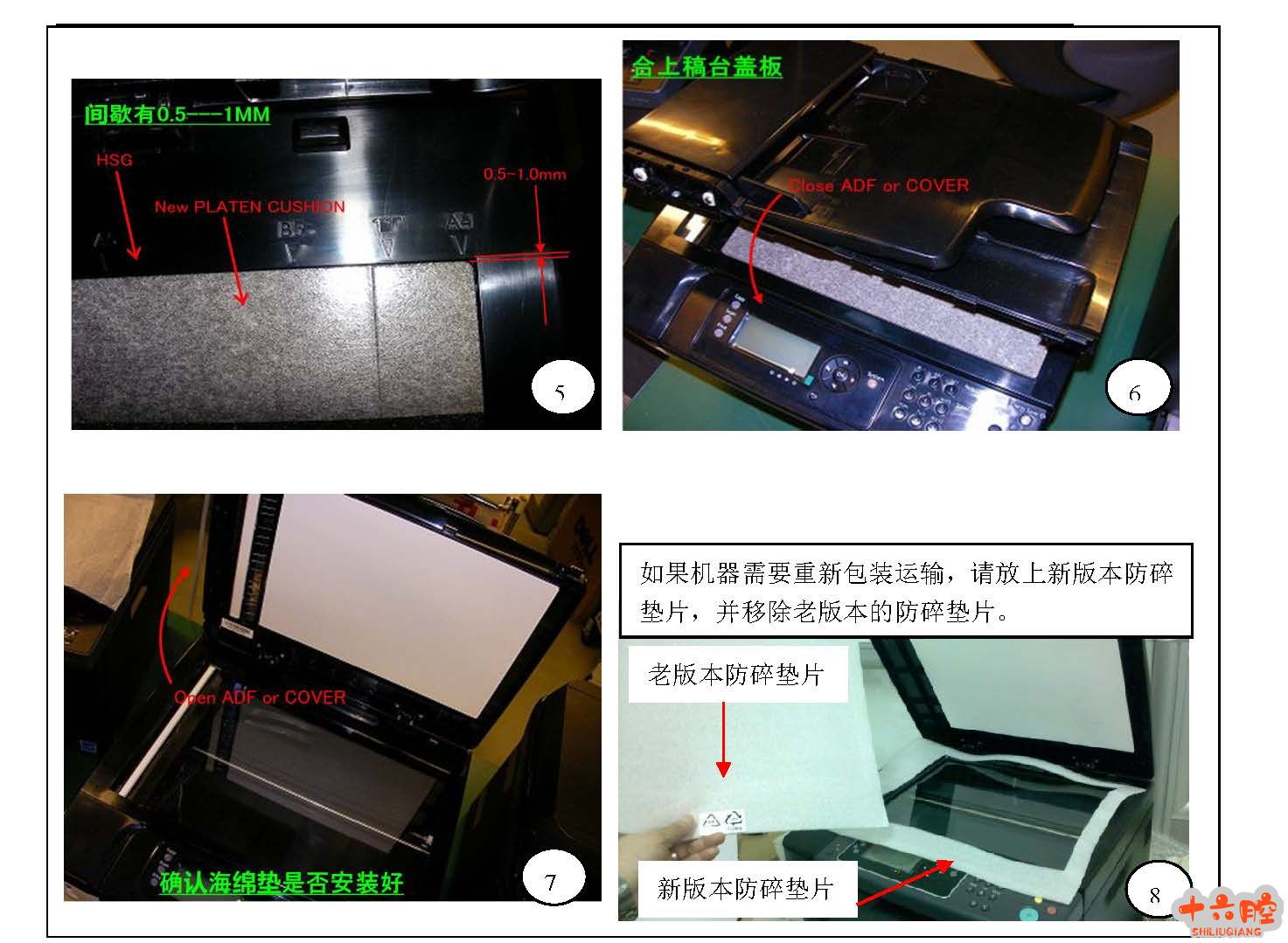
Fault phenomenon: When copying, the copy has a bottom ash phenomenon. Solution: 1. Panel copy default setting change: "I" key --- "default setting" --- "copy default setting". 1) Change “Original Document Type” to “Text.” 2) Replace "concentration" with "light 1". 3) Change "sharpness" to "sharpest". 4) Change "Color Balance B" to "-1". 2. Replace the scanning sponge pad. Replacement method:
|
Address of this article:https://073868.com/post/2278.html
Copyright Notice:
For relevant infringements, reports, complaints and suggestions, please send E-mail:weixiuwang68@qq.com
Tags: #CM205b #CM205f #bottom ash #Scan Sponge Pad







