
|
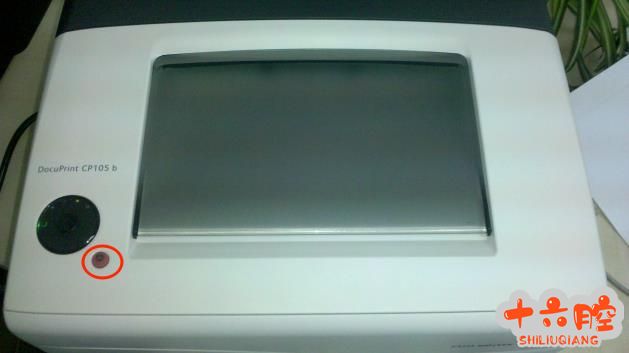
Fault phenomenon: The panel is red and there is a paper jam in the fixer, but it cannot be removed. This technology communication is applicable to all machines in the DocuPrint CP105b/205 DocuPrintCM205b/f series. Solution: Ensure that there is paper in the cardboard box, and that the paper is only stuck in the fixer and there is no paper jam at the positioning sensor. Then use the following steps to operate the tool. Solution for fixing with paper inside but unable to remove Power on DocuPrint CP105b/205- Press the stop button on the panel for 3 seconds, and the machine will rotate the motor to discharge the paper.
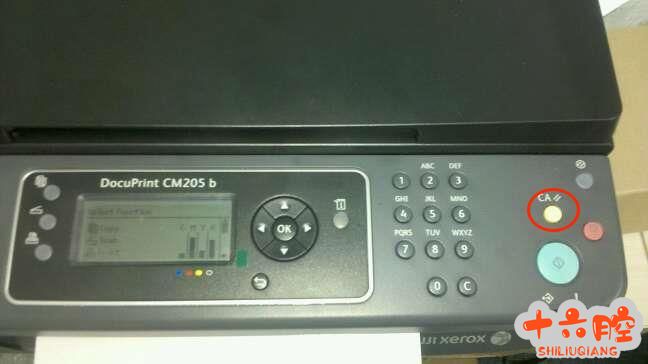
DocuPrint CM205b/f power on - long press the "CA" button on the panel for 3 seconds, and the machine will rotate the motor to discharge the paper.
|
Address of this article:https://073868.com/post/2277.html
Copyright Notice:
For relevant infringements, reports, complaints and suggestions, please send E-mail:weixiuwang68@qq.com
Tags: #105b #CM205b #Fixed cardboard #Sensor







