
|
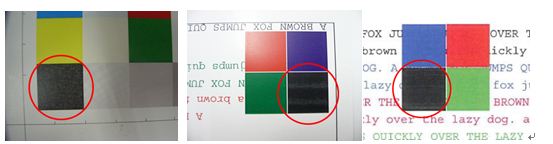
SymptomsSolid black image area, image density is light.
ReasonThe transfer charge of the black toner is lower than that of the color toner. As a result, additional toner transfer occurs with the PTR unit.SolutionDo the following steps. 1. Customize the paper type to specify the paper used. 2. Add the following option 5. Important: Before this step, write down the current value. Custom paper advanced settings:- No.22 image transfer current: black and white-No.23 image transfer current: full color: black 3. Print the affected image and check the quality. 4. If there are still problems, repeat step 2. Note: When operating, it can be increased to a maximum of 20 on the basis of the default value. 5. If you still have problems, do the following 6-8 steps. 6. Reduce the absolute value 5. Important: These setting values are negative, so the absolute value is considered. E. g., change "-82" to "-77" -No. 29 Paper Transfer Current: B & W: Side 1- No. 30 Paper Transfer Current: B & W: Side 2- No. 35 Paper Transfer Current: FC: Side 1- No. 36 Paper Transfer Current: FC: Side 2 7. Print out the affected image and check the quality. 8. If there are still problems, repeat step 6. Note: During operation, the value can be increased by up to 20 based on the default setting. 9. If you still have problems, do the following 10-12 steps. 10. Do the following. Important: This is to completely update the toner. 7-1. Set SP2109-003 to "26" (solid image).7-2. Set SP2109-007, -008, and -009 to "0".7-3. A3 Paper to print/copy black solid image 60 pages. 11. Set the following SP.- SP3620-202: set value 0.011.- SP3620-203: set value 0.021. 12. Execution SP3011-002 (Manual ProCon:Exe:Density Adjustment). |
Address of this article:https://073868.com/post/176.html
Copyright Notice:
For relevant infringements, reports, complaints and suggestions, please send E-mail:weixiuwang68@qq.com
Tags: #Light image density #C7110 #c7100 #Low toner #Paper Transfer






