
|
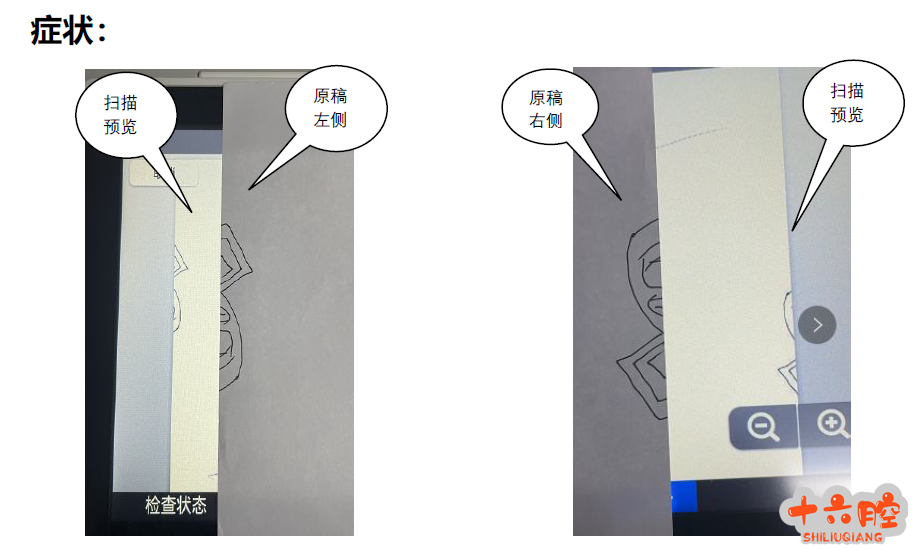
The above phenomenon occurs during the scanning of the document feeder (most of the saddle seals are missing) Maintenance process: This problem is caused by incorrect alignment and magnification. [kkpay=5] 1. First, you need to align and adjust the left tip SP6-006-003 (for dual channel document feeder) The more negative the values in the secondary scanning alignment, the more the image moves to the right (i.e. the larger the white edge); The more positive the value, the more the image shifts to the left. At this point, it is necessary to adjust to a reasonable value on one's own machine (which can achieve borderless scanning) for SP6-006-10 (single channel feeder, i.e. a feeder that scans both sides at once), with the same characteristics as above. Secondly, it is necessary to adjust the zoom of the sub scan SP6-017-001 (both single and dual channel document feeders are available) The more negative the values in the sub scan scaling, the larger the image will be. At this point, you can adjust the right edge of the image to just the right side of the top grid paper. Please make sure to adjust the alignment in order first, and then adjust the scaling [/kpay] |
Address of this article:https://073868.com/post/1384.html
Copyright Notice:
For relevant infringements, reports, complaints and suggestions, please send E-mail:weixiuwang68@qq.com
Tags: #c3000 #Seam seal #Scan #Document Feeder







