
|
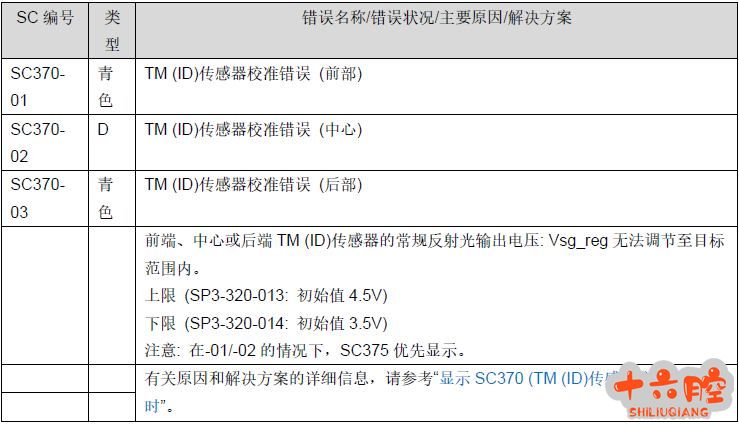
Symptoms After the machine is turned on, it displays a fault with SC370-01. Reason
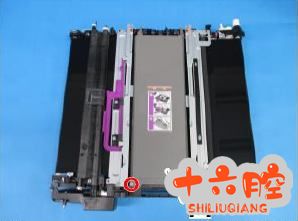
On-site maintenance measures: 1) Check if all connectors related to TM/ID sensors are securely connected. If the connector is disconnected or loose, please reconnect it. If the TM/ID sensor is dirty, clean the sensor (do not use a dry cloth). The fault cannot be eliminated by starting the machine for detection. 2) Perform SP5-804-255 (Output Check: Paper Transfer Contact Operation) to operate the paper transfer contact and release motor (M18) to check the opening/closing of the shutter. The fault still exists. 3) Replace the machine's TM/ID sensor and motherboard BICU board. Unable to troubleshoot. 4) Replace the ITB unit of the machine and troubleshoot. Note: (Disassemble the ITB unit to check if the belt is not flexible and if the ITB cleaning device is not cleaning the belt properly.). Clean the ITB unit thoroughly and replace the ITB belt for troubleshooting
|
Address of this article:https://073868.com/post/1372.html
Copyright Notice:
For relevant infringements, reports, complaints and suggestions, please send E-mail:weixiuwang68@qq.com







