
|
Symptoms:: Error SC567-00 after printing for a period of time Reason: query maintenance manual SC567-00 for software high temperature error: fixing thermistor.
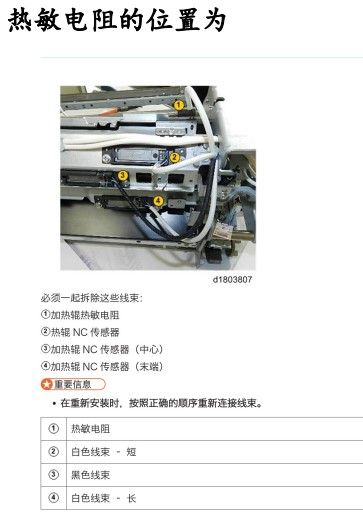
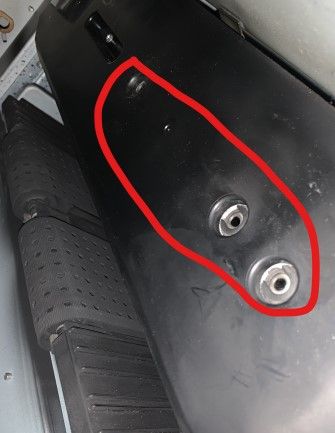
Solution: After the machine reports an error, enter the maintenance mode SP5-810 clear the code, pull out the fuser, wait for the fuser to cool down, remove the thermistor, heat the thermistor, and measure its parameters, so remove the thermistor fault. After the fixing is cooled, printing can continue, but errors will continue to be reported after printing multiple sheets, so TRIAC short circuit and IOB faults are temporarily eliminated. Check the maintenance manual again and find that the thermopile will also detect the fixing temperature, so clean the three sensors of the thermopile, and the fault is solved. (The figure below shows the thermopile three sensors)
After cleaning the thermopile, the temperature detection returned to normal, and the problem that the customer had encountered before that the self-check time was too long at the beginning of each job was also solved. Before, due to the problem of long self-inspection time, I thought that the machine was used for a long time and the printing volume exceeded 10 million, which was caused by the aging of machine parts. I had upgraded it before and changed the machine operation start-up parameters without much change. Only now have we discovered that the real reason is that there is a problem with the fixing temperature detection. |
Address of this article:https://073868.com/post/1368.html
Copyright Notice:
For relevant infringements, reports, complaints and suggestions, please send E-mail:weixiuwang68@qq.com
Tags: #SC567 #8120 #8110 #Thermistor #Thermopile






