
|
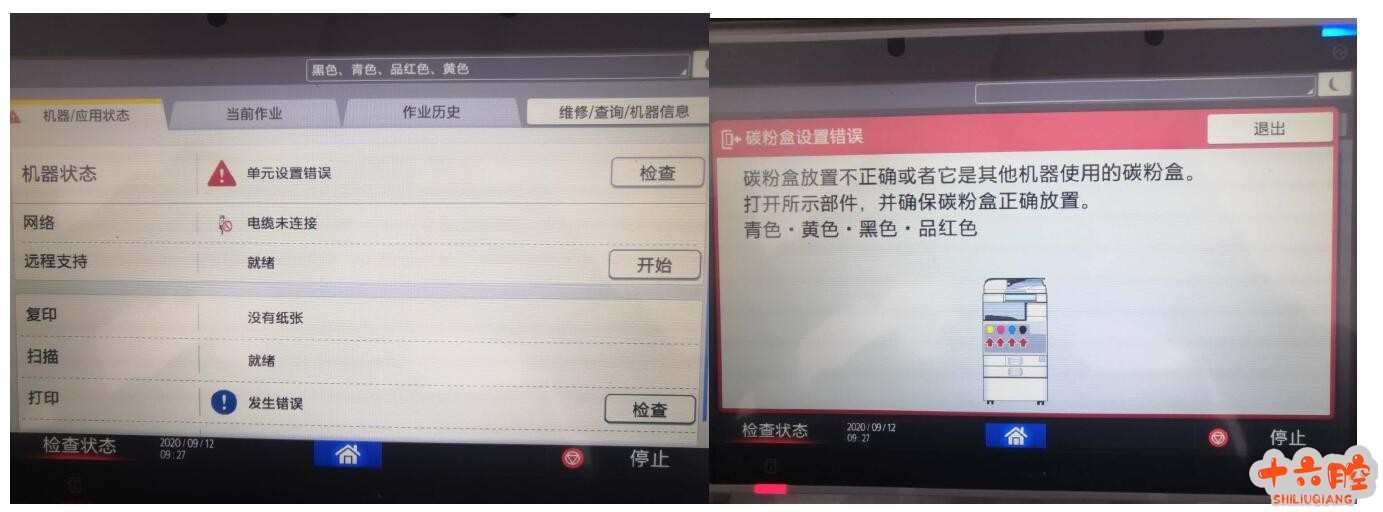
Symptoms: The installation prompt for the new machine indicates that all four colors of powder bottles cannot be detected.
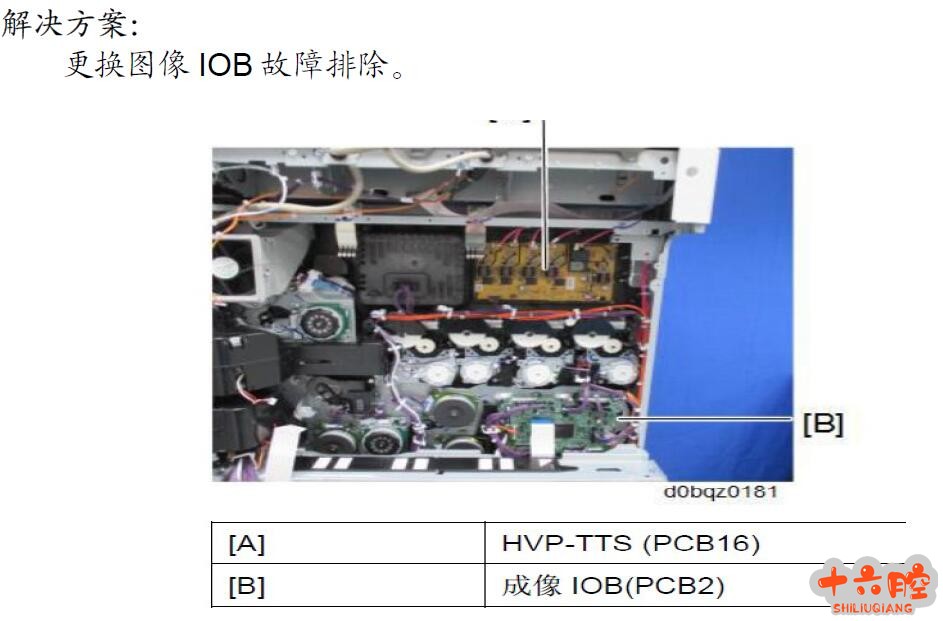
Analysis reasons: Considering that it was a problem that occurred during the installation of the new machine Possible reasons: The chip of the colored powder bottle is defective. The powder bottle is not installed properly and the detection board is defective. Measures: 1. Install the toner bottle separately to test the detection status, but the toner bottle cannot be detected. 2. Even if a new toner bottle is replaced, it cannot be detected. 3. Check the history of SC fault code SP7403, which has reported SC681-11 and SC682-12. The code annotation should be "Equipment error, possible cause noise, connection error" By checking the dot plot, it was found that the color powder chip detection board is connected to the image IOB (IOB: ENGINE PCB2). After checking the wiring, adjusting the pins, and unplugging again, the powder bottle still cannot be detected. 4. Replace the image IOB test, all 4 toner bottles can be detected, and the fault is resolved.
|
Address of this article:https://073868.com/post/1364.html
Copyright Notice:
For relevant infringements, reports, complaints and suggestions, please send E-mail:weixiuwang68@qq.com
Tags: #chip #Pink bottle #IOB #Image #c2000







