
|
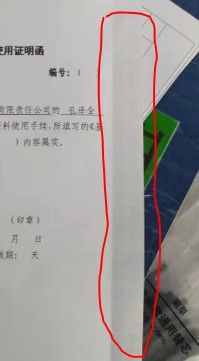
Symptoms A Ricoh MC2001 has black edges similar to bottom ash when making black copies or prints, as shown in the figure. Fault proofs:
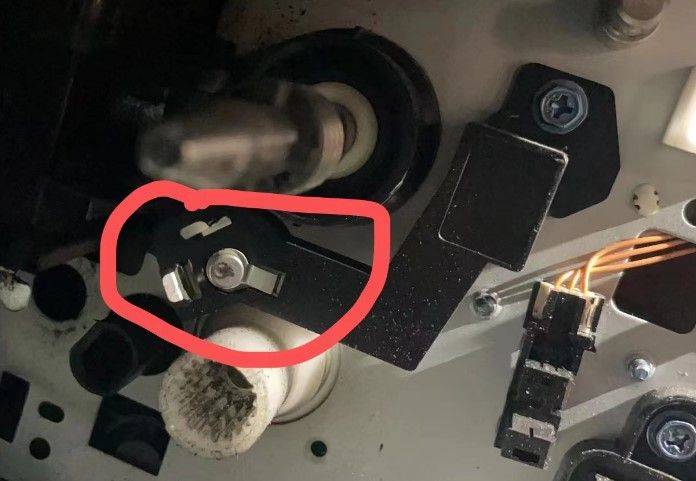
Possible causes: Poor PCDU unit/poor ITB unit/poor high-voltage contact terminal/poor HVP-CB high-voltage board Maintenance process 1. Check the failure situation on site. Black edges appear when the machine outputs black prints (each one has it and the printing and copying will be reproduced); 2. Replace the PCDU-K unit test, failure without improvement; 3. Replace ITB unit test, failure without improvement; 4. Clean the developing and charging high-voltage power-taking terminals, and there is no improvement in the fault;
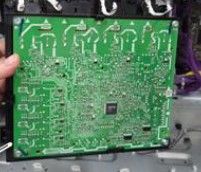
5. Check the condition of the HVP-CB high-voltage board, and find that the conductive line of the HVP-CB high-voltage board of the machine is dirty due to unknown reasons. After cleaning, the fault is eliminated by testing the machine again;
Solution The fault will be solved after the HVP-CB conductive circuit is cleaned; |
Address of this article:https://073868.com/post/1278.html
Copyright Notice:
For relevant infringements, reports, complaints and suggestions, please send E-mail:weixiuwang68@qq.com
Tags: #C2001 #Black Edge #electric leakage #HVP-CB #High pressure plate






