
|
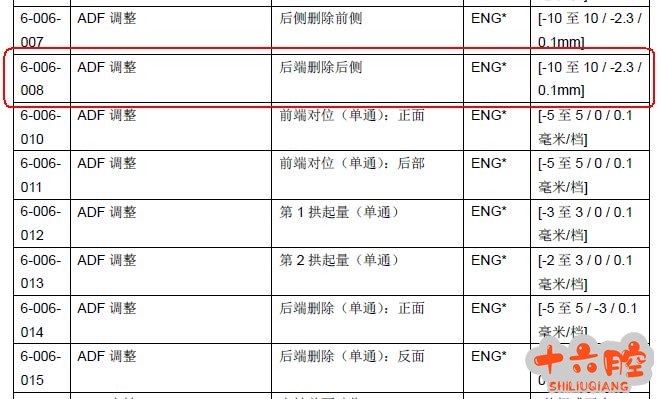
MP2555SP/3055SP/3555SP/4055SP/5055SP/6055SP When copying MP2555SP, the ADF scans the A3 original, and there are black lines at the end of the image perpendicular to the main scanning direction, and the printed image is normal. Maintenance process 1. It is normal to copy and scan images in platen mode. 2. Use ADF to copy and scan A4 original, check that the image has no abnormality in alignment and magnification, and no skew, and eliminate ADF installation factors. 3. Adjust the setting SP6006-008 to -5 and eliminate the fault. 4. Adjust the SP6006-008 according to the site conditions. If it is SPDF document feeder, use SP6006-014,015 to adjust.
|
Address of this article:https://073868.com/post/1222.html
Copyright Notice:
For relevant infringements, reports, complaints and suggestions, please send E-mail:weixiuwang68@qq.com
Tags: #ADF #Black line #2555 #4055 #6055





