
|
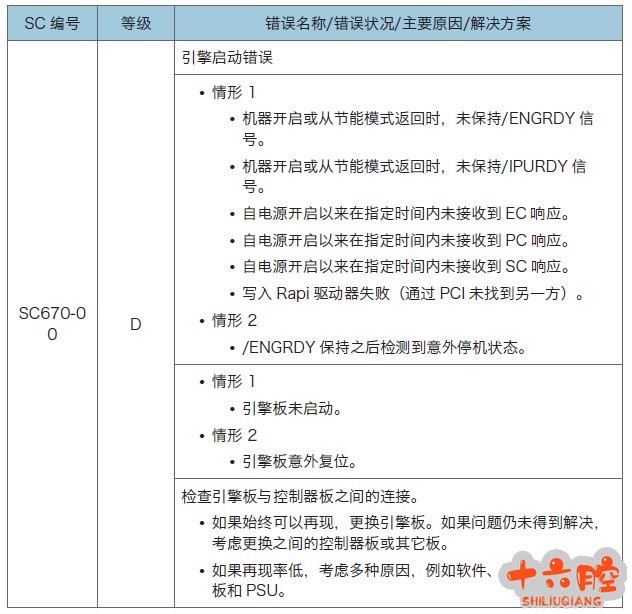
After approximately 400,000 pages of use, the MPC8002 requires a warm-up period of up to 6 minutes upon startup, after which the control panel displays error code SC670-00. The issue persists even after shutting down and restarting; the machine is unable to function. Cause analysis Check according to the general procedure for handling SC codes: 1. Check the manual for the explanation of the SC670-00; 2, according to the manual explanation, check and replace the engine board (BCU), controller board (including memory, NVRAM), HDD, IPU, PSU, can not solve the problem; 3. Check all boards and connecting harnesses, and no abnormality is found; 4. Considering that more than one part may be defective, two or more boards need to be replaced at the same time for testing;
Solution At the same time, replace the paper circuit control board (PFB) and IPU, and the machine can work normally (the replaced parts are all bad after inspection and confirmation). |
Address of this article:https://073868.com/post/1219.html
Copyright Notice:
For relevant infringements, reports, complaints and suggestions, please send E-mail:weixiuwang68@qq.com






