
|
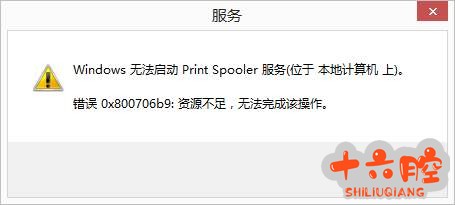
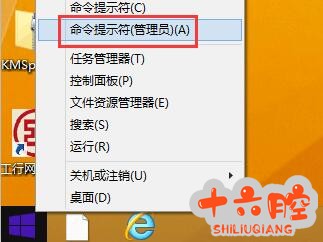
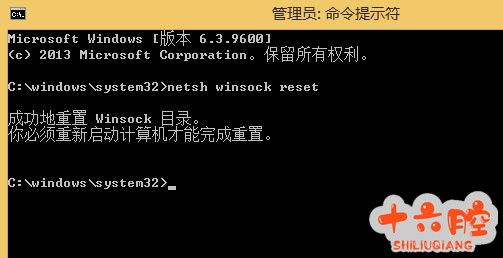
Print Service Print Spooler fails to start, Resolution for Error 0x800706b9 When installing the driver, we encountered an error message on the customer's computer as shown in Figure 1: "Windows cannot start the Print Spooler service (located on the local computer). mistake0x800706b9There is not enough resource to complete the operation ". There is actually a solution to this error that does not require reinstalling the system. Taking Win10 system as an example: first, right-click on the start menu as shown in Figure 2, select" Command Prompt (Administrator) ", open the Command Prompt interface, and enternetsh winsock resetThen press enter, and the system will return the result shown in Figure 3. After restarting the computer, the Print Spooler service can start normally and the printer driver can also be installed normally.
|
Address of this article:https://073868.com/post/1156.html
Copyright Notice:
For relevant infringements, reports, complaints and suggestions, please send E-mail:weixiuwang68@qq.com
Tags: #Print Spooler #Unable to start #Print service #0x800706b9






