
|
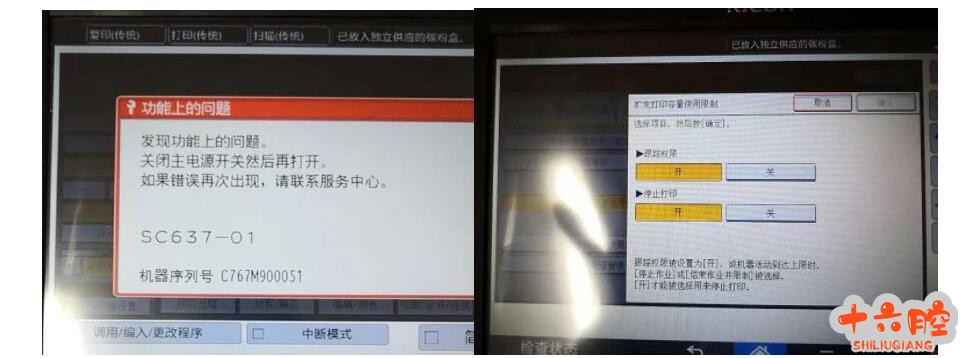
Startup report SC637-01, and the "tracking permission" in the system settings cannot be turned off.
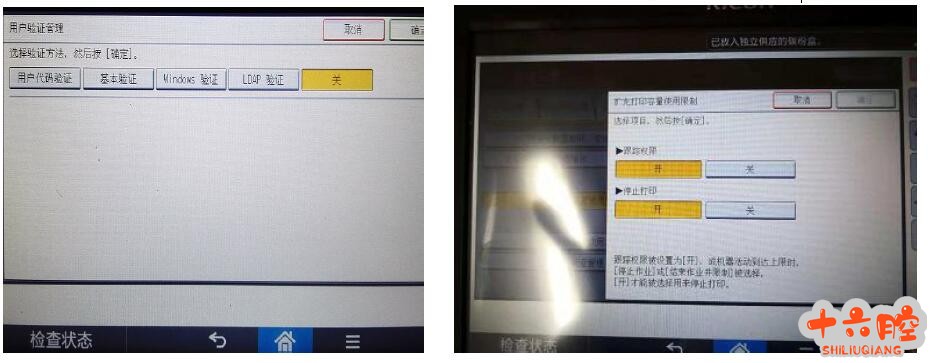
Analysis reasons: According to the manual and other on-site problem reports, it has been confirmed that the issue is caused by the "tracking permission" in the user tool being set to "valid" but unable to verify the relevant information. Measures: 1. Go to User Tools - Machine Features - System Settings, check if user authentication is turned off, but still see the "Expand Print Capacity Usage Restrictions" setting. After clicking to enter, the "tracking permission" cannot be closed.
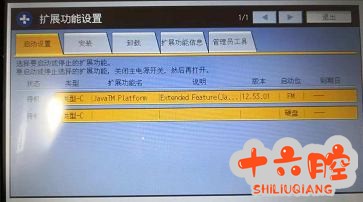
2. The machine has been installed with EZ. Upon checking the JAVA extension platform, an unnamed program information was found installed on the hard drive. It is considered that EZ has not been completely uninstalled, resulting in some settings not being changed. Manually uninstall the remaining unnamed program. Tracking permission cannot be closed.
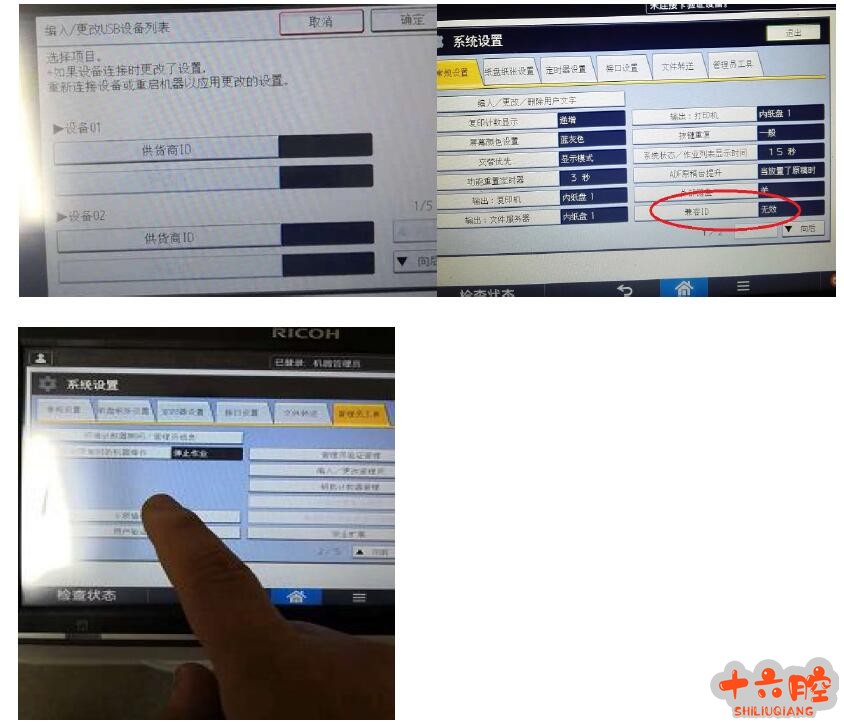
3. Attempt to clear the "Include/Change USB Device List" information, change the "Compatibility ID" to "Invalid", and the "Expansion Printing Capacity Usage Restriction" setting will disappear. Power on and off, restart the machine, and no longer report SC637-01 fault.
Solution: After on-site confirmation that the "Compatibility ID" in the "System Settings" has been changed to "Invalid", the "Expansion Printing Capacity Usage Restriction" dialog box will no longer be displayed, and the SC637-01 fault code will no longer appear when turning on or off the machine. |
Address of this article:https://073868.com/post/1348.html
Copyright Notice:
For relevant infringements, reports, complaints and suggestions, please send E-mail:weixiuwang68@qq.com







