
|
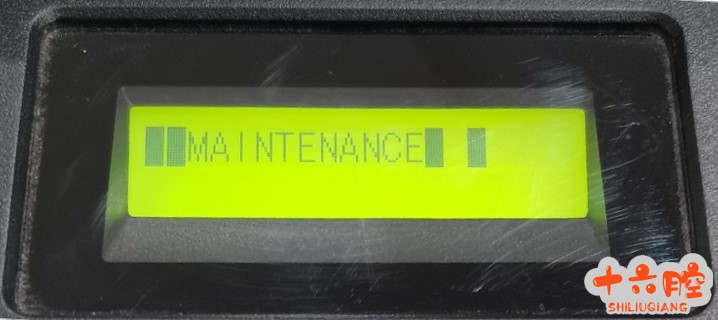
Symptoms: The machine is not powered on when turned on. Analysis reasons: After replacement testing, it was determined to be a motherboard malfunction. Measures: Replace the motherboard with a new one. Solution: Operation steps after replacing the motherboard of M 3401. Preparation work: Prepare according to the "Preparation Items" in Chapter 4, Section 1 of the maintenance manual (if motherboard components are replaced). Note: The maintenance setting tool (SvSettingTool. exe), download utility (FileDG32. EXE), maintenance printer driver (MaintenanceDriver. zip), and memory access tool (CacheAccessTool. exe) required for adjusting and setting Ape-MF1/P1 series models after replacing the motherboard mentioned in the manual. It is included in the compressed file 4.1 tool.rar. Download link: \ 172.25.158.30 \ Maintenance Manual \ BW Printer \ Ape-P1MF1 2. Install and repair the print driver according to Appendix 2 of the maintenance manual 3. After replacing the new motherboard and turning it on, the screen prompts for maintenance interface.
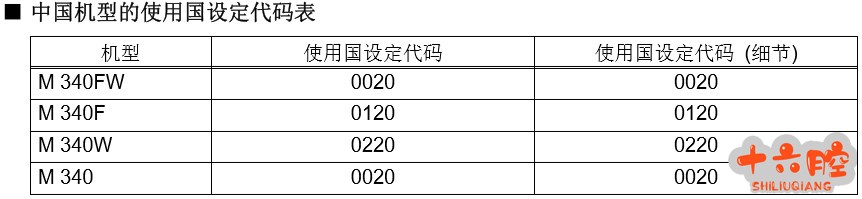
4. Follow the steps in Chapter 1.1 of the manual for setting the country/region of use, setting the serial number, and inputting the laser unit calibration value. Note: Please pay close attention to the "Attention" content in this section. After completing the settings in this section, be sure to shut down and restart. Country code:
5. Do not rewrite firmware (sub firmware and main firmware) by skipping 1.2. 6. Initialize the EEPROM of the 1.3 motherboard components (function code 01). 7. Obtain 1.5 white level data (function code 55). 8. Perform a factory reset of 1.6. Ricoh M340-P200 Replacement Motherboard Setting Tool 4.1 Tool https://www.16qiang.cn/forum.php?mod=viewthread&tid=13132 |
Address of this article:https://073868.com/post/1084.html
Copyright Notice:
For relevant infringements, reports, complaints and suggestions, please send E-mail:weixiuwang68@qq.com
Tags: #Not powered on #Motherboard #M340 #Firmware






