
|
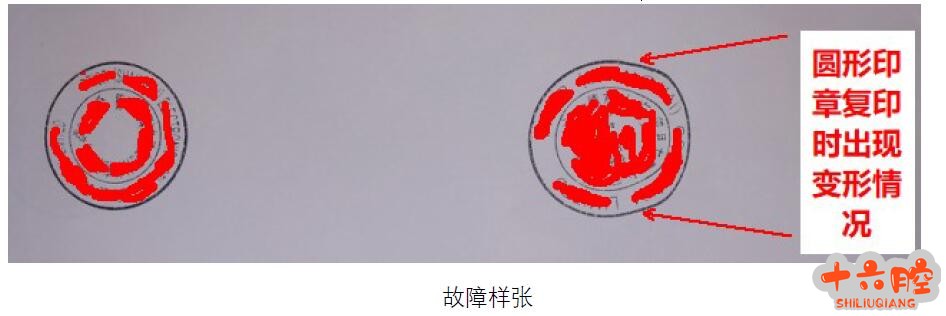
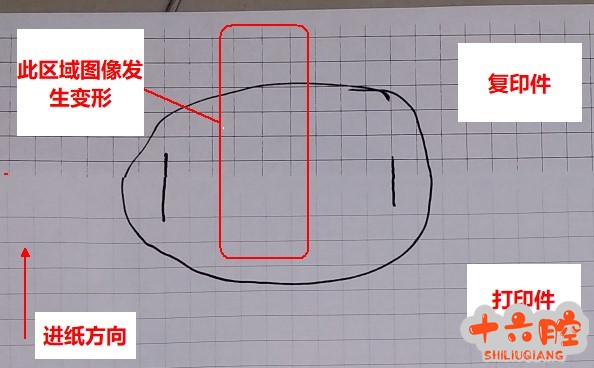
IMC2000 the printing is defective, the copy is partially deformed, and the printing is stretched.
Maintenance process 1. Print drawing No. 7 in the SP2109-003, and the effect of printing the sample drawing is normal, indicating that some data processing of the machine printing engine is normal; 2. Use this printed document as the original document for copying. No matter scanning from the platen or the document feeder, the printed document will have image stretching and deformation at a fixed position;
3. Confirm that the fault occurs in the scanning link; 4. It is suspected that the fault is caused by the deformation of the scanning parts, but the scanning table and scanning components are checked and no deformation is found; 5. It is suspected that the fault is caused by the image processing process, but the fault has not been solved after replacing the scanning assembly and BICU board; 6. Troubleshoot after replacing the flat cable between the scan module SBU board and the BICU board; 7. Confirm that the part number of this flat cable is D0BQ5201 through the dot diagram. Solution Troubleshoot after you replace the flat cable from the scan unit SBU board to the BICU board. |
Address of this article:https://073868.com/post/1048.html
Copyright Notice:
For relevant infringements, reports, complaints and suggestions, please send E-mail:weixiuwang68@qq.com
Tags: #c2000 #c3000 #c6000 #Stretching #Deformation






