
|
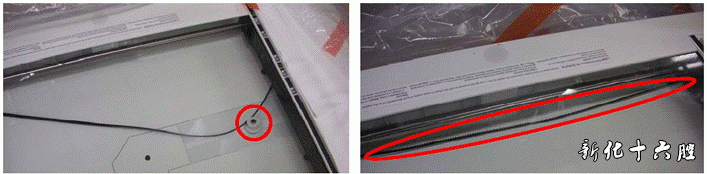
[Description] Cause: The scanner belt may be loose, optics may be stained, connections may be poor, or components may be malfunctioning.Attention: Fault code: 6791 "Optics are not involved. Therefore, if this fault occurs, do not perform steps 1 and 3 when troubleshooting.6751: Gain adjustment error6790: Offset adjustment error· 6791: Bit setting error (see note)· 6792: white reference plate search error6793: Scanner communication error9401: Exposure lamp lit check error Solution: Restart the printer to see if the failure recurs. If the fault recurs, do the steps in the following sequence and check the fault code after each step. 1. Check whether the scanner belt deviates from the normal path. If yes, replace the optical unit.
3. Check whether CN102 and CN103 on MFPB are correctly connected, and correct if necessary. 4. Replace scanner unit (optical unit)Attention: The lamp may be damaged and cannot be ordered as spare parts.5. Replace MFPB. |
Address of this article:https://073868.com/post/970.html
Copyright Notice:
For relevant infringements, reports, complaints and suggestions, please send E-mail:weixiuwang68@qq.com







