|
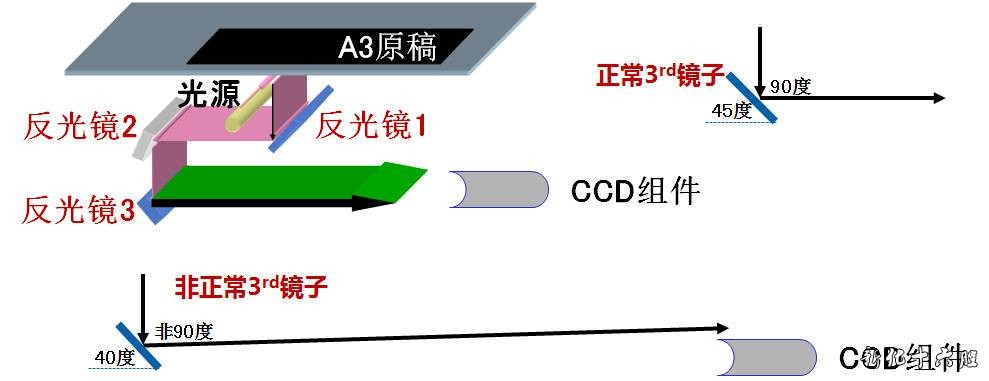
Today, I will share with you how to adjust the tilt of the scanning lamp holder reflector. <判断步骤> 1. New installation failure, considering replacing CCD and MFPB for testing, the fault has not changed and the problem has not been resolved. 2. Then adjust the screw height of the CCD platform to 7mm, and the gray black area becomes smaller and changed. The final platen is normal, but the document feeder is completely black. 3. The judgment is related to the tilt of the light path during the movement of the lamp frame, and there is no light entering the CCD in the latter half of the lamp frame movement.
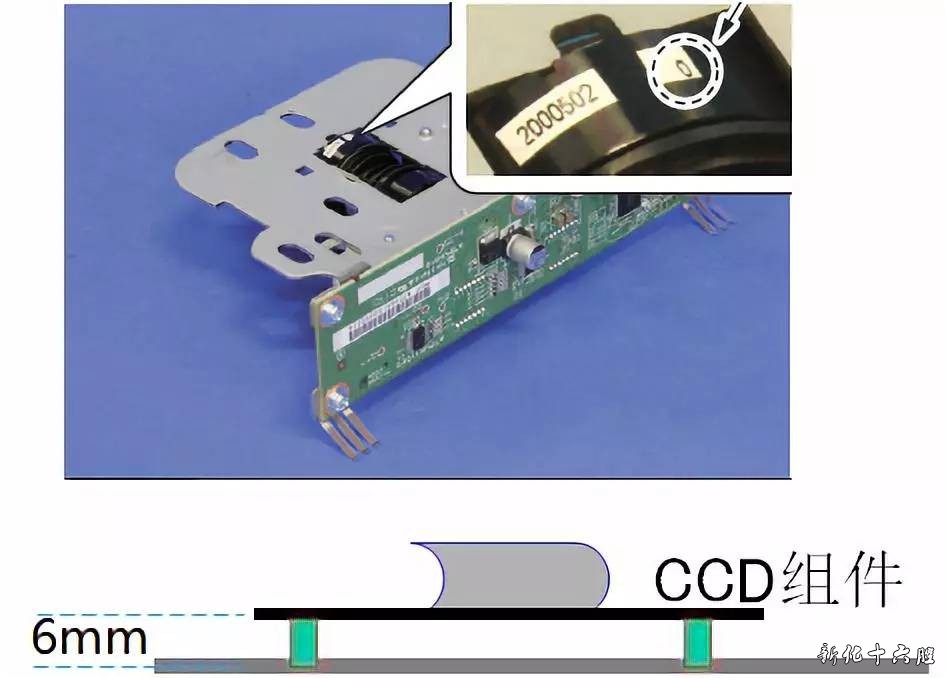
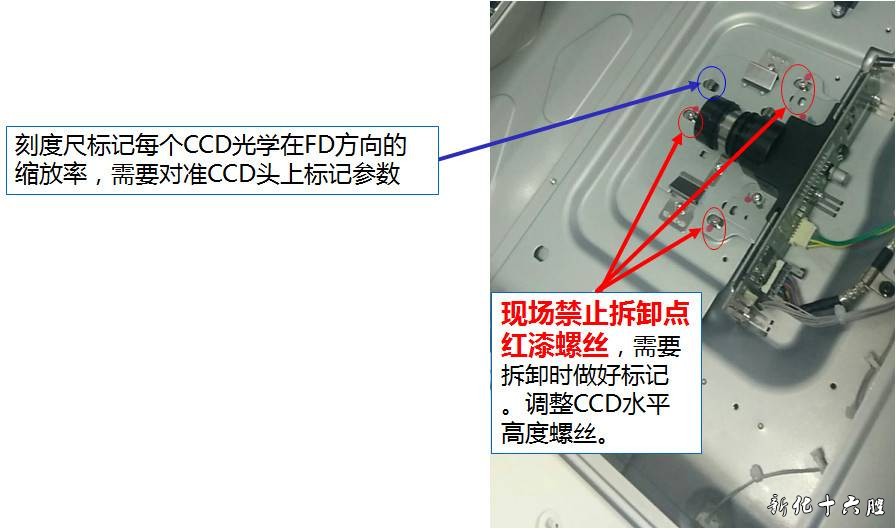
Due to VP adjusting the CCD height at the beginning and not marking it later, the platform height of the three screws was first adjusted to 6mm at the same height.
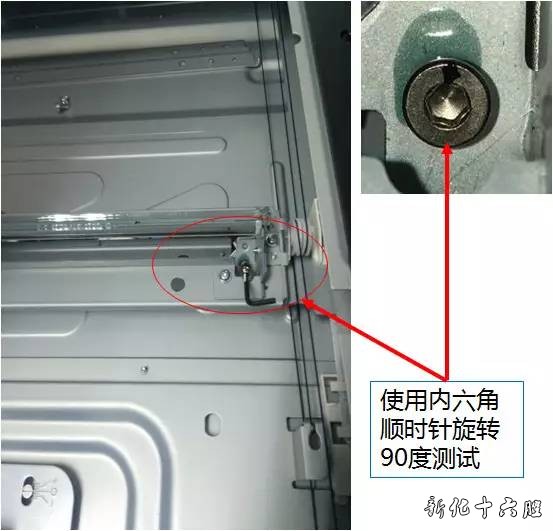
<反光镜调整步骤> 1. As VP had previously adjusted the CCD height, the platform height of the three screws was first adjusted to 6mm. 2. Then adjust the angle screw on the right side of the third lamp bracket clockwise, using an Allen wrench. 3. Check the image quality of the lamp holder when scanning the glass and A3 remote end during startup. When adjusting, the height of the convex mirror image in the first reflector can be observed from a vertical position. Try to see the image at the same height on both ends as much as possible. During the process, multiple startup attempts resulted in a code error C9401: Less light entering C9402: More light enters
|
Kemei copier scanning light rack reflector tilt adjustment
334
0