
|
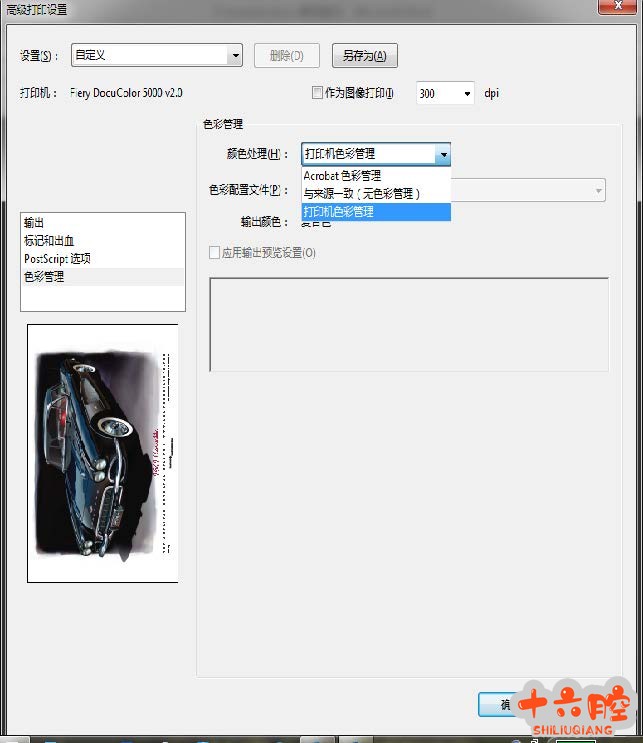
Question: The customer's PDF file is an RGB file. After printing with the print driver, it was found that the copy was not very bright, but rather flat and poorly layered like a CMYK file Reason: 1 Check if the PDF on the client PC is indeed an RGB file 2. After printing through the print driver, the file before checking the server RIP is CMYK, and the problem lies here Solution: On the printing interface, click on 'Advanced' 2. Change the "Acrobat Color Management" in "Color Processing" to "Printer Color Management".
|
Address of this article:https://073868.com/post/660.html
Copyright Notice:
For relevant infringements, reports, complaints and suggestions, please send E-mail:weixiuwang68@qq.com
Tags: #Color management #PDF #Drive #RGB







