
|
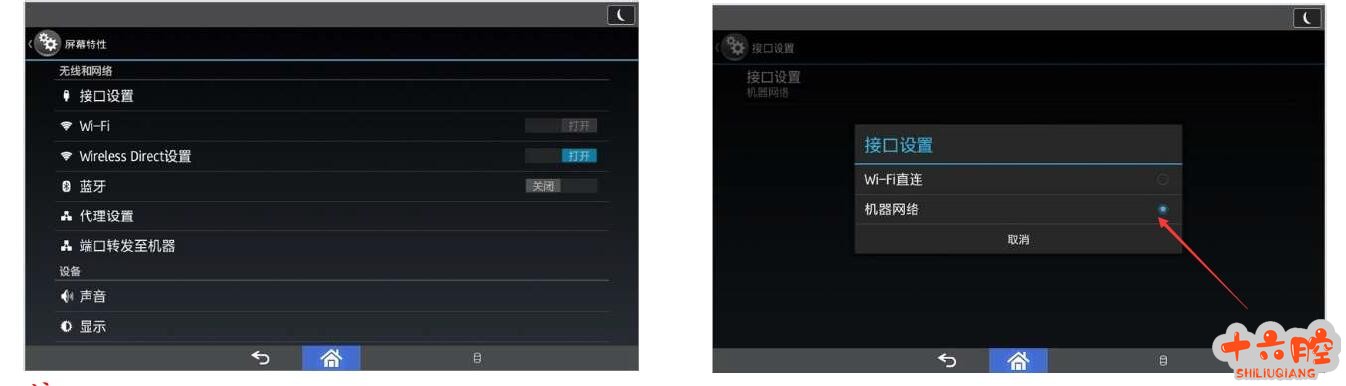
Symptoms Fault: There is no WiFi network environment at the customer's location, and there is a proxy server setting for wired network access to the external network. SOP is required to connect to the external network for access. Reason The SOP screen is connected to the network using a machine Ethernet cable and a proxy server. Maintenance process 1. Adjust the network settings in SOP to "machine network".
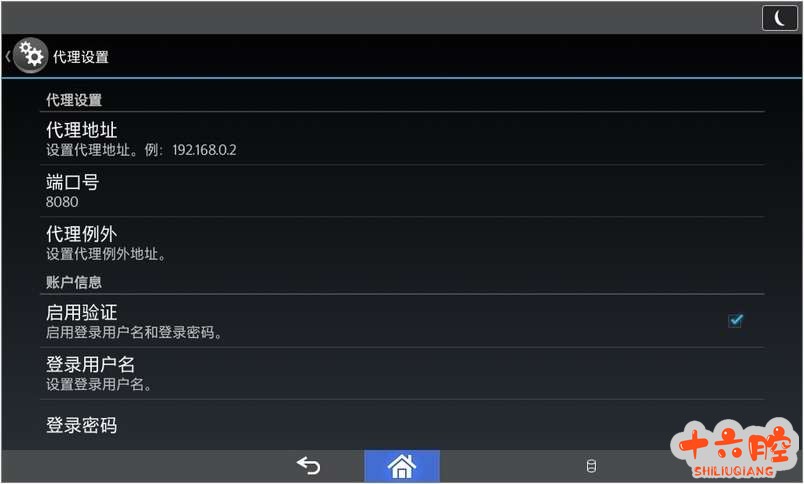
Note: 1) The setting here is that the SOP connects to the network through either the machine network or the wireless network of the SOP, and it does not mean that the MFP can only use any network setting for printing, scanning, and other functions. 2) If the network cable in the MFP usage environment can directly connect to the external network, then using SOP's browser and other software can be used to browse web pages online. If the client needs a proxy server to connect to the external network, add the proxy settings in the SOP settings first;
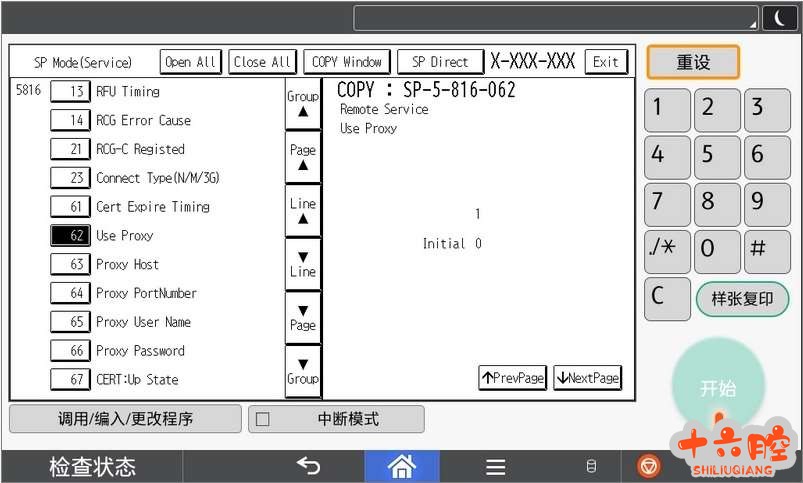
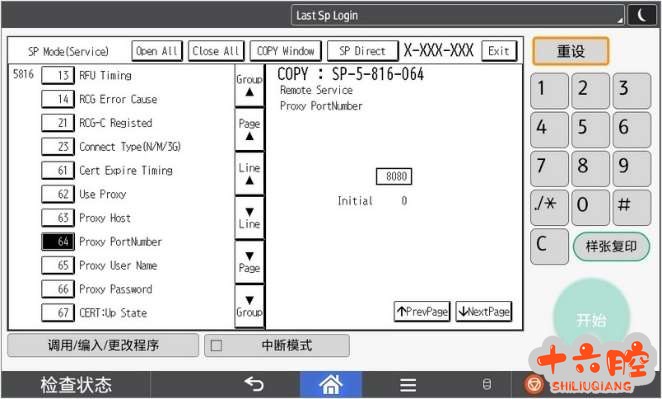
If the proxy server has authentication, check the enable authentication option and enter your username and password; 3. Enter SP mode and enable proxy server settings in SP5816-62;
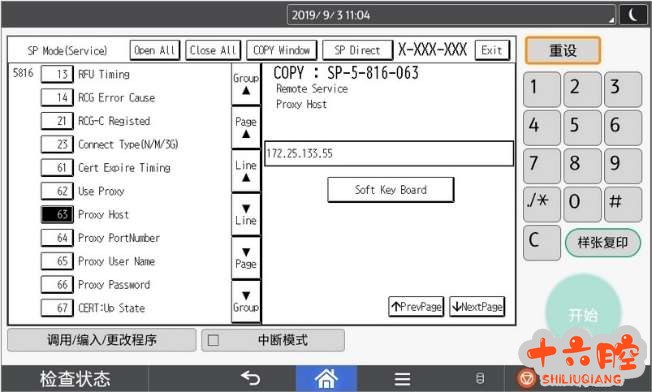
4. Enter the relevant settings of the proxy server in SP5816-63 and 64;
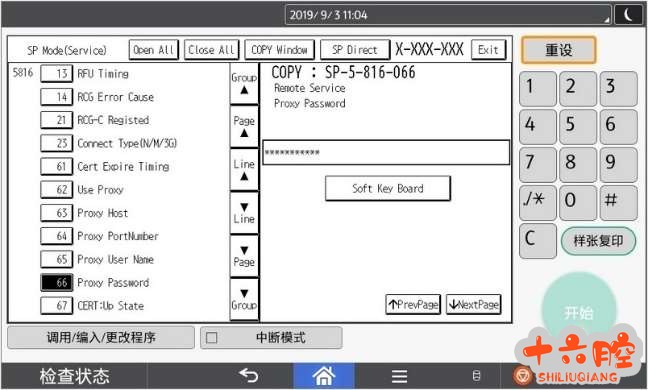
5. Enter proxy server verification information in SP5816-65, 66;
After restarting the machine, SOP's browser and other software can achieve internet access through the machine network. Solution By following the above steps, SOP can be connected to the internet through a machine network. |
Address of this article:https://073868.com/post/5675.html
Copyright Notice:
For relevant infringements, reports, complaints and suggestions, please send E-mail:weixiuwang68@qq.com
Tags: #sop #Smart screen #Wifi #Network #C3504ex







