
|
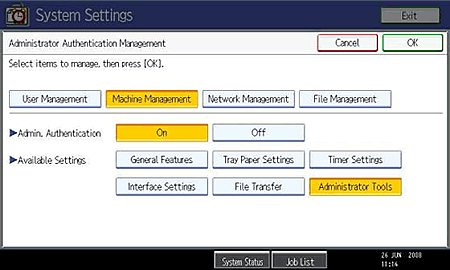
Using “Maintenance Mode Lock” can disable SP mode.Using “Maintenance Mode Lock” can disable SP mode. Administrator mode must be enabled to activate maintenance mode lock.1. Enable the machine administrator.MFPs: User Tools> System Settings> Administrator Tool> Administrator Authentication Management> Machine Management Open and select Administrator Tools, then press OK.
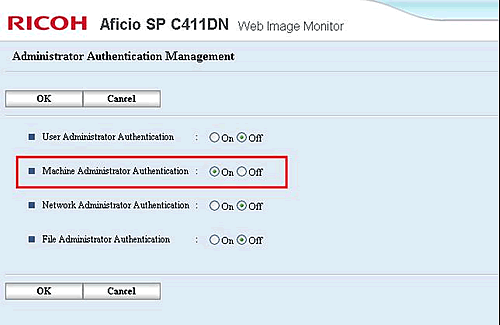
Log in to the Web Image Monitor. Configuration> Device Settings> Administrator Authentication Management> Machine Administrator Authentication> On
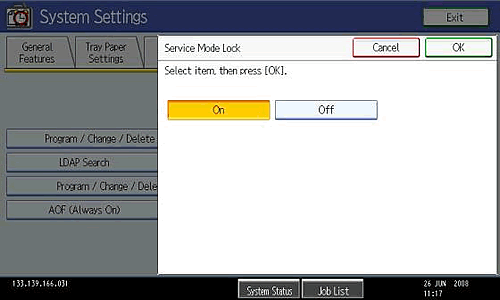
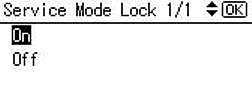
User Tools> System Setup> Administrator Tool> Service Mode On
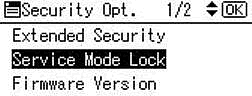
Menu> Security Options Select Service Mode Lock. Press OK.
|
Address of this article:https://073868.com/post/5655.html
Copyright Notice:
For relevant infringements, reports, complaints and suggestions, please send E-mail:weixiuwang68@qq.com
Tags: #SP Mode #Maintenance mode #Administrator Tools #Machine Management






